
Measure Sound Better



Blogs
The Microphone That Goes Where Others Can't. 1/2" Prepolarized Free-Field | IP67 | –50°C to +125°C | Built for the Real World The Problem With Traditional NVH Microphones Every NVH engineer knows the frustration: you need accurate acoustic data, but the test environment is anything but laboratory-perfect. Rain. Dust. Engine bay heat at 120°C. Scandinavian winter at –40°C. Vibration. Shock. Road spray. Traditional measurement microphones weren't built for this. They're precision instruments designed for controlled environments — fragile, temperature-sensitive, and one drop away from an expensive recalibration. So engineers compromise: they protect the microphone instead of optimizing the measurement, or they accept degraded data from sensors pushed beyond their limits. CRY3213 changes this equation entirely. A Game Changer for NVH Testing The CRY3213 is the first NVH measurement microphone that delivers laboratory-grade accuracy in the harshest real-world conditions — without compromise, without babysitting, without excuses. What You Get What It Means –50°C to +125°C operating range Test in Arctic cold or next to a turbo manifold — same accuracy, same reliability IP67 dust & water protection Full immersion protection. Rain, road spray, pressure washing — it keeps measuring Ruggedized, vibration-resistant design Survives the shocks and vibrations of real-world vehicle testing without signal degradation 50 mV/Pa sensitivity High output for excellent signal-to-noise ratio, even in quiet cabin measurements 3.15 Hz – 20 kHz (±2 dB) Full audible bandwidth plus infrasound — captures everything from tire cavity resonance to HVAC hiss This isn't an incremental improvement. It's a new category: the ruggedized precision NVH microphone. Why CRY3213 Is Different 1. Extreme Temperature Performance Most measurement microphones spec a conservative operating range: 0°C to 50°C, maybe –10°C to 60°C with reduced performance. That's fine for a lab. It's useless for: Cold climate testing in Arjeplog, Sweden (–35°C) or Northern China (–40°C) Under-hood measurements where temperatures routinely exceed 100°C near exhaust manifolds and turbochargers Thermal cycling tests that swing from frozen to furnace in minutes CRY3213 operates at –50°C to +125°C with specified accuracy. No warm-up drift. No thermal shutdown. No recalibration needed between temperature extremes. When your competitors are swapping frozen microphones in the parking lot, your CRY3213 is still collecting data. 2. IP67: Truly Weatherproof IP67 means: - 6 = Total dust ingress protection (dust-tight) - 7 = Protected against temporary immersion in water (up to 1 meter, 30 minutes) For NVH testing, this translates to: - Pass-by noise testing in rain — no test cancellations, no scrambling for covers - Road spray and puddle testing — mount microphones at wheel height without worry - Tropical humidity environments — no condensation-related signal drift - Outdoor long-term monitoring — deploy and forget Most competitors either lack IP ratings entirely or max out at IP55 (limited dust/splash protection). CRY3213's IP67 is the highest protection class available in a precision NVH microphone. 3. Ruggedized and Vibration-Resistant Traditional condenser microphones are delicate by nature — thin diaphragms, precision air gaps, tight tolerances. The CRY3213 is engineered differently: Shock-resistant construction — survives drops, bumps, and the everyday abuse of field testing Power-on LED indicator — instant visual confirmation that the microphone is active and powered Vibration-isolated design — rejects mechanical vibration that would contaminate acoustic measurements on engine test benches and vehicle structures Robust cable and connector — designed for repeated connect/disconnect cycles in field conditions This means you can mount it on the vehicle, not just near it. Engine mounts, chassis rails, wheel arches — places where traditional microphones would fail from vibration alone. 4. No-Compromise Acoustic Performance Ruggedized doesn't mean reduced performance. CRY3213 delivers: Sensitivity: 50 mV/Pa (–26 dB re 1V/Pa) — matching premium lab microphones Frequency Response: 3.15 Hz to 20 kHz (±2 dB) — the full NVH bandwidth Dynamic range up to 136 dB — handles everything from quiet cabin to high-SPL engine bay measurements Low-frequency extension to 3.15 Hz — critical for tire cavity resonance (180–250 Hz), body boom (30–60 Hz), and powertrain low-order vibrations Prepolarized design — no external polarization voltage needed; plug-and-play with any IEPE/CCP input Application Scenarios Automotive NVH — Where CRY3213 Shines Application Environment Why CRY3213 Powertrain Noise Engine bay, 80–120°C, heavy vibration Temperature range + vibration resistance Road Noise Testing Outdoor, all weather, road spray IP67 + wide temperature range Wind Noise Testing Wind tunnel or outdoor, high airflow Ruggedized + dust protection Pass-by Noise (ISO 362) Outdoor, rain or shine, year-round IP67 enables all-weather testing Cold Climate Validation Arctic conditions, –30°C to –50°C –50°C low-end operating range EV Motor Whine Analysis Near e-drive, electromagnetic interference High sensitivity + vibration isolation Squeak & Rattle Interior, door panels, dashboard Full bandwidth down to 3.15 Hz Production Line EOL Test Factory floor, dust, temperature swings IP67 + rugged design for 24/7 industrial use Beyond Automotive CRY3213's extreme environmental specs make it equally valuable in: Aerospace: Engine run-up testing, cabin noise certification, flight testing Rail: Exterior and interior noise measurements per EN/ISO standards Heavy Industry: Turbine noise monitoring, compressor testing, outdoor environmental noise Energy: Wind turbine noise assessment in extreme weather conditions CRY3213 vs. The Competition How does CRY3213 stack up against the industry's most common NVH microphones? Feature CRY3213 B&K Type 4189 GRAS 46AE Temperature Range –50°C to +125°C –10°C to +50°C –10°C to +50°C IP Rating IP67 Not rated Not rated Vibration Resistance Yes (ruggedized) No No Sensitivity 50 mV/Pa 50 mV/Pa 50 mV/Pa Frequency Range 3.15 Hz – 20 kHz 6.3 Hz – 20 kHz 3.15 Hz – 20 kHz Size (1/2") ✅ ✅ ✅ Prepolarized ✅ ✅ ✅ Warranty 10 years 2 years 2 years All-Weather Field Use Yes Limited Limited The bottom line: Same precision. Same sensitivity. Dramatically more capable in real-world conditions. And backed by a 10-year warranty that says we stand behind it. Technical Specifications Parameter Value Type 1/2" Free-field, Prepolarized IEC Standard IEC 61094 WS2F Sensitivity (±2 dB) 50 mV/Pa, –26 dB re 1V/Pa Frequency Response (±2 dB) 3.15 Hz – 20 kHz Dynamic Range (re. 20 µPa) xx dB(A) – 136 dB Capacitance @250 Hz 15 pF Maximum Output Voltage > 8.0 V Power Supply IEPE (2–20 mA) Connector BNC Operating Temperature –50°C to +125°C Storage Temperature –25°C to +70°C Operating Humidity 0–90% RH, non-condensing IP Rating IP67 (dust-tight, waterproof) Dimensions (with grid) Ø14.5 mm × 92 mm Polarization 0 V (prepolarized) Note: Weight TBC. Frequently Asked Questions Q: Can I use CRY3213 with my existing NVH data acquisition system? A: Yes. CRY3213 is a prepolarized (0V) IEPE/CCP microphone, compatible with any standard constant-current input — including systems from Siemens (SCADAS), HBK (LAN-XI), Dewesoft, National Instruments, HEAD acoustics, and others. Q: How does it handle rapid temperature changes during thermal cycling tests? A: CRY3213 is designed for continuous operation across its full –50°C to +125°C range, including rapid transitions. The thermal compensation ensures sensitivity stability without requiring recalibration between temperature extremes. Q: Is it suitable for permanent outdoor installation? A: Yes. With IP67 protection, CRY3213 is suitable for long-term outdoor deployment. For extended installations, we recommend using the optional outdoor windscreen accessory to minimize wind-induced noise. Q: What's the advantage over array microphones for NVH? A: Array microphones (MEMS-based) offer cost advantages for large-channel setups but typically have narrower dynamic ranges and less environmental protection. CRY3213 provides IEC 61094-compliant precision for reference-quality measurements in conditions where array microphones can't survive. Q: 10-year warranty — what does it cover? A: CRYSOUND's 10-year warranty covers manufacturing defects and sensitivity drift beyond specification. It's one of the longest warranties in the measurement microphone industry, reflecting our confidence in CRY3213's long-term reliability. Ready to Upgrade Your NVH Testing? Stop compromising between precision and durability. CRY3213 delivers both. Request a Quote → Download Datasheet (PDF) → Compare All CRYSOUND Microphones →
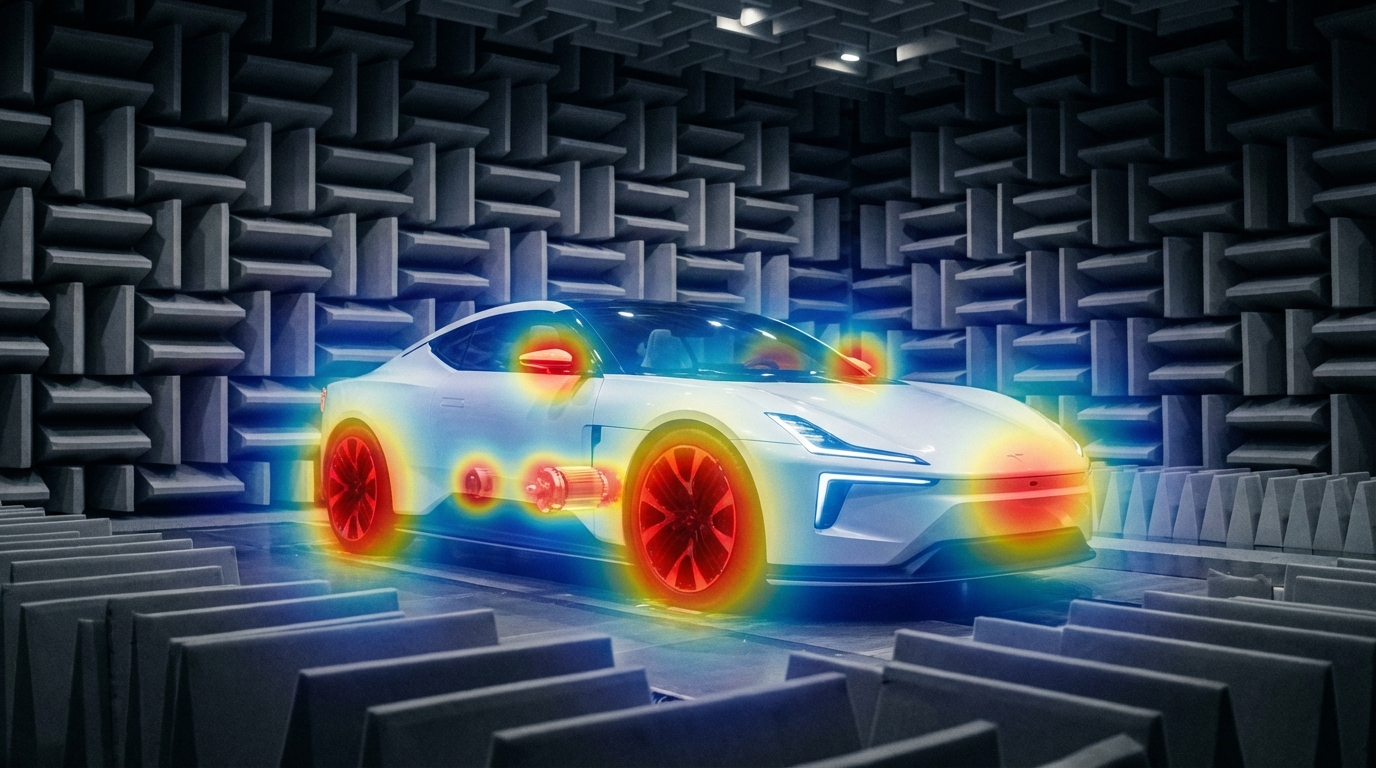
The Quiet EV Paradox: Why Electric Cars Are Actually "Noisier" It sounds like a paradox — electric vehicles have no roaring engine, yet engineers are finding it harder than ever to achieve a truly quiet cabin. The truth is, when the low-frequency masking effect of the internal combustion engine disappears, every previously hidden noise becomes fully exposed: the high-frequency whine of the electric motor, the electromagnetic hum of the inverter, gear meshing vibrations, wind noise, road noise, even the squeak and rattle of interior trim — nothing can hide anymore. This isn't just a comfort issue. It's fundamentally redefining the automotive industry's approach to NVH (Noise, Vibration, and Harshness) testing. The global automotive NVH testing market is projected to grow from USD 3.51 billion in 2026 to USD 5.75 billion by 2034, at a CAGR of 6.4%. The core driver behind this growth? The electrification revolution. What New Noise Challenges Do EVs Bring? A Fundamental Shift in Frequency Range Traditional ICE vehicle NVH work focuses on the 20–2,000 Hz low-frequency range — engine firing, exhaust systems, crankshaft vibrations. Electric vehicles are fundamentally different: Noise Source Typical Frequency Range Characteristics Electric motor electromagnetic noise 500–5,000 Hz Sharp tonal noise, varies linearly with speed Inverter switching noise 4,000–10,000+ Hz High-frequency hum, related to PWM frequency Gear meshing noise 800–3,000 Hz Particularly prominent in single-speed reducers Battery charger noise 8,000–20,000 Hz Near-ultrasonic range, at the edge of human perception Wind / Road noise 200–4,000 Hz Highly exposed without engine masking ICE vs EV: The fundamental shift in noise frequency characteristics Key insight: EV noise problems shift from low frequencies to mid-high frequencies (and even ultrasonic ranges). The 100Hz-5kHz range is where most critical NVH issues reside—precisely where human hearing is most sensitive. Traditional NVH testing methods and frequency ranges may no longer be sufficient. New Noise Sources, New Localization Challenges In the ICE era, the assumption that "the engine is the dominant noise source" made things relatively straightforward. In EVs, noise sources become more distributed and complex: Electric drive system: The motor + inverter + reducer form a highly coupled noise system Thermal management: Battery cooling pumps and fans become dominant noise sources at low speeds Regenerative braking: Changes in inverter operating modes during energy recovery produce transient noise Structural transmission paths: Lightweight body structures (aluminum alloy, carbon fiber) have fundamentally different sound insulation characteristics compared to traditional steel This means engineers face a core challenge: How do you quickly and accurately locate the root cause among multiple distributed, dynamically changing noise sources? Sound Quality Design: From "Reducing Noise" to "Crafting Sound" NVH engineering in the EV era is no longer just about "minimizing noise." Consumers expect a carefully designed sound experience: Acceleration should feel "high-tech" without being harsh The cabin should be quiet, but not so silent that it makes the driver uneasy Different driving modes (Sport / Comfort / Eco) should deliver differentiated acoustic feedback This demand for "Sound Design" is expanding NVH testing from pure engineering validation into subjective sound quality evaluation and brand-level acoustic identity. Why Acoustic Cameras Are Becoming Essential for EV NVH Facing these new challenges, traditional NVH testing tools — single-point microphones, accelerometers — remain important but are no longer sufficient for every scenario. Acoustic cameras are filling this gap. Core Advantages of Acoustic Cameras 1. Real-Time Noise Source Visualization Traditional methods require densely placing microphone arrays on the target object — time-consuming and labor-intensive. Acoustic cameras use beamforming technology to generate a noise source heatmap in a single capture, instantly showing "where the noise is and how loud it is." Typical scenario: An EV prototype running on a test bench, the acoustic camera aimed at the electric drive system, instantly revealing that an 800 Hz resonance originates primarily from the right side of the motor — the entire localization process takes less than 5 minutes. Engineer conducting noise source localization test Automotive NVH detection and optimization 2. Wide Frequency Coverage EV noise spans from hundreds of hertz (gear meshing) to tens of thousands of hertz (inverter switching noise) — an enormous frequency range. Critical consideration for NVH: Most EV noise issues occur in the 100Hz-5kHz range—gear meshing, motor electromagnetic noise, wind leaks, HVAC systems. Traditional acoustic imaging cameras (limited to frequencies above 5 kHz) cannot capture these noise sources. Take the CRYSOUND SonoCam Pi (CRY8500 Series) as the ideal example: its 208 MEMS microphone array provides: Beamforming frequency range: 400 Hz - 20 kHz (covers the entire NVH audible spectrum) Near-field acoustic holography range: 40 Hz - 20 kHz (captures low-frequency road noise and structural vibration) Array size: >30 cm (optimized for low-frequency spatial resolution) This makes SonoCam Pi uniquely suited for full-spectrum EV NVH testing—from low-frequency road noise to high-frequency motor whine, all in a single handheld device. 3. Non-Contact Measurement EV electric drive systems are highly integrated and spatially compact. The non-contact measurement approach of acoustic cameras means: No disassembly of any components required No interference with the operating state of the system under test Rapid quality inspection directly on the production line 4. Portability Modern handheld acoustic cameras like the SonoCam Pi can be taken directly to proving grounds, production lines, or customer sites, no complex setup required. Typical Application Scenarios in EV NVH Scenario Application E-drive system NVH Locating order-based noise contributions from motors, inverters, and reducers Pass-by noise testing Analyzing noise source distribution as vehicles pass by Interior squeak & rattle tracking Locating noise from dashboards, doors, seats, and trim End-of-line production QC Rapid online detection of abnormal noise, replacing subjective human judgment Wind tunnel / Semi-anechoic chamber High-precision noise source localization and sound power analysis Real-World Case Study: OEM Dynamic Road Testing Client: A leading Chinese OEMLocation: An OEM test center, internal test trackObjective: Identify in-cabin noise sources during dynamic driving conditions CRY8500 Series SonoCam Pi acoustic cameras Test Setup Device:SonoCam Pi acoustic camera Measurement positions:Rear seat and front passenger seat Target areas:Left and right B-pillars (rear cabin area) Test mode:Beamforming app Frequency range:3,550 Hz - 7,550 Hz Dynamic range:5 dB Key Results SonoCam Pi successfully localized noise sources in real-time during vehicle motion, providing actionable data for OEM's NVH engineering team. The test demonstrated: Real-time localization during dynamic conditions: Unlike fixed laboratory setups, SonoCam Pi captured noise distribution while the vehicle was in motion on the test track Precise frequency-band analysis: By focusing on the 3,550-7,550 Hz range (critical for perceived cabin noise), engineers pinpointed specific contributors rather than measuring overall SPL Rapid testing workflow: Complete B-pillar area scan in minutes, not hours Noise Source Localization Results Key Insight: Traditional microphone arrays would require the vehicle to be stationary in a semi-anechoic chamber. SonoCam Pi enabled on-track diagnostics, dramatically reducing testing time and enabling rapid iteration during vehicle development. Future Trends — What's Next for EV NVH Testing? AI-Driven Noise Classification Machine learning is being integrated into NVH testing workflows: automatically identifying noise types, determining whether anomalies exist, and predicting potential quality issues. The high-dimensional data captured by acoustic cameras is naturally suited for AI analysis. Digital Twins and Simulation-Test Integration Simulation (CAE) predicts noise performance → Acoustic camera validates through physical measurement → Data feeds back to optimize the simulation model. This closed-loop approach is becoming the standard workflow for major OEMs. New Challenges in the Solid-State Battery Era Solid-state batteries have different mechanical properties compared to liquid lithium-ion batteries. Their vibration transmission characteristics and thermal management approaches will introduce new NVH challenges. Stricter Regulations Pass-by noise testing is the fastest-growing NVH sub-segment (CAGR 7.11%), with UNECE pushing for stricter standardized testing requirements, including indoor pass-by testing protocols. Conclusion: The Value of Acoustic Testing, Redefined for the EV Era Electrification hasn't made cars quieter — it has made noise challenges more complex, more nuanced, and more valuable to solve. For automotive OEMs, Tier 1 suppliers, and testing service providers, investing in the right NVH testing equipment is no longer a "nice-to-have" — it's foundational infrastructure for competitiveness. Acoustic cameras—especially those capable of capturing the critical 100Hz-5kHz NVH frequency range—are evolving from "useful auxiliary tools" to "indispensable standard equipment." The CRYSOUND SonoCam Pi stands out as the only handheld acoustic camera that combines: Low-frequency capability (400 Hz beamforming, 40 Hz holography) High spatial resolution (208 microphones, >30 cm array) Near-field + far-field measurements in a single system Portability (handheld, <3 kg, production-ready) Learn more: CRYSOUND SonoCam Pi (CRY8500 Series) → Contact us for NVH testing solutions →
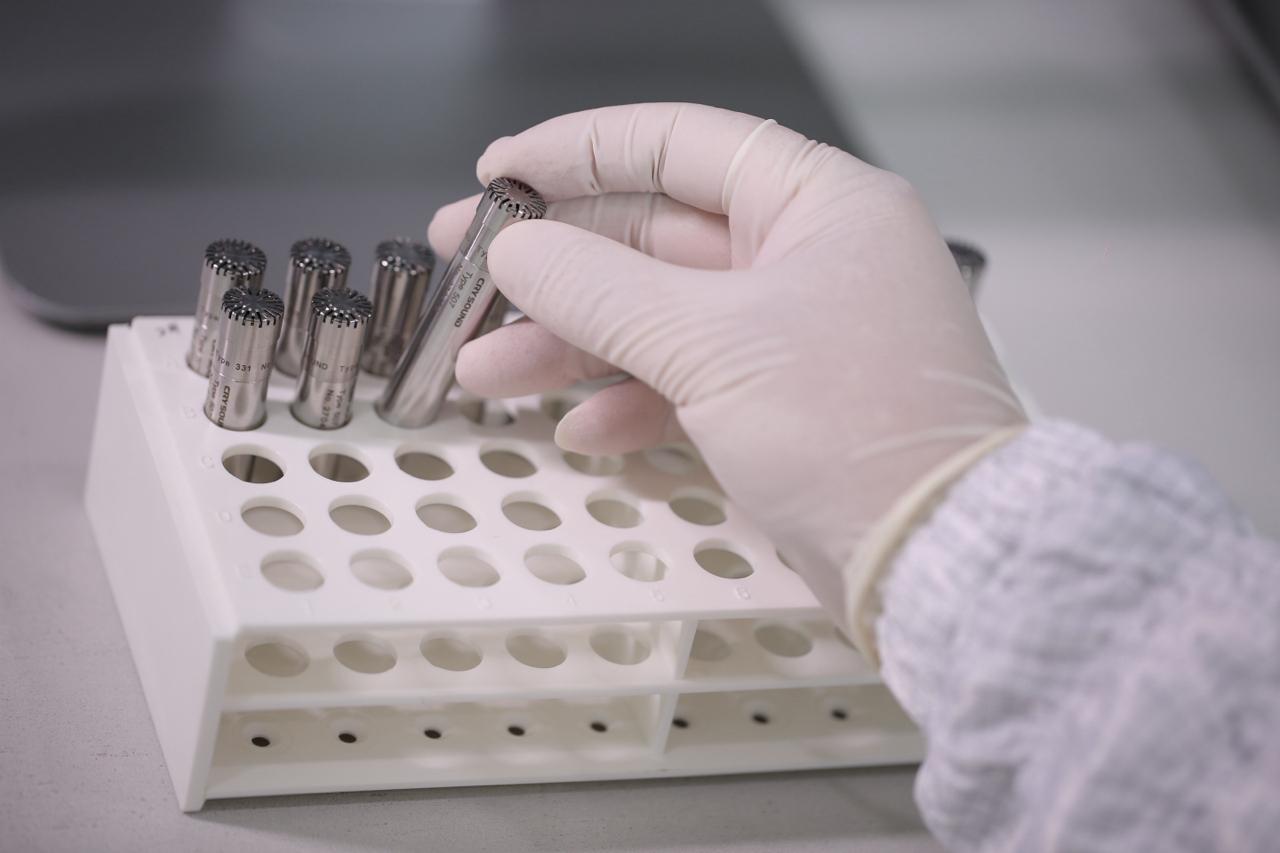
A measurement microphone is not just any microphone — it is a precision acoustic sensor designed for traceable, repeatable sound pressure measurement. This guide covers how they work, the different types available, key specifications to compare, and how to select the right one for your application. What Is a Measurement Microphone? A measurement microphone is a high-precision acoustic transducer engineered to convert sound pressure into an electrical signal with known accuracy. Unlike studio or consumer microphones that are designed to make audio "sound good," a measurement microphone is designed to be truthful — its output must faithfully represent the actual sound pressure at the measurement point. The defining characteristics of a measurement microphone include: Known, stable sensitivity (expressed in mV/Pa) that can be traced to national or international standards Flat, well-characterized frequency response under defined sound-field conditions Wide dynamic range with low distortion from noise floor to maximum SPL Traceable calibration using pistonphones or acoustic calibrators Environmental stability — minimal drift due to temperature, humidity, and atmospheric pressure changes In practical terms, a measurement microphone is the front-end sensor of a metrology-grade measurement chain. Every specification — from the data acquisition system to the analysis software — depends on the microphone providing an accurate representation of the acoustic environment. For a deeper comparison between measurement and regular microphones, see our article: Differences Between Measurement Microphones and Regular Microphones. How Measurement Microphones Work The Condenser Principle How a condenser measurement microphone converts sound pressure into an electrical signal Nearly all measurement microphones are condenser (capacitor) microphones. The core transduction mechanism is simple but elegant: A thin metallic diaphragm is stretched in front of a rigid backplate, separated by a small air gap The diaphragm and backplate form a capacitor When sound pressure deflects the diaphragm, the gap changes, altering the capacitance With a constant charge on the capacitor, the capacitance change produces a proportional voltage change This voltage change is the microphone's output signal. A preamplifier, typically located immediately behind the capsule, converts the high-impedance signal from the capacitor into a low-impedance signal that can travel through cables to the data acquisition system. Polarization: External vs. Prepolarized Externally polarized (left) vs. prepolarized electret (right) microphone types The condenser principle requires a polarization voltage to maintain a charge on the capacitor. There are two approaches: Externally polarized microphones receive their polarization voltage (typically 200V) from an external power supply through the preamplifier. These microphones are considered the gold standard for the highest-accuracy laboratory measurements because: - The polarization voltage is stable and well-defined - No aging effects from the polarization source - Best long-term stability Prepolarized (electret) microphones use a permanently charged PTFE (Teflon) layer on the backplate to maintain polarization. Advantages include: - No external polarization supply needed — simplifies the signal chain - More resistant to humidity (no risk of charge leakage at high humidity) - Better suited for field measurements and harsh environments - Modern prepolarized microphones achieve accuracy comparable to externally polarized models Feature Externally Polarized Prepolarized Polarization source External 200V supply Built-in electret layer Best for Lab/reference measurements Field and industrial use Humidity tolerance Sensitive above ~90% RH Excellent, even in high humidity Long-term stability Excellent Very good (modern designs) Signal chain Requires compatible power supply Works with standard IEPE/ICP preamplifiers The Preamplifier The preamplifier is a critical but often overlooked component. It serves two functions: Impedance conversion: Transforms the microphone's extremely high output impedance (~GΩ) into a low impedance suitable for cable transmission Signal conditioning: Provides the power for IEPE/ICP operation or the polarization voltage for externally polarized capsules A matched microphone-preamplifier set ensures optimal performance. This is why measurement microphones are often sold as complete sets with a matched preamplifier — the combined system is calibrated and characterized as a unit. Types of Measurement Microphones Measurement microphones are classified along two primary axes: sound-field type and physical size. By Sound-Field Type The choice of microphone type depends on the acoustic environment where measurements will be taken. Free-Field Microphones A free-field microphone is designed to measure sound arriving from a single direction in an environment free of reflections (such as an anechoic chamber or outdoors). The microphone's frequency response is compensated for the acoustic diffraction effects caused by its own physical presence in the sound field. When to use: Outdoor measurements, anechoic chamber testing, source identification, environmental noise monitoring, any scenario where sound arrives predominantly from one direction. Orientation: Point the microphone directly at the sound source (0° incidence). Pressure-Field Microphones A pressure-field microphone measures the actual sound pressure at a surface or in a sealed cavity. It has the flattest possible response when the sound field is uniform across the diaphragm — which occurs in small cavities, couplers, or at surfaces where the microphone is flush-mounted. When to use: Coupler measurements (headphone and earphone testing), hearing aid testing, measurements in small cavities, flush-mounted surface measurements, acoustic impedance measurements. Orientation: The microphone diaphragm is placed at or within the measurement surface. Random-Incidence Microphones A random-incidence (diffuse-field) microphone is optimized for environments where sound arrives from all directions simultaneously — such as reverberant rooms. Its frequency response is a weighted average of responses at all angles of incidence. When to use: Reverberation chamber measurements, environmental noise in reflective spaces, any situation where sound arrives from multiple directions. Microphone Type Sound Field Typical Application Orientation Free-field Sound from one direction Outdoor noise, anechoic testing, source ID Point at source Pressure-field Uniform pressure (cavity) Coupler testing, headphones, hearing aids Flush with surface Random-incidence Sound from all directions Reverberant rooms, diffuse environments Any orientation Three microphone types for different acoustic environments: free-field, pressure-field, and random-incidence By Physical Size Measurement microphone capsules come in three standard sizes, each with distinct trade-offs: 1-Inch Microphones The largest standard size. High sensitivity and low noise floor make them ideal for measuring very quiet environments. Sensitivity: ~50 mV/Pa (highest) Frequency range: Up to ~8–16 kHz Best for: Low-frequency and low-level measurements, environmental noise monitoring, building acoustics Limitation: Large size limits upper frequency range due to diffraction effects 1/2-Inch Microphones The most widely used size. Offers a good balance between sensitivity, frequency range, and physical size. Sensitivity: ~12.5–50 mV/Pa Frequency range: Up to 20–40 kHz Best for: General-purpose acoustic measurements, NVH testing, product R&D, sound level meters Why it's popular: Versatile enough for most applications; fits standard sound level meter bodies 1/4-Inch Microphones The smallest standard size. Low sensitivity but the widest frequency range. Sensitivity: ~1.6–16 mV/Pa Frequency range: Up to 40–100 kHz Best for: High-frequency measurements, ultrasonic applications, small coupler measurements, acoustic array elements Trade-off: Higher noise floor requires louder sound sources for accurate measurement Size comparison: 1-inch (CRY3101), 1/2-inch (CRY3203), and 1/4-inch (CRY3401) measurement microphone capsules Size Sensitivity (typical) Frequency Range Dynamic Range Best For 1 inch 50 mV/Pa 4 Hz – 16 kHz 15–146 dBA Low-frequency, quiet environments 1/2 inch 12.5–50 mV/Pa 3 Hz – 40 kHz 16–164 dBA General-purpose, NVH, SLM 1/4 inch 1.6–16 mV/Pa 4 Hz – 100 kHz 32–174 dBA High-frequency, ultrasonic, arrays Key Specifications Explained When comparing measurement microphones, these specifications matter most: Sensitivity Sensitivity defines how much electrical output the microphone produces for a given sound pressure. Expressed in mV/Pa (millivolts per Pascal) or dB re 1V/Pa. Higher sensitivity = better signal-to-noise ratio at low sound levels Lower sensitivity = higher maximum SPL before distortion There is always a trade-off between sensitivity and maximum SPL Frequency Response The frequency range over which the microphone provides accurate measurements, typically specified within ±2 dB or ±1 dB. The useful range depends on: - Microphone size (smaller = wider range) - Sound-field type (free-field compensation extends the useful range) - Mounting configuration Dynamic Range The span between the lowest measurable level (noise floor) and the highest level before a specified distortion threshold (typically 3% THD). A wider dynamic range means the microphone can handle a greater variety of measurement scenarios. Self-Noise (Equivalent Noise Level) The inherent electrical noise of the microphone, expressed as an equivalent sound pressure level in dBA. Lower is better — critical for measuring quiet environments. 1-inch microphones: ~15–18 dBA (quietest) 1/2-inch microphones: ~16–28 dBA 1/4-inch microphones: ~32–46 dBA Stability and Temperature Coefficient Long-term sensitivity drift and sensitivity change with temperature. Important for: - Permanent monitoring installations (fixed outdoor microphones) - Measurements in extreme environments (engine test cells, climatic chambers) - Ensuring measurement results are comparable over months or years IEC Standards Compliance Measurement microphones are classified according to IEC 61094 series: - IEC 61094-1: Primary calibration by reciprocity method - IEC 61094-4: Specifications for working standard microphones (laboratory use) - IEC 61094-5: Working standard microphones for in-situ (field) use Sound level meters incorporating measurement microphones must comply with: - IEC 61672-1: Class 1 (precision) or Class 2 (general purpose) How to Choose the Right Measurement Microphone How to select the right measurement microphone for your application Step 1: Identify Your Sound Field Your Measurement Scenario Recommended Type Outdoor environmental noise Free-field Anechoic chamber testing Free-field Headphone/earphone coupler Pressure-field Hearing aid testing Pressure-field Reverberant room Random-incidence Surface-mounted on a machine Pressure-field General factory noise Free-field or random-incidence Step 2: Determine Required Frequency Range Application Minimum Frequency Range Building acoustics 20 Hz – 8 kHz Environmental noise 20 Hz – 12.5 kHz General acoustic testing 20 Hz – 20 kHz NVH (automotive) 20 Hz – 20 kHz Electroacoustic product testing 20 Hz – 40 kHz Ultrasonic measurements 20 Hz – 100 kHz Step 3: Match the Dynamic Range to Your Environment Quiet environments (recording studios, anechoic chambers): Choose high-sensitivity microphones (50 mV/Pa, 1/2" or 1") with low self-noise Industrial environments (factory floors, engine test cells): Choose lower-sensitivity microphones (4–12.5 mV/Pa, 1/4" or 1/2") with high maximum SPL Wide-range applications: Choose microphones with the widest dynamic range available Step 4: Consider Environmental Conditions High humidity or outdoor use: Prepolarized microphones are recommended Extreme temperatures: Check the microphone's operating temperature range and temperature coefficient Dusty or wet environments: Look for IP-rated solutions (e.g., IP67 for NVH field testing) Hazardous areas: Check for ATEX/IECEx certification if required Step 5: Evaluate the Complete System A measurement microphone does not work alone. Consider: - Preamplifier compatibility: Matched sets ensure specified performance - Data acquisition system: Input impedance, voltage range, and sampling rate must match - Calibration infrastructure: Do you have access to a pistonphone or acoustic calibrator? - Software ecosystem: Can your analysis software import calibration data and apply corrections? Applications Electroacoustic Product Testing Testing loudspeakers, headphones, earphones, and hearing aids requires microphones that can accurately capture the device's frequency response, distortion, and directivity. Pressure-field microphones are used in couplers (IEC 60318 ear simulators), while free-field microphones are used in anechoic chambers. Automotive and Aerospace NVH NVH (Noise, Vibration, and Harshness) engineers use measurement microphones to characterize cabin noise, identify noise sources, evaluate sound packages, and perform transfer path analysis. Requirements include wide frequency range, high dynamic range, and robustness for field use. Environmental and Community Noise Monitoring Long-term outdoor noise monitoring stations require microphones with excellent stability over months or years, low temperature sensitivity, and tolerance to humidity, rain, and wind. Windscreens and weather protection accessories are essential. Production Line Quality Control In manufacturing, measurement microphones integrated into automated test systems verify that every loudspeaker, headphone, or microphone meets specifications before shipping. Speed, repeatability, and consistency are critical — the microphone must produce identical results across thousands of units per day. Building and Architectural Acoustics Measuring reverberation time, sound insulation, and HVAC noise requires accurate low-frequency performance and the ability to work in diffuse sound fields. Random-incidence microphones are often preferred. Acoustic Research and Standards Laboratories Primary and secondary calibration laboratories, standards organizations, and university research groups require the highest-accuracy microphones — typically externally polarized, laboratory-grade capsules calibrated by reciprocity methods. Sound Source Localization and Beamforming Microphone arrays used in acoustic cameras and beamforming systems require large numbers of measurement microphones with tightly matched sensitivity and phase response. 1/4-inch microphones are preferred for arrays due to their small size and wide frequency range. For more on acoustic imaging technology, see our guide on acoustic cameras. Noise Regulation Compliance Regulatory compliance measurements — workplace noise (ISO 9612), environmental noise (ISO 1996), product noise emission (ISO 3744/3745) — require Class 1 or Class 2 measurement microphones as specified in IEC 61672. Documentation of calibration traceability is mandatory for compliance reporting. CRYSOUND Measurement Microphone Solutions CRYSOUND's CRY3000 series measurement microphones cover the full range of sizes, field types, and applications — from laboratory reference measurements to rugged field testing. Complete Size Coverage: 1/4", 1/2", and 1" Model Size Field Type Sensitivity Frequency Range Application CRY3101-S01 1" Free-field 50 mV/Pa 4 Hz – 16 kHz Low-frequency, quiet environments CRY3203-S01 1/2" Free-field 50 mV/Pa 3.15 Hz – 20 kHz General acoustic testing CRY3261-S02 1/2" Free-field 450 mV/Pa 10 Hz – 16 kHz Ultra-high sensitivity CRY3201-S01 1/2" Free-field 12.5 mV/Pa 3.15 Hz – 40 kHz Extended high-frequency CRY3401-S01 1/4" Free-field 15.8 mV/Pa 4 Hz – 40 kHz High-frequency testing CRY3403-S01 1/4" Free-field 4 mV/Pa 4 Hz – 90 kHz Ultrasonic measurements CRY3202-S01 1/2" Pressure 12.5 mV/Pa 3.15 Hz – 20 kHz Coupler and cavity testing CRY3402 1/4" Pressure 1.6 mV/Pa 4 Hz – 100 kHz High-frequency pressure field CRY3406-S01 1/4" Pressure 15.8 mV/Pa 4 Hz – 40 kHz Low-noise pressure field CRY3213: Purpose-Built for NVH The CRY3213 NVH Measurement Microphone is specifically designed for the demanding conditions of automotive and industrial NVH testing: IP67 protection: Fully dust-tight and submersible — operates reliably in engine bays, test tracks, and climatic chambers Extended temperature range: -50°C to 125°C, covering extreme hot and cold testing scenarios Free-field response: 3.15 Hz to 20 kHz, optimized for the frequency range relevant to cabin noise, powertrain NVH, and road noise 50 mV/Pa sensitivity: High enough for quiet cabin measurements, robust enough for engine noise Matched Microphone-Preamplifier Sets Every CRYSOUND measurement microphone set includes a matched preamplifier, factory-calibrated as a complete system. This eliminates the guesswork of mixing microphones and preamplifiers from different sources, and ensures that the combined frequency response, noise floor, and dynamic range meet the published specifications. Calibration and Traceability All CRYSOUND measurement microphones ship with individual calibration certificates traceable to national standards. For ongoing measurement assurance, see our guide on measurement microphone calibration. Explore CRYSOUND Measurement Microphones → Frequently Asked Questions What is the difference between a measurement microphone and a regular microphone? A measurement microphone is designed for accuracy and traceability — its output must truthfully represent the sound pressure at the measurement point. A regular microphone is designed for audio quality, often with intentional frequency shaping to enhance speech clarity or musical timbre. For a detailed comparison, read Measurement vs. Regular Microphones. Do I need to calibrate my measurement microphone? Yes. Regular calibration — at minimum before each measurement session using an acoustic calibrator — ensures your results are accurate and traceable. Periodic laboratory recalibration (typically annually) verifies long-term stability. Learn more about microphone calibration. Can I use a 1/2-inch microphone for ultrasonic measurements? Standard 1/2-inch microphones typically reach up to 20–40 kHz, which is insufficient for many ultrasonic applications. For measurements above 40 kHz, a 1/4-inch microphone is recommended — models like the CRY3403 reach 90 kHz, while the CRY3402 reaches 100 kHz. What does "free-field" vs. "pressure-field" mean? A free-field microphone is optimized for measuring sound arriving from one direction in open space. A pressure-field microphone is optimized for measuring sound pressure in enclosed cavities or at surfaces. The difference is in how the microphone compensates for acoustic diffraction effects at high frequencies. How do I choose between externally polarized and prepolarized? For laboratory reference measurements in controlled environments, externally polarized microphones offer the best long-term stability. For field measurements, industrial applications, or environments with high humidity, prepolarized microphones are more practical and equally accurate with modern designs. What IP rating do I need for outdoor or industrial use? For NVH field testing and outdoor measurements, IP67 (dust-tight, waterproof) provides the best protection. The CRY3213 is specifically designed for these conditions. For general lab use, IP protection is typically not required. Need help selecting the right measurement microphone for your application? Contact CRYSOUND for expert guidance based on your specific measurement requirements.
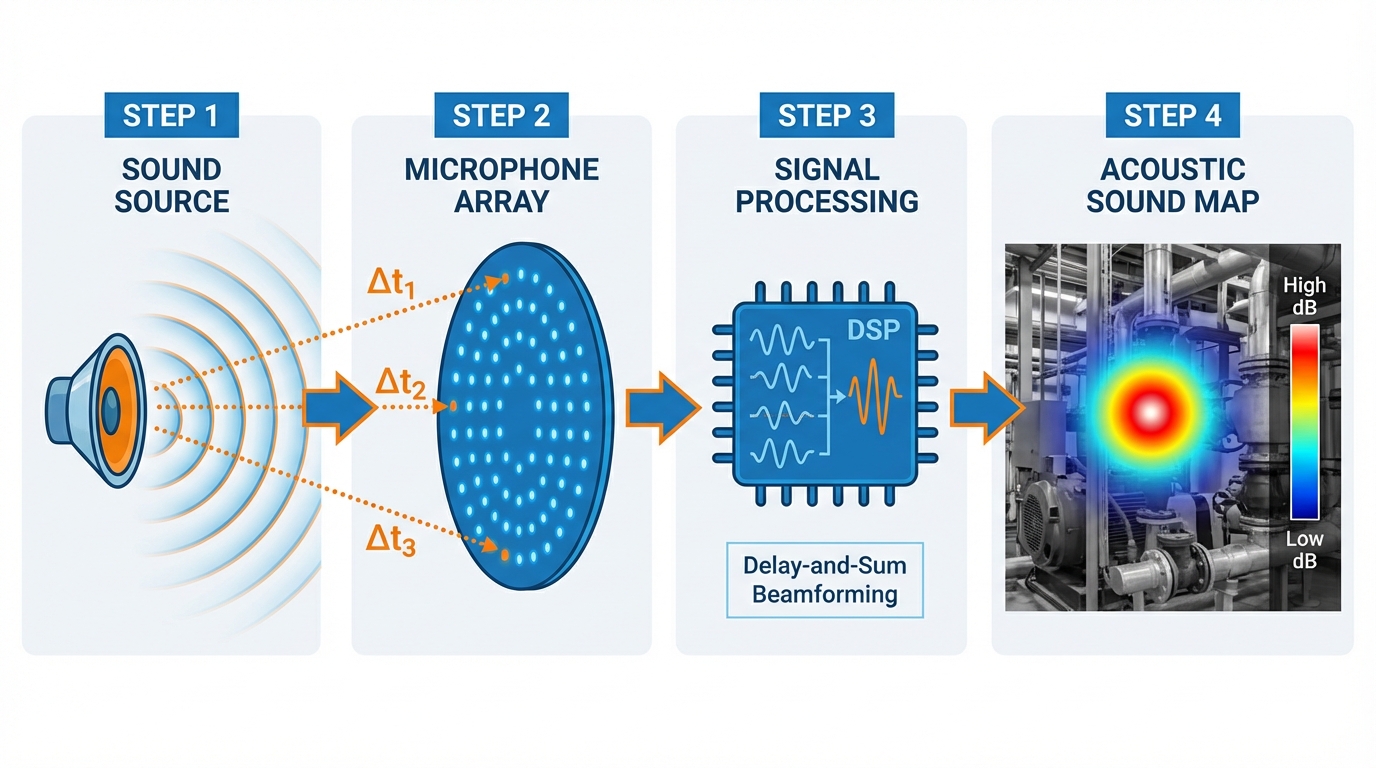
Acoustic cameras turn invisible sound into visible images. This guide explains how they work, where they're used, and how to choose the right one for your application. What Is an Acoustic Camera? An acoustic camera is a device that locates and visualizes sound sources in real time. It combines a microphone array — typically 64 to 200+ MEMS microphones arranged in a specific pattern — with a video camera and signal processing software. The result is a color-coded overlay on a live video feed, showing exactly where sound is coming from and how loud it is. Think of it as a thermal camera, but for sound instead of heat. Where a thermal camera shows hot spots in red, an acoustic camera shows loud spots — pinpointing the exact location of a leak, a faulty bearing, or an electrical discharge that you can't see with your eyes. The technology was originally developed for aerospace and automotive NVH (Noise, Vibration, and Harshness) testing. Today, it has expanded into industrial maintenance, energy utilities, manufacturing quality control, and building acoustics. How Does an Acoustic Camera Work? How an acoustic camera uses beamforming: sound waves arrive at each microphone with different time delays (Δt), the processor combines all signals, and outputs a color-coded sound map. The Microphone Array At the core of every acoustic camera is a microphone array — a precisely arranged set of MEMS (Micro-Electro-Mechanical Systems) microphones. The number of microphones directly affects performance: 64 microphones: Entry-level, suitable for general-purpose sound source localization 128 microphones: Professional-grade, better resolution and dynamic range 200+ microphones: High-end, capable of detecting subtle sources in noisy environments The spatial arrangement of these microphones matters as much as the count. Common configurations include circular, spiral (Fibonacci), and grid patterns. Each has trade-offs: spiral arrays offer good broadband performance, while grid arrays are better for near-field measurements. Beamforming: The Core Algorithm The key technology behind acoustic cameras is beamforming — a signal processing technique that combines signals from multiple microphones to "focus" on specific locations in space. Here's a simplified explanation: A sound wave arrives at each microphone at slightly different times (because each microphone is at a different distance from the source) The software calculates the expected time delay for every possible source location in the field of view For each candidate location, it shifts and sums the microphone signals according to the calculated delays Locations where the shifted signals add up constructively are identified as sound sources This process is repeated for every pixel in the image, producing a "sound map" that shows the spatial distribution of sound energy. Beamforming vs. Acoustic Holography There are two main acoustic imaging technologies: FeatureBeamformingAcoustic Holography (NAH)Best frequency rangeMid to high frequencies (>500 Hz)Low frequencies (<2 kHz)Measurement distanceFar-field (>1 meter)Near-field (<30 cm from source)ResolutionLimited by wavelength and array sizeHigher resolution at low frequenciesSpeedReal-time capableRequires careful scanningBest forLeak detection, general noise mappingEngine NVH, vibration analysis Most modern acoustic cameras use beamforming as the primary method because it works in real time and doesn't require the camera to be positioned close to the source. Some advanced systems support both technologies for maximum flexibility. The Role of the Video Camera The microphone array generates a sound map; the video camera provides the visual reference. The software overlays the sound map onto the video feed as a color-coded heat map, allowing the user to instantly see which component, pipe, or connection is producing the sound. High-end systems use depth cameras (such as Intel RealSense) to create 3D acoustic maps, enabling more accurate source localization on complex geometry. Frequency Range: Why It Matters Different applications require different frequency ranges: ApplicationTypical Frequency RangeWhyCompressed air leak detection20–50 kHzLeaks produce high-frequency hissingPartial discharge detection20–100 kHzElectrical discharges emit ultrasonic signalsMechanical fault detection1–20 kHzBearing wear, misalignment produce audible noiseAutomotive NVH100 Hz–10 kHzRoad noise, wind noise, engine noiseBuilding acoustics50 Hz–8 kHzLow-frequency structure-borne noise An acoustic camera with a frequency range of up to 100 kHz can handle virtually all industrial applications, including ultrasonic leak and partial discharge detection. Cameras limited to 20 kHz are suitable only for audible noise analysis. Key Applications Acoustic camera detecting vacuum leaks in composite materials — the color overlay pinpoints the exact leak location on the surface. Partial discharge detection on high-voltage insulators — the acoustic camera identifies discharge locations from a safe distance, combined with infrared thermal imaging for comprehensive diagnostics. 1. Compressed Air Leak Detection Compressed air is one of the most expensive energy sources in a factory. Studies show that 20–30% of compressed air is lost to leaks. An acoustic camera can scan an entire production line in minutes, identifying leaks that are invisible and inaudible to human ears. Why acoustic cameras beat traditional methods: Ultrasonic leak detectors require you to check one point at a time; an acoustic camera scans an entire area at once Visual overlay pinpoints the exact location — no guessing Many systems can estimate leak rate and annual cost, helping you prioritize repairs 2. Electrical Partial Discharge Detection Partial discharge (PD) is an early warning sign of insulation failure in high-voltage equipment — transformers, switchgear, cables, and bus bars. Left undetected, PD leads to complete insulation breakdown and potentially catastrophic failure. Acoustic cameras detect PD by capturing the ultrasonic emissions (typically 20–100 kHz) that accompany electrical discharge. The advantage over traditional PD detection methods: Non-contact: No need to de-energize equipment Real-time visualization: See exactly where the discharge is occurring Safe distance: Inspect live equipment from several meters away 3. Mechanical Fault Diagnosis Worn bearings, misaligned shafts, loose components, and valve leaks all produce characteristic sound signatures. An acoustic camera can identify and locate these faults before they lead to unplanned downtime. Common use cases: Motor and pump bearing wear detection Steam trap malfunction Valve leak identification Gearbox noise analysis 4. Automotive and Aerospace NVH Testing This is where acoustic cameras originated. NVH engineers use them to: Identify wind noise sources on vehicle bodies Locate rattles and squeaks in interior trim Analyze tire/road noise contributions Map engine noise radiation patterns Validate sound package effectiveness For NVH applications, large-aperture arrays (200+ microphones) provide the resolution needed to distinguish closely spaced sources. 5. Noise Compliance and Building Acoustics Environmental noise regulations require manufacturers to identify and reduce noise emissions. Acoustic cameras help: Map factory noise sources for compliance reporting Identify noise paths in buildings (walls, windows, HVAC) Verify effectiveness of noise barriers and enclosures 6. UAV-Mounted Acoustic Inspection A newer application: mounting acoustic cameras on drones for inspection of hard-to-reach infrastructure. Applications include: Power line and substation inspection Wind turbine blade inspection Pipeline corridor leak surveys Tall structure noise mapping Types of Acoustic Cameras Four form factors of acoustic cameras: Handheld (CRY8124), Fixed-Mount (CRY2623M), Large Array (CRY8500 SonoCAM Pi), and UAV-Mounted (CRY2626G). Handheld Acoustic Cameras Portable, battery-powered devices for field use. Typically 64–128 microphones with a built-in display. Best for maintenance rounds, leak detection, and quick inspections. Pros: Portable, easy to use, quick deployment Cons: Limited microphone count, smaller array = lower resolution at distance Fixed/Mounted Acoustic Cameras Permanently installed for continuous monitoring. Used in power substations, data centers, and critical infrastructure. Can run 24/7 with automated alerts. Pros: Continuous monitoring, automated alerting, no operator needed Cons: Fixed field of view, higher installation cost Large-Array Systems 200+ microphones on a larger frame. Used for NVH testing, pass-by noise measurement, and research applications. Often mounted on tripods or overhead structures. Pros: Highest resolution, widest frequency range, best for complex analysis Cons: Not portable, requires setup, higher cost UAV-Mounted Systems Lightweight acoustic arrays designed for drone mounting. Used for remote inspection of power lines, pipelines, and industrial facilities. Pros: Access to hard-to-reach locations, large-area surveys Cons: Flight time limits, vibration interference, regulatory requirements How to Choose the Right Acoustic Camera Quick decision guide: Choose your acoustic camera based on primary application. Step 1: Define Your Primary Application Your application determines the minimum specifications: ApplicationMin. MicrophonesFrequency RangeForm FactorCompressed air leak detection64Up to 50 kHzHandheldPartial discharge detection64–128Up to 100 kHzHandheld or fixedMechanical fault diagnosis64Up to 20 kHzHandheldNVH testing128–200+100 Hz–20 kHzLarge arrayContinuous monitoring64–128Application-dependentFixedDrone inspection64–128Up to 50 kHzUAV-mounted Step 2: Consider the Environment Noisy factory floor? You need more microphones and advanced algorithms to separate the target signal from background noise Outdoor use? Look for weather-resistant designs and wind noise rejection Hazardous area? Check for ATEX/IECEx certification Large distance? More microphones = better resolution at range Step 3: Evaluate the Software The hardware captures the data; the software turns it into actionable information. Key software features to look for: Real-time display: See the sound map live as you scan Frequency filtering: Isolate specific frequency bands to focus on particular issues Leak rate estimation: Quantify the cost of leaks in dollars or energy units Reporting: Generate professional reports with screenshots, measurements, and recommendations AI-assisted detection: Automatic identification of leak patterns and fault signatures Step 4: Compare Specifications Key specs to compare across manufacturers: SpecificationWhat It MeansWhat to Look ForMicrophone countMore mics = better resolution and sensitivity64 minimum; 128+ for demanding applicationsFrequency rangeDetermines what you can detectUp to 100 kHz for PD and ultrasonic leaksDynamic rangeAbility to measure both quiet and loud sources>70 dB for industrial environmentsAngular resolutionAbility to separate nearby sourcesSmaller is better; depends on frequency and distanceFrame rateHow quickly the sound map updates>10 fps for real-time scanningWeight and sizePortability<2 kg for handheld daily-use devicesBattery lifeRuntime for field use>3 hours for a full shift of inspectionsIP ratingDust and water resistanceIP54 or higher for industrial environments CRYSOUND Acoustic Camera Solutions CRYSOUND offers one of the widest product lines in the acoustic camera market — covering handheld, fixed-mount, large-array, and UAV-mounted form factors from a single manufacturer. Product Lineup CRY2624: 128-microphone handheld acoustic camera with ATEX certification — portable, field-ready, and safe for hazardous environments CRY8124: 200 MEMS microphones, frequency range up to 100 kHz — handles both audible noise analysis and ultrasonic applications (leak detection + partial discharge) in a single device CRY2623M: Fixed-mount version for 24/7 continuous monitoring of substations and critical infrastructure CRY8500 Series (SonoCAM Pi): Large spiral microphone array for NVH testing, pass-by noise measurement, and advanced acoustic research CRY2626G: Drone-mounted acoustic camera for remote inspection of power lines, pipelines, and wind turbines CRYSOUND acoustic camera product family: from handheld to drone-mounted solutions. Key Differentiator 1: Modular Sensor Expansion Unlike most competitors that offer a fixed-function device, CRYSOUND's acoustic cameras support external sensor modules for expanded capabilities: Infrared thermal imaging module: Combines acoustic and thermal data in a single view — when inspecting power equipment, engineers can simultaneously see the acoustic signature of partial discharge and the thermal hot spot of overheating components. This dual-mode inspection is widely used in power utilities for comprehensive substation diagnostics. IA3104 Contact Ultrasound Sensor: An external contact-type ultrasonic probe designed specifically for valve internal leak detection. The sensor couples directly to the metal surface of a valve, capturing high-frequency ultrasonic signals generated by internal leakage. Combined with intelligent analytics and guided workflows, it automates the full diagnostic process — from data acquisition to leak classification. This is critical for preventive maintenance of oil pipeline valves and natural gas network valves. This modular approach means a single CRYSOUND acoustic camera can serve as a comprehensive inspection platform, rather than requiring separate instruments for each detection task. Key Differentiator 2: Acoustic Link Mobile App CRYSOUND's Acoustic Link is a companion mobile app that connects to the acoustic camera via Wi-Fi. It enables: On-device preview: View captured photos, videos, and inspection reports on your phone or tablet — no PC required Defect-specific visualization: Retrieve gas-leak acoustic maps, partial-discharge patterns, and thermal images directly in the app One-tap sharing: Save results locally and share via the system share sheet for instant communication with colleagues and customers Automated report generation: Generate and export professional inspection reports from the field, eliminating the need to return to the office for post-processing For field inspection teams, this means faster turnaround from detection to documentation. Key Differentiator 3: Complete Acoustic Ecosystem Beyond acoustic cameras, CRYSOUND manufactures electroacoustic test systems (CRY6151B), acoustic test chambers, and calibration equipment — enabling complete acoustic testing solutions from a single vendor. With 28 years of experience and over 10,000 customers across 90+ countries, CRYSOUND brings deep domain expertise to every product. Explore CRYSOUND Acoustic Camera Products → Frequently Asked Questions What is the difference between an acoustic camera and a sound level meter? A sound level meter measures the overall sound pressure level at a single point. It tells you how loud it is, but not where the sound comes from. An acoustic camera shows both the location and the intensity of sound sources, making it far more useful for diagnosing and fixing noise problems. How far away can an acoustic camera detect a leak? Detection range depends on the leak size, background noise, microphone count, and frequency range. A typical handheld acoustic camera with 64–128 microphones can detect a 1mm compressed air leak from 10–30 meters away. Larger leaks can be detected from even greater distances. Can an acoustic camera work in a noisy factory? Yes. Modern acoustic cameras use beamforming algorithms that can isolate specific sound sources even in high-background-noise environments. The key is having enough microphones — more microphones provide better noise rejection and higher signal-to-noise ratio. Do I need training to use an acoustic camera? Basic operation is straightforward — point the camera, look at the screen, and identify the highlighted areas. Most users can start finding leaks within minutes. However, interpreting complex acoustic patterns (NVH analysis, partial discharge classification) benefits from training and experience. What is the ROI of an acoustic camera? For compressed air leak detection alone, the ROI is typically measured in months. A single quarter-inch air leak costs $2,500–$8,000 per year. Most industrial facilities have dozens to hundreds of leaks. An acoustic camera that helps you find and fix these leaks can pay for itself in the first survey. Can acoustic cameras detect gas leaks other than compressed air? Yes. Acoustic cameras can detect any pressurized gas leak that produces turbulent flow noise — including nitrogen, oxygen, hydrogen, natural gas, and refrigerants. The frequency characteristics may vary by gas type, but the detection principle is the same. Need help choosing the right acoustic camera for your application? Contact CRYSOUND for a personalized recommendation based on your specific requirements.
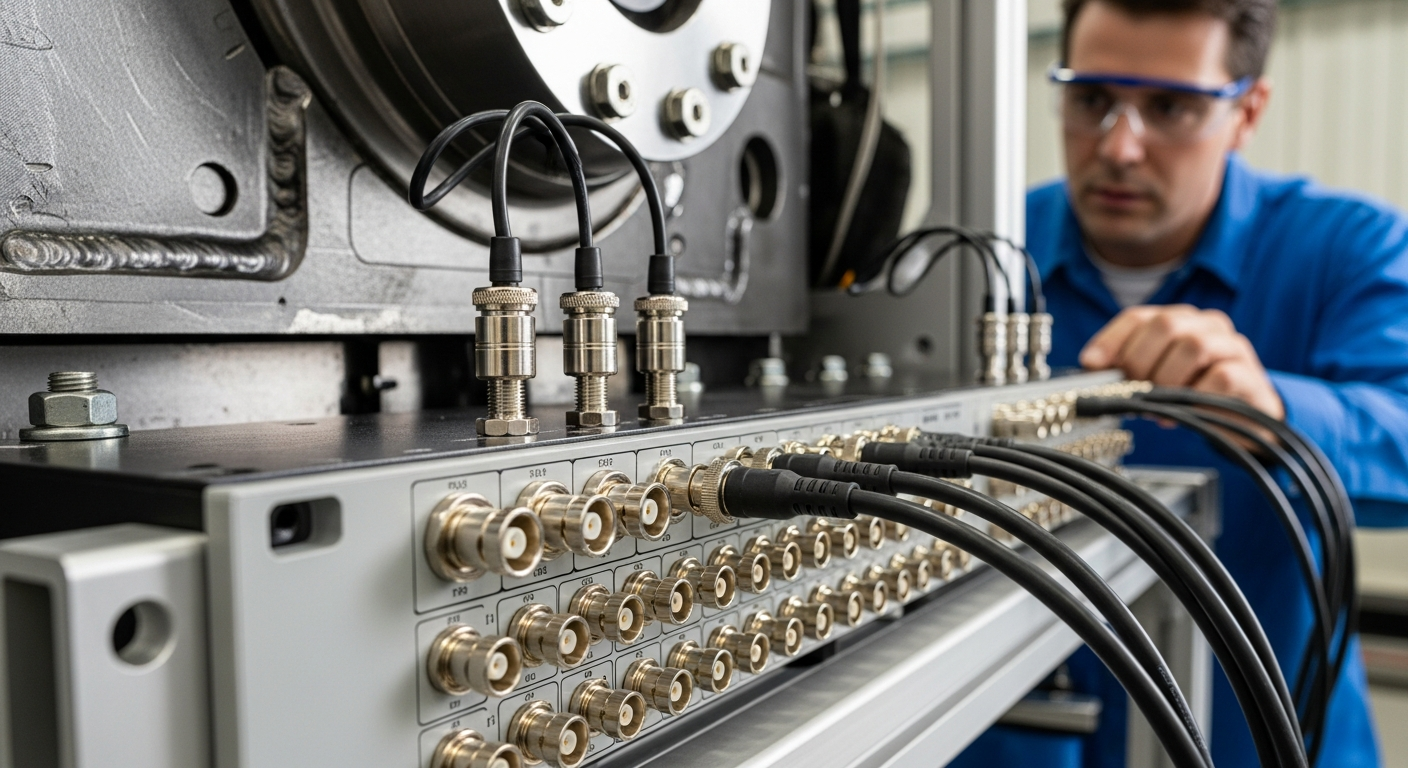
Vibration tells you what a single accelerometer cannot: how energy moves through a structure, where it originates, how it couples between components, and which path dominates the response at a given frequency. Capturing that information requires multiple channels measured simultaneously — not sequentially — with timing tight enough that phase relationships are preserved. This guide covers the architecture of a multi-channel vibration measurement system, the specifications that determine real-world performance, how to scale channel count for different applications, and what to look for when choosing a platform. Why Multi-Channel Matters: What Single-Channel Measurements Miss A single accelerometer tells you the vibration amplitude and frequency content at one point. What it cannot tell you is whether that vibration is coming from a bearing 40 cm away, resonating through a bracket, or being driven by a rotating imbalance three structural paths upstream. Multi-channel simultaneous measurement enables: 🔗 Phase analysis — determining the direction of wave propagation and identifying mode shapes 📐 Modal analysis — extracting natural frequencies, damping ratios, and mode shapes by measuring the structure's response across spatial points simultaneously 🛣️ Transfer path analysis (TPA) — quantifying how much each source-path combination contributes to the target response 📊 Coherence and cross-spectrum analysis — identifying which vibration sources are correlated, and by how much ⚡ Operational deflection shapes (ODS) — visualising how a structure actually deforms under real operating loads None of these analyses are possible — or valid — with multiplexed single-channel capture or with channels measured in separate passes. System Architecture: From Sensor to Result 🎯 Sensors — IEPE accelerometers are the standard choice for most vibration work, providing a low-impedance voltage output directly compatible with DAQ front ends. Charge-mode sensors are used in high-temperature environments. Force transducers, laser vibrometers, and strain gauges may be added for specific measurements. ⚙️ Signal conditioning — Each channel requires IEPE current excitation, high-pass filtering to remove DC offset, and anti-aliasing low-pass filtering matched to the sampling rate. The conditioning stage also determines the input voltage range and dynamic range. 🔢 Analogue-to-digital conversion (ADC) — Simultaneous-sample ADCs are required for phase-critical measurements. Delta-sigma ADCs provide excellent dynamic range but require careful attention to anti-aliasing filter group delay when comparing channels at different sample rates. 💻 Software and analysis — The acquisition software must handle synchronised multi-channel data streams, provide real-time monitoring, and export to analysis tools. Integration with FFT, order tracking, modal analysis, and reporting workflows determines how quickly results reach the engineer. Key Specifications Explained SpecificationWhat It ControlsPractical Implication Dynamic range (dB)Ratio of maximum to minimum measurable signalHigher dynamic range captures both low-level resonances and high-amplitude shocks in a single acquisition without range switching Sampling rate (kS/s per channel)Maximum measurable frequency (Nyquist limit)51.2 kS/s gives usable bandwidth to ~20 kHz; higher rates needed for ultrasonic or structural impact measurements Anti-aliasing filterPrevents out-of-band signals from folding into the measurement bandDigital AA filters in delta-sigma ADCs introduce group delay; hardware AA filters add cost but simplify cross-channel phase comparison Synchronisation accuracy (ns)Inter-channel timing alignmentPhase error = 2π × frequency × timing error; 100 ns error = 0.036° at 1 kHz, 0.36° at 10 kHz — acceptable for most NVH work Channel isolation (V)Electrical separation between channels and from chassis groundPrevents ground loops in multi-point setups; essential for safety in high-voltage environments (EV testing, industrial machinery) IEPE excitation current (mA)Powers IEPE sensorsMost IEPE sensors require 2–20 mA; check sensor datasheet against DAQ excitation specification Input range (V peak)Maximum signal before clippingMust accommodate the highest expected signal; combined with dynamic range, determines minimum detectable signal Applications by Industry 🚗 Automotive NVH Vehicle development relies on multi-channel vibration measurement for body-in-white modal surveys, powertrain NVH characterisation, road load data acquisition, and transfer path analysis. Channel counts range from 16 for targeted subsystem studies to 200+ for full-vehicle modal tests. GPS synchronisation is required for road measurements. ✈️ Aerospace and Structural Testing Aircraft structural certification and flutter testing require simultaneous measurement at hundreds of points during ground vibration tests (GVTs). Airborne measurements add the requirement for lightweight, power-efficient hardware. Synchronisation between fuselage, wing, and empennage measurement points must be maintained over long cable runs. 🏭 Industrial Machinery and Condition Monitoring Rotating machinery diagnostics (bearings, gears, imbalance, misalignment) use vibration signatures to detect developing faults before failure. Multi-channel systems allow simultaneous monitoring of multiple machines or measurement at multiple axial/radial positions on a single machine. Continuous long-term monitoring requires high system stability and automated alarming. 📱 Consumer Electronics and Haptics Speaker, motor, and actuator characterisation in smartphones, wearables, and home appliances requires vibration measurement alongside acoustic output. Multi-channel DAQ systems correlate structural vibration with acoustic radiation to identify resonances that degrade sound quality or generate tactile artefacts. Scaling from 4 to 100+ Channels 📦 Module-based expansion — add acquisition modules to increase channel count; each module shares the same clock and synchronisation infrastructure 🌐 Network synchronisation — PTP (IEEE 1588) over Ethernet allows multiple independent units to operate as a single synchronised system, enabling distributed measurement across a large structure without running long analogue cables 🔌 Mixed signal types — modular systems allow different input types (IEPE, voltage, microphone, tacho, CAN) within the same synchronised acquisition session 🎯 Evaluating DAQ systems for your project? SonoDAQ Pro combines 170 dB dynamic range, 1000 V isolation, and ≤100 ns PTP sync in a modular platform built for real test environments. View SonoDAQ Pro → Request a Demo SonoDAQ Pro: Multi-Channel Vibration Measurement Built for Real Test Environments SonoDAQ Pro is a modular multi-channel DAQ system designed for acoustic and vibration applications where synchronisation accuracy, dynamic range, and channel isolation are engineering requirements rather than marketing specifications. 📊 4–24 channels per unit, scalable across units via PTP network synchronisation 🎯 170 dB dynamic range — captures structural creaks and road shocks in the same acquisition without range switching ⏱️ ≤100 ns inter-channel synchronisation via IEEE 1588 PTP or GPS — phase-accurate through 20 kHz across all channels and all units ⚡ 1000 V per-channel isolation — prevents ground loops in multi-point setups and provides safety margin for EV and industrial high-voltage environments 💻 Integrated with OpenTest — open-source analysis platform supporting FFT, order tracking, octave-band analysis, sound quality metrics, and automated Python-based post-processing workflows Frequently Asked Questions What sampling rate do I need for vibration measurement? The required sampling rate depends on the highest frequency of interest. Shannon's theorem requires a sampling rate at least twice the highest signal frequency; practical systems use 2.5× or more to allow for anti-aliasing filter roll-off. For NVH work covering 0–20 kHz, a 51.2 kS/s sampling rate is the standard. For shock measurements or high-frequency structural acoustics above 20 kHz, 102.4 kS/s or higher is needed. For rotating machinery fault detection, 20 kS/s is usually sufficient for bearing defect frequencies up to several kHz. How does channel isolation prevent ground loops? When multiple accelerometers are attached to a metallic structure and their cable shields all connect back to the same DAQ ground, any potential difference between measurement points creates a current loop through the shield. This current appears as a low-frequency noise signal — typically 50/60 Hz mains hum or its harmonics. Per-channel galvanic isolation breaks this loop by floating each channel's ground independently from the chassis and from other channels. The result is a clean measurement even when sensors are distributed across a large electrically complex structure. What is the difference between simultaneous and multiplexed sampling? Multiplexed sampling uses a single ADC that switches rapidly between channels. At 16 channels and 50 kS/s per channel, the ADC must run at 800 kS/s, and each channel is sampled 1/800,000 of a second after the previous one. At 10 kHz, this 1.25 µs delay corresponds to a 4.5° phase error between adjacent channels — significant enough to corrupt modal analysis results. Simultaneous sampling uses one ADC per channel (or per pair of channels), so all channels are sampled at exactly the same instant. For any measurement where phase accuracy matters, simultaneous sampling is required. Can I combine acoustic and vibration channels in the same acquisition? Yes, and for most NVH and acoustic diagnostics this is exactly what is required. Microphones (condenser, IEPE-powered) and accelerometers both connect via IEPE-compatible inputs and can be mixed freely within the same acquisition session. The synchronised acquisition of sound and vibration data enables direct calculation of acoustic intensity, sound power, and frequency response functions between structural inputs and acoustic outputs — the foundation of transfer path analysis. → See SonoDAQ Pro specifications | Request a demo for your application
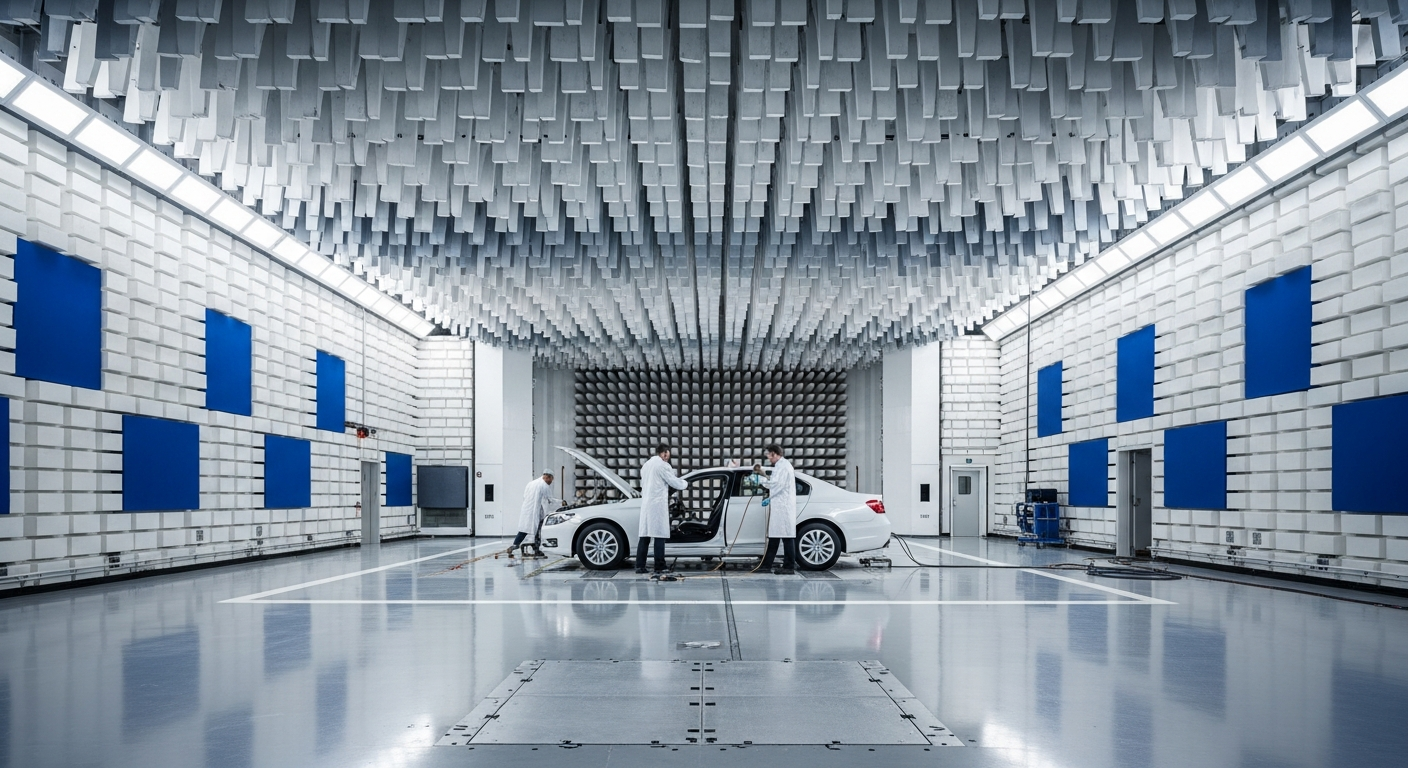
Automotive NVH (Noise, Vibration, and Harshness) testing is one of the most data-intensive disciplines in vehicle development. Getting it right requires a data acquisition system that can handle dozens of synchronised channels, maintain sub-microsecond timing accuracy across a moving vehicle, and feed results directly into analysis software — all without losing a single sample on a rough road. This guide explains what automotive NVH data acquisition actually involves, which specifications matter most, and how to evaluate whether a DAQ system is genuinely fit for purpose. What Does NVH Data Acquisition Actually Measure? NVH testing is not a single measurement — it is a coordinated capture of multiple physical quantities across time and space. A typical NVH acquisition session involves: 🎤 Sound pressure levels (SPL) — microphones at driver and passenger ear positions, outside the vehicle, and near specific components such as the engine bay or wheel arch 📳 Vibration and acceleration — IEPE accelerometers on the body structure, floor pan, steering column, seat rails, and powertrain mounts 🔄 Order tracking — tachometer or CAN-bus RPM signals combined with vibration channels to isolate engine, transmission, and driveline orders 🏗️ Structural response — transfer path analysis (TPA) requires simultaneous force and response measurements across multiple paths 🛣️ Road load data — strain gauges, wheel force transducers, and inertial measurement units (IMUs) captured over durability routes Capturing all of these simultaneously — in a moving vehicle, over variable terrain — is where the engineering challenge lies. Why Synchronisation Is the Critical Specification In NVH analysis, timing errors between channels corrupt every downstream calculation. Phase relationships between vibration sources and the acoustic response determine which path is dominant. An inter-channel delay of even a few microseconds introduces phase error that makes transfer path analysis unreliable at frequencies above a few hundred hertz. For road testing with GPS position logging, the timestamp alignment between the DAQ channels and the GPS receiver determines spatial resolution. At 100 km/h, a 1 ms timing error places a measurement event 2.8 cm away from its true location on the road. This is why precision synchronisation — either through a hardware clock distribution network or IEEE 1588 Precision Time Protocol (PTP) — is a non-negotiable requirement for serious NVH work, not a premium option. Key Specifications for an Automotive NVH DAQ System SpecificationWhy It Matters for NVHMinimum Requirement Channel countFull-vehicle modal surveys need 50–200+ channels simultaneously16+ per unit, scalable Synchronisation accuracyInter-channel phase error affects TPA validity above ~500 Hz<1 µs between channels Dynamic rangeMust capture both structural creaks (<1 mg) and road impacts (>100g) in the same session120 dB minimum; 160+ dB preferred IEPE compatibilityStandard interface for accelerometers and condenser microphonesAll channels Channel isolationPrevents ground loops from corrupting data in electrically noisy vehicle environments; essential for EV high-voltage environments≥500 V; 1000 V for EV testing Sampling rateAnti-aliasing filter sets usable bandwidth; NVH typically needs DC–20 kHz51.2 kS/s per channel minimum GPS integrationSpatial correlation of NVH events to road surfaceNMEA or PPS-based timestamp Common NVH Testing Scenarios and Their DAQ Requirements 🏎️ Road NVH and Pass-by Noise Road testing requires a self-contained system that operates without a tethered PC. Battery power, GPS timestamp synchronisation, and ruggedised connectors are essential. The system must log continuously at full bandwidth across all channels without dropping samples when the vehicle hits rough patches. ⚙️ Powertrain and Driveline NVH Engine and transmission testing demands tachometer-synchronised order tracking. Channels need to handle the temperature range of an engine bay, and the system should support CAN or OBD-II integration to log vehicle operating parameters alongside the acoustic and vibration data. ⚡ EV and Hybrid Powertrain Testing Electric vehicles remove combustion masking noise, exposing gear whine, inverter switching harmonics, and electric motor tonalities that were previously buried. EV testing also introduces the safety requirement for galvanic isolation between measurement channels and the vehicle's high-voltage system — typically 1000 V or higher. 🏗️ Transfer Path Analysis (TPA) TPA requires simultaneous measurement of forces at source attachment points and acoustic/vibration responses at target locations. This is channel-count-intensive and phase-critical — errors in synchronisation produce incorrect path rankings, leading teams to treat the wrong component. 🎯 Evaluating DAQ systems for your project? SonoDAQ Pro combines 170 dB dynamic range, 1000 V isolation, and ≤100 ns PTP sync in a modular platform built for real test environments. View SonoDAQ Pro → Request a Demo SonoDAQ Pro for Automotive NVH Data Acquisition SonoDAQ Pro is a modular acoustic and vibration DAQ system designed to address the requirements above without the complexity and cost of traditional high-channel-count platforms. 📊 4 to 24 channels per unit, expandable across multiple synchronised units for large-scale surveys ⏱️ PTP (IEEE 1588) and GPS synchronisation with ≤100 ns inter-channel delay — sufficient for TPA work through the full NVH frequency range 🔋 170 dB dynamic range — captures both low-level structural resonances and high-amplitude road shock inputs in a single acquisition ⚡ 1000 V per-channel isolation — safe for use alongside EV high-voltage systems without additional isolation amplifiers 💻 Integrated with OpenTest — open-source analysis platform covering order tracking, octave-band analysis, sound quality metrics, and automated reporting without per-seat licence fees SonoDAQ Pro supports both laboratory bench testing and field road measurements in a single hardware platform, reducing the need to maintain separate systems for different test environments. Frequently Asked Questions How many channels do I need for a full-vehicle NVH test? A minimal interior NVH survey (two ear-position microphones, four structural accelerometers, one tachometer) needs 7 channels. A comprehensive full-body modal survey for body-in-white characterisation typically uses 64–256 response channels. Most production vehicle NVH refinement programmes operate in the 16–64 channel range, expanding as the investigation narrows to specific subsystems. What is the difference between IEPE and charge-mode accelerometers for NVH? IEPE (Integrated Electronics Piezo-Electric) accelerometers have a built-in amplifier powered by a constant current from the DAQ front end. They are simpler to connect, less sensitive to cable capacitance, and the standard choice for most NVH work. Charge-mode sensors require an external charge amplifier and are preferred for very high-temperature environments (above ~120°C) where the built-in electronics would be damaged. For typical vehicle NVH measurement locations, IEPE is the practical choice. Does PTP synchronisation work reliably in a vehicle with multiple units? PTP (IEEE 1588) synchronisation operates over standard Ethernet and achieves sub-microsecond accuracy in a point-to-point or simple switched network. In a vehicle environment, the main requirement is a dedicated Ethernet connection between units — not shared with infotainment or other vehicle network traffic. With a dedicated switch and proper network configuration, PTP reliably maintains ≤100 ns synchronisation accuracy between units, which is more than sufficient for NVH analysis up to 20 kHz. Can the same DAQ system be used for both lab and road testing? Yes, provided the system supports both AC-powered laboratory operation and battery or vehicle-powered field operation, and that it is ruggedised for the vibration and temperature range encountered in road testing. The advantage of a single platform across environments is consistent calibration and data formats — results from road tests and anechoic chamber measurements can be directly compared without format conversion. → Learn more about SonoDAQ Pro | Request a demo for your NVH application
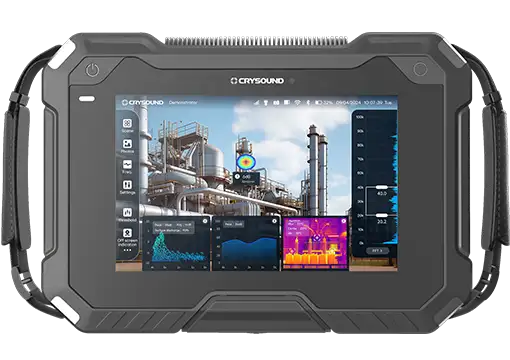
An acoustic camera is one of the most powerful tools available to engineers who need to locate, visualize, and quantify noise sources in complex environments. Whether you are troubleshooting an unwanted rattle inside a vehicle cabin, tracking down air leaks in a compressed-air system, or verifying the acoustic performance of a home appliance on the production line, an acoustic camera can do in minutes what traditional measurement methods take hours—or fail to do at all. This complete guide explains how acoustic cameras work, where they are used, what to look for when choosing one, and how they compare to conventional sound level meters. By the end, you will have a clear understanding of sound source localization technology and the confidence to select the right acoustic imaging camera for your application. What Is an Acoustic Camera? An acoustic camera is an instrument that combines a microphone array with a digital camera to produce a real-time visual map of sound—often called an acoustic image or sound map. The colored overlay shows exactly where noise is coming from, its relative intensity, and how it changes over time or frequency. Unlike a single microphone, which can measure sound pressure at one point but cannot tell you where the sound originates, an acoustic camera performs noise source identification across a wide field of view simultaneously. Core Components Component Role Microphone array Captures sound at multiple spatial positions Digital camera Provides the optical reference image Data acquisition hardware Digitizes and synchronizes all microphone channels Beamforming software Computes the sound map from array data How Does an Acoustic Camera Work? The Beamforming Principle The physics behind an acoustic camera relies on a technique called beamforming. Here is a simplified explanation: Sound waves arrive at the microphone array. Because microphones are at different positions, the same wavefront reaches each microphone at a slightly different time. Time delays are calculated. For every candidate point in the measurement space, the software calculates the expected arrival-time differences across all microphones. Signals are shifted and summed. The software shifts each microphone signal by the predicted delay and sums them. If the candidate point is the true source, the signals add constructively, producing a strong peak. If not, they partially cancel. A sound map is generated. By scanning thousands of candidate points, the algorithm builds a 2D (or 3D) color map of acoustic intensity overlaid on the camera image. This process is called delay-and-sum beamforming and is the foundation of most acoustic cameras. More advanced algorithms—such as CLEAN-SC, functional beamforming, and deconvolution approaches—further sharpen the image and improve dynamic range. Frequency Range and Array Design The usable frequency range of an acoustic camera depends on the array geometry: Low-frequency limit is governed by the overall array diameter. A larger array resolves lower frequencies. High-frequency limit is governed by the spacing between adjacent microphones. Closer spacing avoids spatial aliasing at higher frequencies. Typical acoustic cameras cover 200 Hz to 12 kHz or wider, with some specialized arrays reaching above 20 kHz for applications like leak detection. Applications of Acoustic Cameras Automotive NVH (Noise, Vibration, and Harshness) Acoustic cameras are indispensable in automotive development. Engineers use them to: Identify wind noise sources around door seals, mirrors, and A-pillars in wind-tunnel tests. Locate interior noise paths—dashboard rattles, HVAC duct noise, powertrain radiation—during road tests. Validate pass-by noise levels under ISO 362 by mapping exterior noise sources in real time. Home Appliance Noise Reduction Consumer expectations for quiet appliances are rising. Manufacturers of washing machines, refrigerators, dishwashers, and air conditioners use acoustic cameras to: Compare noise signatures before and after design changes. Detect abnormal noise patterns in end-of-line (EOL) quality checks. Pinpoint noise from specific subcomponents (compressors, fans, pumps) within a fully assembled product. Industrial Equipment and Predictive Maintenance In factories, acoustic cameras quickly identify: Compressed-air leaks, which account for 20–30% of energy waste in many plants. Bearing defects in motors, turbines, and conveyors—often before they become audible to the human ear. Electrical discharge (partial discharge) in high-voltage switchgear and transformers. Building Acoustics and Environmental Noise Acoustic cameras help building consultants identify sound transmission paths through walls, windows, and HVAC penetrations, verify the effectiveness of sound barriers, and map noise from construction sites. Power Generation and Renewable Energy Wind turbine manufacturers and operators use acoustic cameras to measure blade noise, detect trailing-edge damage, and comply with environmental noise limits. How to Choose an Acoustic Camera 1. Array Configuration and Size Planar arrays (flat) are the most common—lightweight, portable, and suitable for front-facing measurements. Spherical or 3D arrays capture sound from all directions for interior cabin or room acoustic studies. Number of microphones: More microphones improve spatial resolution and dynamic range. Entry-level: 30–64; high-performance: 100–200+. 2. Frequency Range Application Typical Frequency Range Automotive NVH (interior) 200 Hz – 8 kHz Appliance noise 300 Hz – 12 kHz Air leak detection 2 kHz – 20 kHz+ Building acoustics 100 Hz – 5 kHz 3. Software Capabilities Real-time beamforming, advanced algorithms (CLEAN-SC, deconvolution), time-domain and frequency-domain analysis, video recording with synchronized audio, and flexible export formats. 4. Portability and Ease of Use For field measurements, a lightweight, battery-powered, single-person-operable system is essential. A Closer Look: CRYSOUND Acoustic Imaging Systems The CRY8124 is a large-format planar array with 200 MEMS microphones, optimized for high-resolution measurements in automotive NVH and industrial applications. The CRY2623 is a compact, handheld acoustic camera with 128 microphones designed for rapid field inspections—air leak detection, electrical inspection, and predictive maintenance. Both systems include real-time beamforming software with CLEAN-SC deconvolution, video overlay, and spectral analysis. Acoustic Camera vs. Sound Level Meter: When to Use Which Criterion Sound Level Meter Acoustic Camera What it measures Sound pressure level at one point Sound source location and relative level across a surface Source identification No Yes—visual map shows source locations Regulatory compliance Yes—traceable dB(A)/dB(C) values per IEC 61672 Limited Cost $500–$5,000 $15,000–$150,000+ Best for SPL measurement, noise monitoring, compliance Root-cause analysis, noise reduction, leak detection In practice, the two tools are complementary. A sound level meter confirms how loud a problem is; an acoustic camera shows where it is. Conclusion Acoustic cameras have transformed the way engineers approach noise problems. By making sound visible, they accelerate root-cause analysis, reduce development cycles, and enable quality controls that were previously impractical. Ready to see your noise sources? Contact CRYSOUND for a personalized consultation or request a live demo with your application.
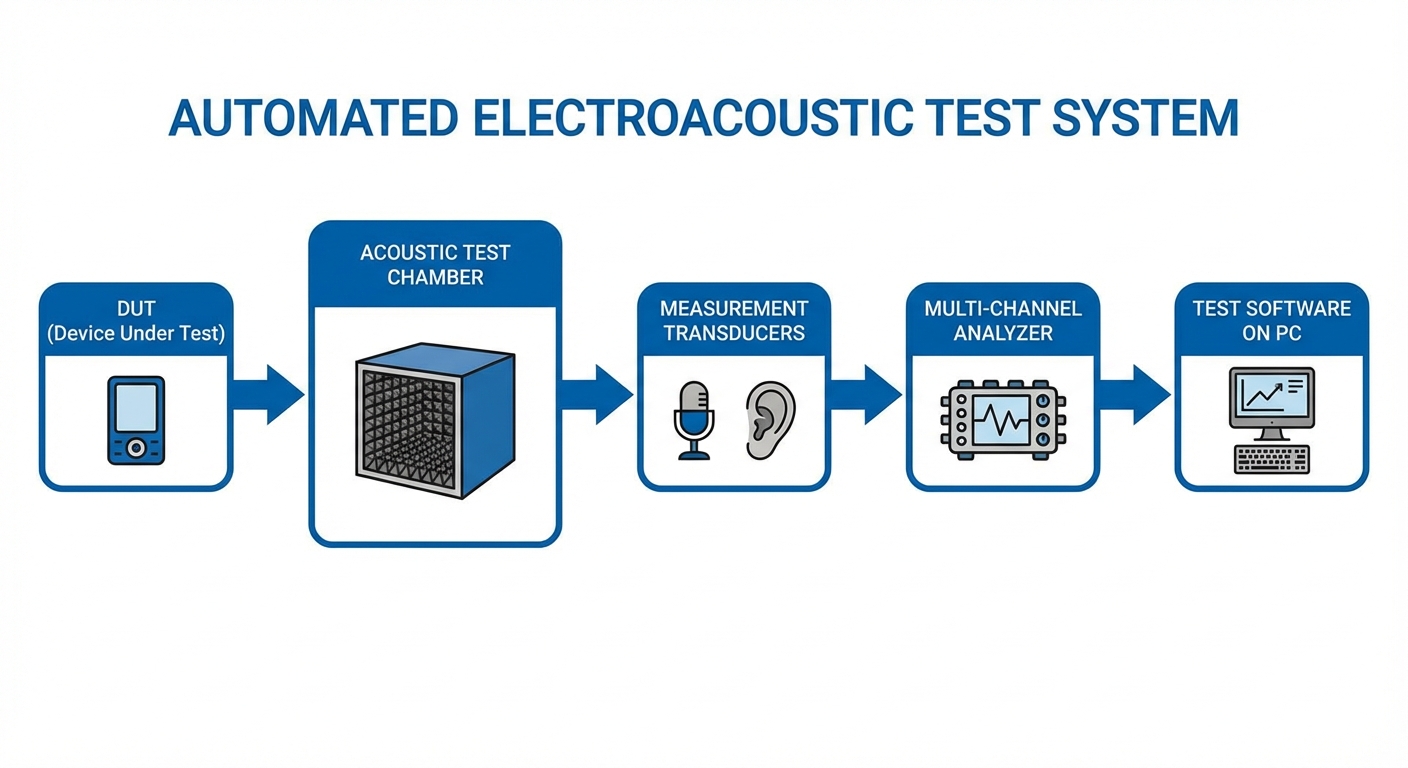
Every speaker, microphone, headphone, and hearing aid that leaves a production line must meet precise acoustic specifications. This guide walks you through the transition from manual electroacoustic testing to a fully automated audio test system. Why Automate? Manual Testing vs. Automated Testing The Manual Approach A typical manual setup consists of a signal generator, power amplifier, measurement microphone, audio analyzer, and an operator who connects the DUT, triggers each measurement, reads results, and records pass/fail. Limitations: Slow (2–5 min/unit), operator-dependent, error-prone, difficult to scale. The Automated Approach Factor Manual Automated Test time per unit 2–5 minutes 5–15 seconds Throughput 15–25 units/hour 200–500+ units/hour Repeatability Operator-dependent < 0.5 dB variation Data logging Manual/partial Automatic, 100% traceability Defect detection Subjective Algorithmic, consistent ROI is typically realized within 6–12 months for mid-volume production (>500 units/day). System Architecture: Hardware and Software 1. Signal Generation and Acquisition (Audio Analyzer) Modern audio analyzers integrate signal generation and acquisition in a single instrument with USB or Ethernet connectivity. 2. Acoustic Test Chamber (Test Fixture) The DUT must be tested in a controlled acoustic environment—anechoic coupler, semi-anechoic test chamber, or IEC 60318-compliant ear simulator. 3. Switching and Connectivity Relay matrix, barcode/QR scanner, PLC or I/O controller for conveyor systems and MES integration. 4. Test Software CRYSOUND's OpenTest platform provides a drag-and-drop test sequence editor, multi-station deployment, and built-in SPC dashboards. Key Electroacoustic Test Parameters Frequency Response: SPL vs. frequency curve evaluated against upper and lower limit masks Total Harmonic Distortion (THD): < 1% at 1 kHz rated power typical spec Rub and Buzz (R&B): Detects mechanical defects—loose particles, voice coil rub, rattling Impedance: Reveals resonant frequency, DC resistance, electrical behavior Polarity: Verifies correct phase direction Sensitivity: SPL at reference distance for given input Seal and Leak Test: For enclosed products Step-by-Step: Building Your Automated Test Line Define Test Requirements — List every parameter, pass/fail limits, cycle time, and applicable standards. Design the Test Station Layout — Calculate station count, inline vs. offline, one-sided vs. multi-sided. Select and Procure Equipment — Audio analyzer, microphones, test chamber, switching hardware, software. Build and Integrate — Assemble fixtures, wire signal paths, install software, connect PLC/MES. Establish Golden Unit Calibration — Select 5–10 reference units, define reference curves and repeatability baseline. Validate and Fine-Tune Limits — Run pilot batch of 100–500 units, analyze yield, adjust thresholds. Train Operators and Launch — Document procedures, go live with full data logging. Continuous Improvement — Daily calibration verification, SPC monitoring, periodic microphone recalibration. Common Pitfalls and How to Avoid Them Inadequate Acoustic Isolation: Design chamber for ≥30 dB insertion loss. Over-Tight Limits at Launch: Use pilot-batch statistics (mean ± 3σ). Ignoring Fixture Repeatability: Use positive-location fixtures, verify with gauge R&R. No Reference Unit Tracking: Measure reference unit at start of each shift. Conclusion Transitioning from manual to automated electroacoustic testing pays for itself through higher throughput, better repeatability, and comprehensive data traceability. The acoustic quality your customers hear is only as good as the test system that verified it. Ready to automate your electroacoustic test line? Contact CRYSOUND to discuss your production testing requirements. From audio analyzers and measurement microphones to the OpenTest software platform, CRYSOUND provides end-to-end solutions for production line audio testing.
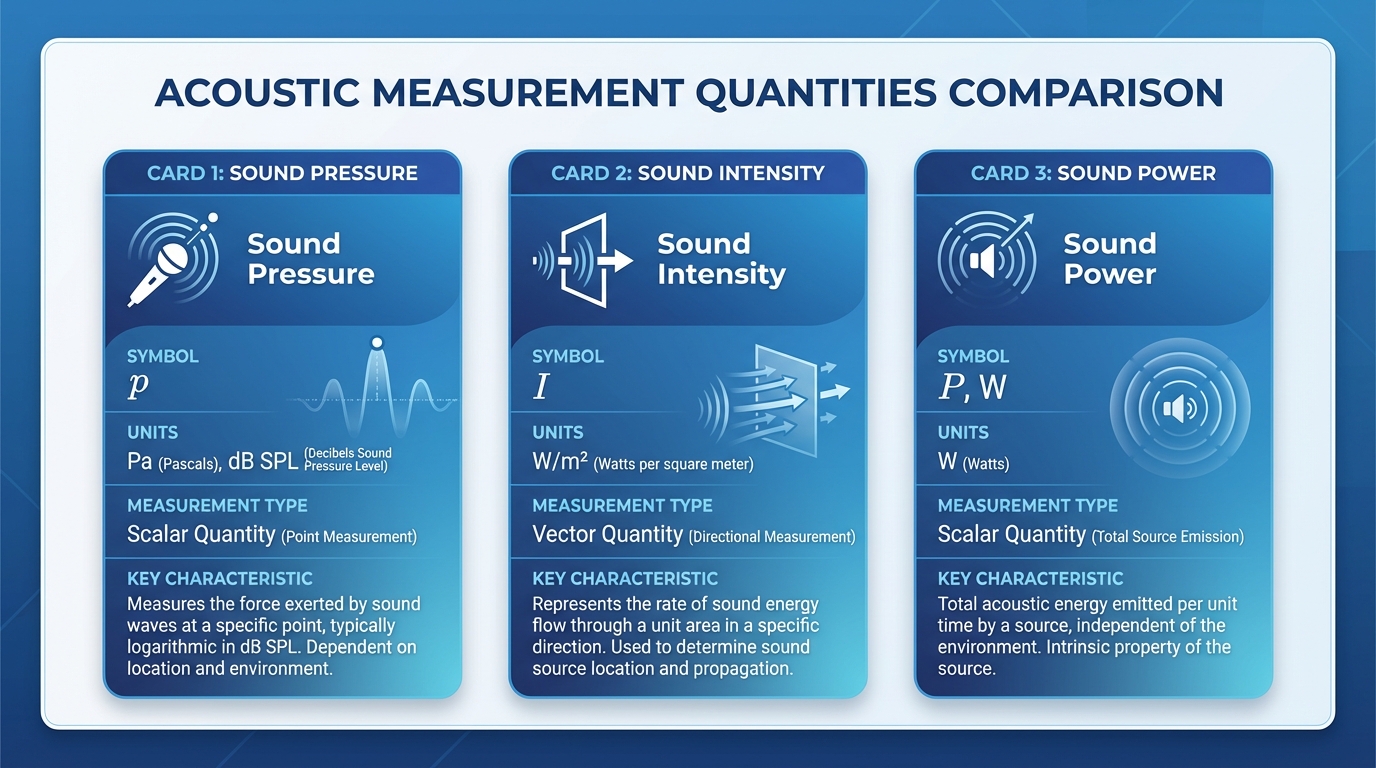
Sound pressure level, sound intensity, and sound power are three fundamental quantities in acoustic measurement, yet they are routinely confused—even by experienced engineers. This guide explains what each quantity physically represents, how they relate to each other, how to measure them according to international standards, and—most importantly—when to use which one in real engineering practice. The Three Quantities at a Glance Quantity Symbol Unit What It Describes Depends on Environment? Sound Pressure p (level: Lp) Pa (dB re 20 µPa) Force per unit area at a point Yes Sound Intensity I (level: LI) W/m² (dB re 1 pW/m²) Energy flow per unit area in a direction Partially Sound Power W (level: LW) W (dB re 1 pW) Total acoustic energy radiated by a source No The key distinction: sound pressure and intensity depend on where you measure; sound power is an intrinsic property of the source. Sound Pressure: What You Hear Sound pressure is the local fluctuation in air pressure caused by a sound wave. Sound pressure level (SPL) is expressed as: Lp = 20 × log₁₀(p / p₀) where p₀ = 20 µPa is the reference pressure. Key characteristics: Scalar quantity, location-dependent, easy to measure with a single calibrated microphone. When to use: Noise exposure assessment (ISO 9612), environmental noise monitoring, product noise labeling, quick field checks. Sound Intensity: Energy Flow with Direction Sound intensity is the rate of acoustic energy flow through a unit area in a specified direction—a vector quantity with both magnitude and direction. Key characteristics: Directional, less sensitive to background noise, requires specialized two-microphone probe. When to use: Sound power determination in situ (ISO 9614), noise path identification, transmission loss testing. Sound Power: The Source’s Intrinsic Noise Rating Sound power is the total acoustic energy radiated by a source per unit time—independent of environment. When to use: Product noise specifications (EU Machinery Directive), noise prediction and modeling, procurement and tendering. Measurement Methods and ISO Standards Sound Power via Sound Pressure (ISO 3741–3747) Standard Environment Accuracy ISO 3741 Reverberation room Precision (Grade 1) ISO 3744 Free field over reflecting plane Engineering (Grade 2) ISO 3745 Anechoic / hemi-anechoic room Precision (Grade 1) ISO 3746 In situ (any environment) Survey (Grade 3) Sound Power via Sound Intensity (ISO 9614 series) The advantage of the intensity method is its tolerance of background noise and reflections. Measurement Equipment CRYSOUND’s multi-channel data acquisition range includes prepolarized and externally polarized models in 1/2-inch and 1/4-inch formats, covering frequency ranges from 3 Hz to over 100 kHz. CRYSOUND’s data acquisition platforms support intensity measurement with real-time cross-spectral analysis across all channels. Practical Decision Guide: Which Quantity Do You Need? “I need to check workplace noise regulations.” → Measure sound pressure level per ISO 9612. “I need to compare noise output of two machines.” → Request or measure sound power level. “I need to find where noise leaks through a wall.” → Measure sound intensity on the receiving side. “I need to predict how loud a new machine will be.” → Get the machine’s sound power level, then model. “I need to meet the EU Machinery Directive.” → Determine sound power level per ISO 3744/3746. Summary Table Sound Pressure Level Sound Intensity Level Sound Power Level Quantity type Scalar Vector Scalar Depends on distance Yes Yes No Depends on room Yes Partially No Primary instrument Sound level meter Intensity probe Calculated from SPL or intensity Key standards IEC 61672 ISO 9614 ISO 3741–3747 Best for Exposure, compliance Path analysis, in-situ power Source comparison, prediction Conclusion Sound pressure tells you how loud it is here. Sound intensity tells you how much energy is flowing that way. Sound power tells you how much noise the source makes, period. By understanding these distinctions and selecting the right measurement method, you avoid costly errors and arrive at actionable acoustic data faster. Need help selecting the right acoustic measurement equipment? Contact CRYSOUND to discuss your application with our acoustics team.
During pilot production and production line ramp-up, many issues do not appear in the way teams initially expect. Sometimes it starts with a small fluctuation at a test station, or a comment from a line engineer saying, "This result looks a bit unusual."However, when takt time, yield targets, and delivery milestones are all under pressure, these seemingly minor anomalies can quickly be amplified and begin to affect the overall production rhythm. We have been working with Huaqin as a long-term partner. As projects progressed, the challenges encountered on the production line became increasingly complex. On site, our role gradually extended from basic production test support to problem analysis and cross-team coordination during pilot production. In many cases, the focus was not simply on whether a test station was functioning, but on how to absorb uncertainties early and prevent them from disrupting delivery schedules. The following two experiences both took place during the pilot production phase of Huaqin projects. They are not exceptional cases. On the contrary, they represent the kind of everyday issues that most accurately reflect the realities of production line delivery. Airtightness Testing Issues in Project α During the pilot ramp-up of Project α, the airtightness test station for the audio microphone showed clear instability. For the same batch of products, pass rates fluctuated noticeably across repeated tests, frequently interrupting the station's operating rhythm. Initial troubleshooting naturally focused on the test system itself, including software logic, equipment status, and basic parameter settings. It soon became clear, however, that the issue did not originate from these areas. As on-site verification continued, we gradually confirmed that the anomaly was more closely related to the product's mechanical structure and material characteristics. This model used a relatively uncommon combination of materials. A sealing solution that had worked well in previous projects could not maintain consistency during actual compression. Even slight variations in applied pressure were enough to influence test results. Once the direction of the problem was clarified, the on-site approach shifted accordingly. Rather than repeatedly adjusting the existing solution, we returned to verifying the compatibility between materials and structure. Over the following period, we worked together with the customer's engineering team on the production line, testing multiple material options. This included different types of silicone and cushioning materials, variations in silicone hardness, and adjustments to plug compression methods. Each step was evaluated based on real test results before moving forward. The process was not fast, nor was it particularly clever. In essence, it came down to repeatedly confirming one question: could this solution run stably under real production line conditions?Ultimately, by introducing a customized soft silicone gasket and making fine parameter adjustments, the airtightness test results gradually stabilized. The station was able to run continuously, and the pilot production rhythm was restored. Figure 1. Test Fixture Diagram Noise Floor Issues in Project β Compared with the airtightness issue in Project α, the noise floor anomaly encountered during pilot production in Project β was more complex to diagnose. During headphone pilot production for Project β at Huaqin's Nanchang site, the noise floor test station repeatedly triggered alarms. Test data showed that measured noise levels consistently exceeded specification limits, significantly impacting the pilot production schedule. This model used high-sensitivity drivers along with a new circuit design, making the potential noise sources inherently more complex. It was not a problem that could be resolved by simply adjusting a single parameter. Rather than focusing solely on the test station, we worked with the customer's audio team to investigate the issue from a system-level signal chain perspective. The process involved sequentially testing different shielding cables, adjusting grounding strategies, evaluating various Bluetooth dongle connection methods, and isolating potential power supply and electromagnetic interference sources within the test environment. Through continuous spectrum analysis and comparative testing, the scope of the issue was gradually narrowed. It was ultimately confirmed that the elevated noise floor was primarily related to power interference from the Bluetooth dongle, combined with differences in product behavior across operating states. After this conclusion was reached, relevant configurations were adjusted and validated on site. As a result, noise floor measurements returned to a stable and controllable range, allowing pilot production to proceed. Figure 2. Work with the customer engineer to solve problems Common Characteristics of Pilot Production Issues Looking back at these two pilot production experiences, it becomes clear that despite their different manifestations, the underlying diagnostic processes were quite similar. Whether dealing with airtightness instability or excessive noise, the root cause could not be isolated to a single module. Effective resolution required on-site evaluation across mechanical structure, materials, system operating states, and test conditions. During pilot production, issues of this nature rarely come with ready-made answers. They are also unlikely to be resolved through a single verification cycle. More often, progress is made through repeated trials, comparisons, and eliminations, gradually converging on a solution that is genuinely suitable for long-term production line operation. Production line delivery rarely follows a perfectly smooth path. In many cases, what ultimately determines whether a project can move forward as planned are those unexpected issues that must be addressed immediately when they arise. In our long-term collaboration with customers, our work often takes place at these critical moments—working alongside engineering teams to stabilize processes, maintain momentum, and keep projects moving forward step by step. If you also want CRYSOUND to support your production line, you can fill out the Get in Touch form below.

In our previous blog post, "Abnormal Noise Detection: From Human Ears to AI"we discussed the key pain points of manual listening, introduced CRYSOUND's AI-based abnormal-noise testing solution, outlined the training approach at a high level, and showed how the system can be deployed on a TWS production line. In this post, we take the next step: we'll dive deeper into the analysis principles behind CRYSOUND's AI abnormal-noise algorithm, share practical test setups and real-world performance, and wrap up with a complete configuration checklist you can use to plan or validate your own deployment. Challenges Of Detecting Anomalies With Conventional Algorithms In real factories, true defects are both rare and highly diverse, which makes it difficult to collect a comprehensive library of abnormal sound patterns for supervised training. Even well-tuned—sometimes highly customized—rule-based algorithms rarely cover every abnormal signature. New defect modes, subtle variations, and shifting production conditions can fall outside predefined thresholds or feature templates, leading to missed detections (escapes). In the figure below, we compare two wav files that we generated manually. Figure 1: OK Wav Figure 2: NG Wav You can see that conventional checks—frequency response, THD, and a typical rub & buzz (R&B) algorithm—can hardly detect the injected low-level noise defect; the overall curve difference is only ~0.1 dB. In a simple FFT comparison, the two wav files do show some discrepancy, but in real production conditions the defect energy may be even lower, making it very likely to fall below fixed thresholds and slip through. By contrast, in the time–frequency representation , the abnormal signature is clearly visible, because it appears as a structured pattern over time rather than a small change in a single averaged curve. Figure 3: Analysis results Principle Of AI Abnormal Noise Algorithm CRYSOUND proposes an abnormal-noise detection approach built on a deep-learning framework that identifies defects by reconstructing the spectrogram and measuring what cannot be well reconstructed. This breaks through key limitations of traditional rule-based methods and, at the principle level, enables broader and more systematic defect coverage—especially for subtle, diverse, and previously unseen abnormal signatures. The figure below illustrates the core workflow behind our training and inference pipeline. Figure 4: Algorithm Flow Principle During model training, we build the algorithm following the workflow below. Figure 5: Algorithm Judgment Principle How To Use And Deploy The AI Algorithm Preparation First, prepare a Low-Noise Measurement Microphone / Low-noise Ear Simulator and a Microphone Power Supply to ensure you can capture subtle abnormal signatures while providing stable power to the mic. Figure 6: Low-Noise Measurement Microphone Next, you'll need a sound card to record the signal and upload the data to the host PC. Figure 7: Data Acquisition System Third, use a fixture or positioning jig to hold the product so that placement is repeatable and every recording is taken under consistent conditions. Finally, ensure a quiet and stable acoustic environment: in a lab, an anechoic chamber is ideal; on a production line, a sound-insulation box is typically used to control ambient noise and keep measurements consistent. Figure 8: Anechoic Room Figure 9: Anechoic Chamber Model Development First, create a test sequence in SonoLab, select "Deep Learning" and apply the setting. Next, select the appropriate AI abnormal-noise algorithm module and its corresponding API Figure 10: Sequence Interface 1 Then open Settings and specify the model type, as well as the file paths for the training dataset and test dataset. Click Train and wait for the model to finish training (Training time depends on your PC's hardware) Figure 11: Sequence Interface 2 During training, the status indicator turns yellow. Once training is complete, it switches to green and shows a "Training completed" message. Figure 12: Sequence Interface 3 Finally, place your test WAV files in the specified test folder and run the sequence. The model will start automatically and output the analysis results. Test Case Figure 13:Test Environment Figure 14:Test Curve System Block Diagram Figure 15: System Block Diagram 1 Figure 16: System Block Diagram 2 Equipment More technical details are available upon request—please use the "Get in touch" form below. Our team can share recommended settings and an on-site workflow tailored to your production conditions.

As A²B microphones and sensors are increasingly adopted in automotive applications, the demand for reliable testing in both R&D and production is also growing. This article explains why A²B testing matters, highlights the advantages of A²B over traditional analog cabling in terms of interconnect and scalability, outlines key measurement KPIs (such as frequency response, THD+N, phase/polarity, and SNR), and presents a typical test-bench setup along with the corresponding solution configuration. Why A²B Microphone and Sensor Testing Matters In-cabin audio is no longer just "music playback". Modern vehicles depend on high-performance acoustic sensing for hands-free calling, in-cabin communication, voice assistants, ANC/RNC, and more—and these features increasingly rely on multiple microphones and even accelerometers deployed around the cabin. ADI notes that the rapid expansion of audio-, voice-, and acoustics-related applications is a key trend, and that new digital microphone and connectivity approaches are enabling broader adoption. To deliver consistent performance, teams need a test workflow that is repeatable across different node positions, harness lengths, and configurations—without turning every debug session into a custom project. The Interconnect Shift: From Shielded Analog Cables to Digital A²B Historically, scaling microphone counts often meant scaling shielded analog cabling, which adds weight, cost, and integration burden—sometimes limiting these features to premium vehicle segments. A²B (Automotive Audio Bus) addresses that interconnect problem by enabling a scalable, networked digital audio architecture with deterministic behavior—exactly what timing-sensitive acoustic applications need. Figures a and b show how such a design may be realized with the traditional analog and the digital A²B systems, respectively. Figure 1 (a) Analog system design with analog mic elements (shielded wires). (b) Digital system design with digital mic elements (A²B technology and UTP wires). What You'll Measure: Key A²B Microphone KPIs Frequency Response (FR) THD+N Phase / polarity (and channel-to-channel consistency for arrays) SNR AOP (if required by your program/spec) Typical Block Diagram-What the Bench Looks Like At CRYSOUND, we provide more than just the CRY580 A²B interface. We offer a full automotive audio testing solution, including audio acquisition cards, microphones and sensors, acoustic sources, custom fixtures, acoustic test boxes, and vibration shakers, delivering a complete and streamlined testing experience. Figure 2 Here's a description of the testing block diagram, including the use of the latest OpenTest Audio Test & Measurement Software https://opentest.com Solution BOM List The value of end-to-end delivery: reducing system integration time and minimizing coordination costs between multiple suppliers. We cover everything from R&D to production line testing. Figure 3 BOM list of the solution If you'd like to learn more about A²B testing, please fill out the Get in touch form below and we'll reach out shoutly.

Precision measurement is only as trustworthy as the tools behind it. At CRYSOUND, long-term reliability has always been part of how we support professional acoustic testing and metrology work—especially for equipment expected to perform consistently over many years. That’s why CRYSOUND provides a 10-Year Limited Warranty for eligibleCRY3000 series sensors offering long-horizon confidence for labs, manufacturers, and audio professionals who depend on stable performance. What the 10-year warranty covers This is a limited warranty focused on defects in materials or workmanship that occur under normal use, installation, and maintenance conditions. It is not a guarantee of fitness for a specific purpose. Eligible product categories (CRY3000 Series) The 10-year limited warranty applies to the following CRY3000 Series categories (traceable by product nameplate/serial number):Microphones Preamplifiers Microphone Sets Mouth Simulators Ear Simulators Ear Simulator Sets. Warranty term: 10 years (and what’s different) For the main product categories above, the warranty term is 10 years.Accessories/consumables (e.g., windscreens, cables, adapters, seals, replaceable pinnae, packaging) are covered under a 6-month warranty unless otherwise specified by contract or separate terms. When the warranty period starts The warranty period is calculated from the shipping/delivery date. If that date is unavailable, it is calculated from the end-user purchase date (with contract proof). If valid proof cannot be provided, CRYSOUND may use the factory date or the latest traceable serial-number record as the basis. What CRYSOUND will do for eligible defects If CRYSOUND confirms the issue is covered, we may provide one or more of the following: Free repair, including necessary parts and labor Replacement with the same model, or a model of equal or higher performance (new or certified refurbished/remanufactured) Customized/project products follow contract terms Repairs or replacements do not extend the original warranty period. Clear boundaries (typical exclusions) As a limited warranty, it excludes issues caused by misuse, drops/crushing, liquid ingress, corrosive environments, out-of-spec power/ESD/surge, improper installation/grounding/sealing/maintenance, unauthorized disassembly/modification, missing/altered serial numbers, normal wear/cosmetic changes, shipping/storage mishandling, or third-party compatibility problems (where applicable). Calibration note (important for metrology users) Because microphones and simulators are metrology instruments, slight drift can occur due to environment and measurement uncertainty. Unless drift is confirmed to be caused by a manufacturing defect, calibration/recalibration and certificate updates are typically not included for free (paid calibration/verification services may be available). Service logistics (shipping & service location) For in-warranty cases, users typically cover round-trip shipping to CRYSOUND/authorized service points. Cross-border service may involve duties or customs clearance fees unless otherwise agreed by contract. CRYSOUND will arrange the nearest service option based on region, product type, and spare-part availability. Warranty & Support To request warranty service or technical support, contact info@crysound.com (or reach out to your CRYSOUND sales contact). See the warranty policy on our website: https://design.crysound.com/warranty/

In many practical applications, data acquisition is not performed in an “ideal laboratory” environment. The device under test may be connected to mains power, distribution cabinets, frequency converters, or large electromechanical systems, while the acquisition card on the other side is connected via USB or Ethernet to a computer—sometimes operated directly by a person. These two sides are often not at the same electrical potential. If there is no effective electrical isolation inside the data acquisition card, this potential difference may propagate through signal lines, shields, or ground paths to the system side, leading to measurement distortion, interface malfunction, or even safety hazards. This is the fundamental reason why isolation exists in data acquisition systems. What Is the Isolation Rating of a Data Acquisition Card? In a data acquisition system, the isolation rating is not a simple voltage number, nor is it equivalent to “the voltage that the input can directly withstand.” It describes whether there is a reliable electrical isolation barrier between the measurement side (connected to sensors and the device under test) and the system side (connected to the host computer, communication interfaces, and power supply), and under what level of voltage stress this isolation remains valid. Isolation principle You can think of isolation as a bridge between two islands: The bridge allows information to pass—measurement data, digital communication, control signals. But it blocks dangerous currents—fault currents, ground-loop currents, and energy that could carry high potential to the host side. For this reason, isolation in data acquisition systems typically addresses both safety and measurement stability at the same time. Why Is Isolation Often More Important Than Accuracy Specifications? In many field applications, engineers do not encounter problems such as “insufficient resolution,” but instead: The same system works well in the lab, but noise increases dramatically on site. Once multiple devices are connected together, the data begins to drift. Replacing the computer or using a different power outlet suddenly makes the problem disappear. The common root cause behind these phenomena is often not algorithms or ADC performance, but rather improper handling of electrical potential relationships within the acquisition system. The value of isolation lies precisely here: by breaking unnecessary current loops and limiting the propagation paths of common-mode voltage and fault energy, isolation allows the acquisition system to behave in a controlled and predictable manner even in complex electrical environments. In industry discussions, the core values of isolation usually fall into three categories: signal integrity, safety, and instrument protection. Signal Integrity: Breaking Ground Loops and Improving Common-Mode Rejection Many cases of “inaccurate measurement” are not caused by ADC resolution, but by unwanted currents flowing through ground wires or shields. When the device under test and the host computer, enclosure, or other equipment are at different ground potentials, connecting them via signal cables may form ground loops. Power-line interference and electromagnetic noise then appear as “baseline noise” or ripple in the waveform. Isolation improves this by breaking the current loop paths. Safety: Confine High Potential and Fault Energy to the Measurement Side When measurement points are located near mains power, distribution cabinets, or frequency converters, the real risk is not merely “high voltage,” but where abnormal voltage or fault energy may propagate. If there is no clear electrical isolation between the measurement side and the host side, this energy may travel through signal or ground connections into the computer or communication interfaces, causing equipment damage or safety hazards. Isolation establishes a clear internal safety boundary: high potential and uncertain electrical environments are confined to the measurement side, while the system side—where the host computer and operator reside—remains within a controlled and safe potential range. If an abnormal condition occurs, the problem is contained on the measurement side and does not propagate further. Instrument Protection: A Larger Measurable Window Under High Common-Mode Voltage A non-isolated acquisition system effectively binds the measurement reference ground to system ground or earth. As a result, the measurable input range is centered around earth potential. If the entire signal shifts to a high common-mode potential, the front-end amplifier or ADC may exceed its allowable range or even be damaged. An isolated system allows the measurement reference to “float,” enabling the input measurement window to be centered around the isolated local ground. This permits operation under much higher common-mode voltages, with the ultimate limits determined by the isolation barrier and input protection circuitry together. Commonly Confused Isolation-Related Terms Isolation is often misunderstood because a single term—“isolation voltage”—is used to answer very different questions. The following clarifies these related but distinct concepts. Common-Mode Voltage Common-mode voltage refers to the voltage that is simultaneously applied to both measurement inputs relative to the acquisition system reference ground. It is not the signal of interest. The measurement signal concerns the difference between two input terminals, whereas common-mode voltage describes how high the two terminals are elevated together relative to ground. For example, in battery stacks or floating power systems, the signal itself may be only a few volts, but the entire source may be elevated tens or hundreds of volts above the acquisition card ground. In industrial environments, ground noise or electromagnetic interference may also impose time-varying AC voltage on both measurement leads. These “collectively elevated or oscillating voltages” constitute common-mode voltage. Working Voltage Working voltage is the voltage that can be continuously applied to a device over long periods. It is typically understood as the combination of measured voltage and common-mode voltage, and represents the condition under which the device can operate reliably over time. Withstand Voltage Withstand voltage refers to whether the isolation barrier can survive a very high voltage applied for a short duration without breakdown or damage. To verify this, a dielectric withstand (hipot) test is typically performed. During such a test, a voltage significantly higher than normal operating conditions is applied across the isolation barrier for approximately one minute. If no breakdown, abnormal leakage, or functional damage occurs, the isolation barrier is considered electrically robust. It is critical to note that withstand voltage does not indicate that the device can operate continuously at that voltage. It is a safety and quality verification metric, demonstrating that the insulation will not fail immediately under abnormal or extreme conditions. Input Overvoltage Protection Input overvoltage protection specifies the maximum allowable differential voltage between the positive and negative terminals of the same input channel. Exceeding this limit may damage the input circuitry. This is fundamentally different from isolation withstand voltage: Isolation withstand voltage applies between the measurement side and the system side. Overvoltage protection applies between the positive and negative terminals of the same channel. Measurement Category (CAT) Measurement category defines the severity of transient overvoltage that a measurement system may encounter in its electrical environment. Categories increase from CAT I to CAT IV: CAT I: Low-energy electronic circuits. CAT II: Household appliances and receptacle outlets, typically protected by indoor distribution panels. CAT III: Industrial distribution cabinets and environments with large motors, pumps, or compressors, subject to switching transients and inductive load surges. CAT IV: Outdoor power distribution points exposed to surges and lightning strikes. Pollution Degree Pollution degree describes environmental factors such as dust, moisture, and condensation that affect insulation surfaces. Higher pollution degrees reduce effective insulation performance, requiring higher baseline insulation strength. What Does "1000 V Isolation" Actually Mean? When a specification states “1000 V isolation,” three immediate questions must be asked, otherwise the number has no real comparability: Is it AC or DC? Is it Vrms, Vpk, or Vdc? Is it withstand voltage (short-term) or working voltage (long-term)? What exactly is isolated? Channel-to-ground? Channel-to-channel? Measurement side to USB/host side? The most important takeaway is this: “1000 V isolation withstand” does not automatically mean the system can continuously operate at 1000 V common-mode voltage, nor does it mean that 1000 V can be directly applied to the input. Continuous capability depends on working voltage, measurement category, input overvoltage protection, and the entire system chain including sensors, cables, and terminals. How Isolation Is Implemented: Isolation Barriers and Signal Transfer Methods Isolation is not simply “air separation,” but a combination of structure, materials, and signal-coupling mechanisms. Common isolation signal-transfer methods include: Inductive / Transformer-Based Isolation Inductive isolation transmits energy or information via magnetic fields rather than direct electrical conduction, fundamentally based on Faraday’s law of electromagnetic induction. Inductive isolation chip block Inside the chip, planar coils are fabricated on silicon or within the package, forming transformer-like structures. Transmitter side: current → coil → alternating magnetic field Receiver side: magnetic field variation → induced voltage → signal recovery Advantages include very high common-mode transient immunity (CMTI), high speed, low jitter, long-term stability, and excellent channel consistency. Disadvantages include higher power consumption and cost compared with capacitive isolation. Capacitive Coupling Capacitive isolation uses the “DC-blocking, AC-passing” property of capacitors to achieve voltage isolation, relying on electric-field variation within the dielectric. Capacitive isolation chip block Signal variation → electric-field variation → displacement current coupling Advantages include low power consumption, small die area, high integration, lower cost, and high speed. Disadvantages include higher sensitivity to common-mode dv/dt, stricter PCB symmetry requirements, and higher dependence on reference-ground layout. Optical Isolation Optical isolation uses light as the isolation medium, with air or transparent insulation providing physical separation. The principle is photoelectric conversion plus spatial isolation. Optical isolation chip block Electrical signal → LED emission → photosensitive device → electrical signal Advantages include simple structure, extremely high withstand voltage, good performance for low-frequency and switching signals, and strong EMC characteristics. Disadvantages include slower speed due to device latency, higher variability, and unsuitability for high-precision synchronous systems. Comparison of Isolation Technologies ItemInductiveCapacitiveOpticalWithstand voltage★★★★☆★★★☆★★★★★Transmission speed★★★★☆★★★★★★★Common-mode immunity★★★★★★★★☆★★EMI immunity★★★☆★★★★★★★★★Stability★★★★★★★★★★★Low power★★★★★★★★★★Suitable for DAQRecommendedRecommendedNot recommended A frequently overlooked but critical metric here is CMTI. In high dv/dt environments such as inverters, SiC/GaN power supplies, and motor drives, the issue is often not how high the static common-mode voltage is, but how fast it changes. Rapid high-voltage transients may couple through parasitic capacitances across the isolation barrier, disrupting or corrupting data transmission. Therefore, isolation must withstand not only voltage magnitude, but also voltage transition speed. Common Isolation Topologies in Data Acquisition Before asking whether a DAQ card is isolated, a more important question should be asked: where is the isolation applied? Different products may use entirely different isolation domains, resulting in very different capability boundaries and application suitability. Common DAQ isolation topologies include: Channel-to-system-ground isolation Bank (group) isolation Channel-to-channel isolation Channel-to-System-Ground Isolation Definition: Each channel (or group of analog front ends) is isolated from system ground and host ground, while channels typically share a common reference ground. Channel-to-system-ground This topology can: Break ground loops between the measurement side and the host side. Prevent high potential or fault energy from reaching the computer, USB, or network interface. Significantly improve stability when measurement and host grounds differ. The entire DAQ effectively “floats” with the device under test, while the host remains on the safe side. Suitable scenarios include industrial field measurements where all channels share the same potential. Bank Isolation Definition: Channels are divided into groups (banks). Each bank has its own isolation domain, with isolation between banks and between each bank and system ground. Bank isolation This topology allows multiple independent systems to be measured simultaneously while preserving multi-channel synchronization within each bank, balancing cost, size, and isolation capability. Channel-to-Channel Isolation Definition: Each channel has a fully independent isolation domain and reference ground. Channel-to-channel isolation Each channel effectively functions as an independent isolated acquisition system, suitable for battery stacks, distributed measurements, and scenarios with large inter-channel potential differences, at the expense of higher cost, size, and system complexity. Isolation Selection: From Parameters to Practical Judgment After understanding isolation concepts, topologies, and voltage ratings, the key question becomes: does a given isolation design truly fit the application? Many misjudgments arise from focusing on a single number such as “1000 V isolation” without clarifying where isolation is applied, for how long, and what additional protections are required. What Is Being Isolated, and Where Does the Isolation Occur? If all measurement objects belong to the same system and there is no potential difference between them, a Channel-to-System Ground Isolation data acquisition card should be selected. If the measurement objects belong to multiple different systems, but the measurement points within each system share the same ground reference, a Bank Isolation (group isolation) architecture should be selected. In this case, measurement points from different systems must not be connected to the same bank of the acquisition card. If all measurement objects belong to the same system but there are significant potential differences between them, a Channel-to-Channel Isolation data acquisition card should be selected. This is the prerequisite for evaluating all isolation-related parameters.If the isolation location is unclear, other voltage specifications are almost meaningless for comparison. Isolation Withstand Voltage of a Data Acquisition System At a minimum, the following information must be clearly specified:whether the voltage is AC or DC, the duration (typically a 1-minute withstand test), and only then the voltage value itself. If a data acquisition card specifies an AC isolation voltage of 1000 V, it means that an AC voltage with a peak value of ±1414 V is applied between the circuit grounds on both sides of the isolation barrier, and after 1 minute the leakage current remains below 0.1 mA. If a data acquisition card specifies a DC isolation voltage of 1000 V, it means that a +1000 V or −1000 V DC voltage is applied between the circuit grounds on both sides of the isolation barrier, and after 1 minute the leakage current remains below 0.1 mA.However, one must not assume that ±1000 V AC can be applied in this case—the two are not equivalent, because different devices have different withstand capabilities for AC and DC voltages. It should be emphasized that the withstand voltages discussed above are short-term withstand ratings. They do not mean that the device can operate continuously at a 1000 V common-mode voltage. They only indicate that the device will not be damaged under those conditions, not that normal operation is guaranteed. Maximum Common-Mode Operating Voltage This is the parameter that deserves particular attention when selecting a data acquisition card. In most cases, it refers to the long-term voltage difference between the measurement side and the system ground. For example, if we want to measure the current on a 220 V mains line, the corresponding common-mode voltage is: 220 V × 1.414 = 311 V Allowing at least a 50% margin, the data acquisition card should therefore support a maximum common-mode operating voltage greater than 466 V. If a specification sheet only provides isolation withstand voltage but does not clearly specify working voltage or maximum common-mode range, extreme caution is required in practical use. Input Voltage Range The input voltage range is also referred to as differential voltage. It defines how much voltage difference the input terminals of a channel can tolerate. The key question is what happens when this limit is exceeded:is the signal clipped, is the input shut down, or is permanent damage caused? This parameter determines whether the device can protect itself under wiring errors or abnormal conditions, or whether it will fail catastrophically. If the distinction between common-mode voltage and differential voltage is still unclear at this point, the following analogy may help. Measuring Across a River In the diagram, the person cannot approach the apple directly because of the river acting as an isolation barrier, so a caliper with an extended handle is used to measure the apple on the opposite bank. The 300 cm distance across the river corresponds to the common-mode voltage in the system, while the measurement range of the caliper (20 cm) corresponds to the differential voltage range. Isolation Structure of the SonoDAQ Module (Bank Isolation Example) After distinguishing between channel-to-ground isolation, bank isolation, and channel-to-channel isolation, as well as various isolation parameters, the next question for a specific product is: where exactly is the isolation boundary drawn? The following figure shows the isolation structure of a SonoDAQ module, illustrating the division of its isolation domains. SonoDAQ Module Isolation From the module structure, it can be clearly seen that SonoDAQ Pro adopts a bank isolation architecture (see Section 6.2). Each module is isolated from the host, while the four channels on each module are not isolated from each other. The module divides functionality and electrical domains into three parts: Measurement Side: Located on the left side of the module, directly connected to sensors and the device under test. This belongs to the measurement-side electrical domain and may be at a high or uncertain common-mode potential. Bank Isolation Domain: Located in the middle of the module, this is the primary isolation barrier between the measurement side and the system side. Multiple channels within the same bank share a common measurement-side reference ground and are collectively isolated from the system side through this isolation domain. As shown in the diagram, two types of isolation circuits are used: capacitive isolation for digital communication and magnetic (transformer-based) isolation for power. System Side: Located on the right side of the module, communicating with the host through the backplane. This side operates under system ground reference and connects to processors, communication interfaces, and the host computer. From Concept to Verification: Isolation Must Be Proven, Not Assumed Through the previous discussion, we have distinguished between differential and common-mode voltages and understood the respective roles of isolation withstand voltage, working voltage, and common-mode capability. While these concepts are not complex in specifications or standards, a more critical question remains in real engineering practice: Do these isolation boundaries actually hold under real-world conditions as the parameters suggest? For example, when the device under test operates at a high common-mode potential, the acquisition system must run online for extended periods, and the host computer and operators must always remain on the safe side. Simply “trusting a specification value” is far from sufficient. Rather than staying at the conceptual level, it is better to return to engineering practice. The following two experiments are not intended to demonstrate extreme parameter limits, but to address a more practical question. For this purpose, SonoDAQ Pro was selected as the test platform—not because of exceptionally high specifications, but because its isolation structure is clear and its boundaries are well defined, making it suitable for engineering-level isolation verification. The experiments are conducted from two perspectives: withstand voltage testing (hipot) and mains-powered incandescent lamp current measurement. Withstand Voltage Test (Hipot) Test objective: To verify that the isolation barrier can withstand high voltage under specified conditions without breakdown, providing an intuitive engineering verification result The general industry definition of dielectric withstand testing is to apply an elevated voltage across an insulation barrier for approximately 1 minute. Passing the test indicates that the insulation system has sufficient electrical strength under those conditions, while also clarifying the purpose and limitations of the test to avoid misinterpretation. Test equipment: WB2671 hipot tester Test conditions: 1000 V DC, duration 1 minute, leakage current threshold 0.1 mA Withstand Voltage Test Test Results 1.02 kV DC, duration 1 minute, leakage current = 0.03 mA, with no breakdown, flashover, or arcing observed. Explanation: SonoDAQ Pro adopts a bank isolation architecture, where the six slots are isolated from each other. Therefore, during testing, the hipot voltage was applied between Channel 1 of two adjacent modules. 220 V Mains Incandescent Lamp Current Measurement Experiment Test objective: To demonstrate how the data acquisition card can measure signals in a high-voltage system under real mains conditions, and to verify measurement correctness. Why an incandescent lamp? Its steady-state behavior closely resembles a resistive load, making current waveforms intuitive and easy to interpret. The cold filament has low resistance, producing a clear inrush current at power-on, which is suitable for demonstrating transient capture and trigger recording capability. 220 V Mains Incandescent Lamp Current Measurement Wiring In the diagram, the left side is the high-voltage area directly connected to the 220 V AC source. After all wiring is completed, the power plug is inserted. The right side contains the isolated data acquisition card, forming the low-voltage area. The computer and operator remain entirely on the safe side. The experiment used SonoDAQ Pro hardware with OpenTest software. The incandescent lamp was rated at 220 V / 60 W. The following photos show the setup before power-on (left) and after power-on (right). 220 V Mains Incandescent Lamp Current Measurement Test configuration: sampling rate 192 kSa/s, AC coupling for the input signal. The acquisition card directly measured the voltage across a 1.4 Ω shunt resistor. Using the “Record” function in OpenTest, the entire power-on and power-off process was recorded. Steady-State Current Waveform Steady-state current:Vrms = 386 mV → Irms = 386 / 1.4 = 275.7 mAFrequency f = 49.962 Hz Startup Transient Current Startup current:Vpeak = 2.868 V → Ipeak = 2.868 / 1.4 = 2.05 A Crest factor calculation:CF = Ipeak / Irms = 2.05 / 0.2757 = 7.44 Incandescent lamp power calculation:P = 220 V × 0.2757 A = 60.65 W Conclusion SonoDAQ Pro can accurately measure the operating current of an incandescent lamp connected directly to the mains without using a current transformer. This experiment does not merely verify whether mains signals can be measured; it verifies whether isolation can simultaneously ensure system safety and measurement accuracy when the device under test operates at a high common-mode potential over extended periods. Isolation Is Not a Parameter, but a Boundary Isolation is not “a single voltage value,” but rather defines where risk is confined and whether signals can still pass reliably. A reliable isolation solution is the result of structure, parameters, topology, and application scenario all being valid at the same time. To see more imformation about the SonoDAQ, please fill in the form below, and we will recommend the best solution to address your needs.

In the fields of acoustic research and industrial inspection, sound is no longer just a signal to be "heard",but information that can be "seen". How to visualize, analyze, and quantify sound has been a long-standing pursuit for research institutions and engineers alike. Today, leveraging its deep expertise in acoustics, CRYSOUND has launched the new SonoCam Pi product series—not just an acoustic camera, but an open acoustic platform, redefining the future of acoustic measurement and imaging. Making Acoustic Experiments Simpler And More Efficient In recent years, microphone arrays have been rapidly adopted in acoustic research. However, research institutions commonly face the following challenges: Traditional systems are expensive and offer a limited number of channels. Array design and algorithm development are complex and time-consuming. In-house array development lacks mature supply chains and integrated hardware-software support. To address these challenges, CRYSOUND leveraging nearly 30 years of expertise in acoustic testing and signal processing, has developed the SonoCam Pi platform—an affordable, open, and programmable acoustic solution. It enables researchers, engineers, and university students to enter the world of acoustic imaging and algorithm validation more quickly, flexibly, and cost-effectively. An Acoustic Development Platform For Research And Industry Hardware Highlights: Large Arrays & Multi-Geometry Adaptability 208-channel MEMS microphone array, supporting replacement and customization. Array diameters of 30 cm / 70 cm / 110 cm, enabling easy switching between near-field and far-field measurements. Wideband response from 20 Hz to 20 kHz, suitable for both precision lab testing and on-site measurements. Modular design, allowing rapid deployment and flexible expansion. SonoCam Pi product appearance Software Ecosystem: Open APIs & Algorithm Freedom Provides an API for 208-channel raw audio waveform data. Comes with a MATLAB acoustic imaging algorithm Demo App for rapid algorithm validation. Built-in acoustic imaging algorithms including Far-field Beamforming and Near-field Acoustic Holography. Supports secondary development, enabling users to build customized acoustic analysis tools. In short, SonoCam Pi is not just a hardware device—it is a complete platform for acoustic algorithm development and experimental validation. From Lab To Factory: Applications Of SonoCam Pi Acoustic Drone Detection Powered by array-based localization and identification algorithms, SonoCam Pi can accurately capture the acoustic signature of drones, enabling reliable low-altitude acoustic detection to support security monitoring and drone detection for site security. Drone detection Acoustic Research & Algorithm Development Research institutions can leverage SonoCam Pi's 208-channel raw-data API and MATLAB demo tools to rapidly validate research algorithms such as Far-field Beamforming and Near-field Acoustic Holography. Algorithm development Sound Propagation Path Analysis Supports directional analysis of both structure-borne and airborne sound propagation, helping researchers and engineers more intuitively understand the transmission mechanisms of noise sources. Sound propagation path analysis Automotive NVH Noise Inspection By combining beamforming and acoustic holography techniques, SonoCam Pi can quickly pinpoint interior and exterior noise sources, visualize acoustic radiation, and support NVH optimization as well as overall vehicle sound quality improvement. NVH research Open · Efficient · Intelligent: A New Start For Acoustic Research Whether for algorithm validation in university laboratories or noise diagnostics in industrial environments, SonoCam Pi has become a new-generation acoustic tool for both research and engineering practice, thanks to its outstanding performance, comprehensive ecosystem, and high level of openness. It makes acoustic measurement more portable, more intelligent, and more open—not only enabling users to see sound, but also empowering researchers to reshape the way sound is understood. SonoCam Pi is more than an acoustic camera; it is an acoustic application ecosystem platform. As technology and acoustic algorithms continue to evolve, CRYSOUND will keep advancing SonoCam Pi, enabling acoustic imaging to unlock new potential across more fields and working hand in hand with research and industrial users to explore the limitless possibilities of the acoustic world. If you'd like to learn more about the applications of CRYSOUND's SonoCam Pi, or discuss the most suitable solution for your needs, please contact us via the form below. Our sales or technical support engineers will get in touch with you shortly.

A2DP (Advanced Audio Distribution Profile) is the core Classic Bluetooth profile for high-quality audio streaming. This article provides an overview of how A2DP transmits music, explains its position in the Bluetooth protocol stack, and introduces a practical A2DP testing workflow using the CRY578 Bluetooth LE Audio Interface. How Does A2DP Transmit Music? A2DP is the core profile in Classic Bluetooth for the unidirectional transmission of high-quality audio streams. It primarily defines two roles: the audio Source and the audio Sink. A2DP and the Bluetooth Protocol Stack Thinking of A2DP as a high-speed logistics channel that "delivers" music from one device to another, the diagram above illustrates the division of responsibilities from the moment audio is generated to the point it is transmitted wirelessly. Figure 1 A2DP System Block Diagram At the top of the stack, the Application / Audio Source (or Audio Sink) layer acts as the "content factory" and "player". On the transmitting side, it obtains PCM audio data from the system and encodes it into Bluetooth-supported formats such as SBC or AAC. On the receiving side, it decodes the bitstream back into audio for playback. This layer directly determines the perceived audio quality—akin to the quality of raw materials and finished products—which users experience most intuitively. Below this is the A2DP Profile layer, which functions as a "cooperation agreement". It defines which device acts as the Source and which as the Sink, along with the supported codecs, sampling rates, and other parameters. The profile itself does not carry audio data; instead, it ensures both sides agree on "what format to use and how to transmit" before streaming begins. The next layer down is AVDTP, the "transport and scheduling control center". AVDTP is responsible for establishing and managing audio streams. It translates user actions—such as play, pause, and stop—into explicit protocol procedures and sends the encoded audio data over the media channel. The smooth operation of A2DP in practice largely depends on this layer. Below AVDTP is L2CAP, which acts as a standardized "containerized transport system". Both audio data and control information are segmented, encapsulated, reassembled, and multiplexed here. They are then delivered in an orderly fashion to the lower layers, ensuring stable and reliable transmission over a single Bluetooth link. At the bottom, the LMP, Baseband, and RF layers form the system’s “roads, vehicles, and radio infrastructure.” They handle device pairing, link management, and the actual wireless transmission, converting all upper-layer data into bitstreams over the Bluetooth air interface. Viewed from top to bottom, the A2DP protocol stack exhibits a clear downward flow: the upper layers focus on the audio content itself, while the lower layers handle wireless data delivery. This strict separation of responsibilities is what allows us to enjoy stable and continuous music playback through Bluetooth headphones. How to Test A2DP Functionality with CRY578? The CRY578 Bluetooth LE Audio Interface is CRYSOUND's latest test interface dedicated to Bluetooth audio and user-interface testing. Based on Bluetooth v5.4, the CRY578 supports both Classic Bluetooth and Bluetooth Low Energy audio simultaneously, making it suitable for use in both R&D laboratories and production-line testing. Building an A2DP Test Environment CRYSOUND provides a complete Bluetooth audio test solution, including both hardware and software, to support A2DP testing. In the CRYSOUND Bluetooth audio test system, the components are as follows: CRY578 acts as the Bluetooth Source, responsible for device discovery, connection, and audio transmission. DUT (Device Under Test) acts as the Bluetooth Sink, receiving, decoding, and playing the audio stream. B&K HATS simulates human acoustic characteristics, captures audio signals, and converts them into analog signals for the acquisition system. SonoDAQ + OpenTest (https://opentest.com) perform data acquisition and analysis, evaluating DUT performance based on the test results. Figure 2 Test System Block Diagram In this setup, the CRY578 can be controlled either via its PC software (Bluetooth LE Audio Interface) or through serial commands to scan for nearby Bluetooth devices and establish connections. Standard test signals—such as sweeps, noise, and distortion signals—are played from the PC. The acoustic output from the DUT is captured and analyzed by OpenTest to evaluate performance metrics such as frequency response, distortion, and signal-to-noise ratio. The CRY578 also supports switching to high-quality codecs such as AAC and LDAC, as well as multiple sampling rates, for comprehensive testing. A2DP Test Procedure Establish the Bluetooth Connection At the beginning of the test, a Bluetooth connection must be established between the CRY578 (acting as the A2DP Source) and the DUT (acting as the A2DP Sink). Figure 3 inquiry and connect The connection process includes device discovery and pairing, ACL link establishment, A2DP profile setup, and codec capability negotiation. Test Signal Generation from the Host PC Audio test software, such as OpenTest or SonoLab, generates standard signals like single-tone sine waves or sweeps. These signals are sent as PCM data to the CRY578 via a USB Audio Class (UAC) link. Figure 4 Test Scenario Audio Transmission via Bluetooth by CRY578 The continuous PCM audio stream is first segmented into fixed-size frames, which are then passed to an encoder (e.g., SBC or AAC) for compression, producing encoded frames. These frames are encapsulated into AVDTP media PDUs according to the A2DP specification. The PDUs are segmented and multiplexed by L2CAP, passed through the HCI interface to the Bluetooth controller, packaged as ACL packets at the baseband layer, and finally transmitted over the Bluetooth RF link. Decoding and Playback by the DUT The DUT performs the reverse process of the CRY578's transmission chain. The Bluetooth packets are decoded back into PCM data, which is then converted to analog signals by a DAC and output through the speaker. Acoustic Capture by B&K HATS The high-precision microphones built into B&K HATS capture the sound produced by the DUT and convert it into analog signals. Data Processing and Analysis with SonoDAQ + OpenTest SonoDAQ digitizes the analog signals and sends them to OpenTest. OpenTest then applies its internal algorithms to analyze the audio data and generate results—such as frequency response and distortion measurements. These results are then used to determine if the DUT meets the performance requirements. The Value of Bluetooth Protocol Analyzers in Testing During testing, audio data undergoes multiple digital-to-analog conversions, RF transmission, and acoustic-to-electrical conversion. An issue at any stage can affect the final test results. Once problems in the analog and digital signal paths have been ruled out, the root cause often lies in the Bluetooth RF transmission. In such cases, a Bluetooth protocol analyzer becomes an effective tool for pinpointing the exact issue. Figure 5 Capture Bluetooth packets using Ellisys If you are interested in Bluetooth audio testing, please visit CRY578 Bluetooth LE Audio Interface to learn more or fill out the Get in touch form below and we'll reach out shortly.

Sound is everywhere in our daily life: birdsong, street noise, engine roar, even the faint airflow from an air conditioner. For people, sound is not only about whether we can hear it, but whether it feels comfortable, is disturbing, or poses a risk. The same 70 dB can feel completely different; and when something feels "noisy", the cause may come from the source itself, the propagation direction, or reflections from the environment. When we turn this "perception" into quantifiable engineering data, the three most easily confused concepts are sound pressure, sound intensity, and sound power. They answer: Sound pressure: how loud it is at a specific point; Sound intensity: how much sound energy is propagating in a particular direction; Sound power: how loud the source is in terms of its total acoustic emission; This article explains sound pressure, sound intensity, and sound power in an intuitive way, so you can better understand sound. Sound Waves In engineering acoustics, sound pressure, sound intensity, and sound power are three fundamental and important physical quantities. Before introducing them in detail, we need the concept of a sound wave. A vibrating source sets the surrounding air particles into vibration. The particles move away from their equilibrium position, drive adjacent particles, and those adjacent particles generate a restoring force that pushes the particles back toward equilibrium. This near-to-far propagation of particle motion through the medium is what we call a sound wave. Figure 1. Propagation of a Sound Wave in Air Sound Pressure When there is no sound wave in space, the atmospheric pressure is the static pressure p0. When a sound wave is present, a pressure fluctuation is superimposed on p0, producing a pressure fluctuation p1. Here p1 is the sound pressure (unit: Pa). Therefore, sound pressure is the instantaneous deviation of the air static pressure caused by the sound wave. The human brain does not respond to the instantaneous amplitude of sound pressure, but it does respond to the root-mean-square (RMS) value of a time-varying pressure. Therefore, the sound pressure p can be expressed as: In practical engineering applications, the sound pressure level Lp: where Pref = 2 × 10⁻⁵ Pa is the reference sound pressure. In practice, we usually use sound pressure level (dB) to characterize sound pressure, rather than using pressure in pascals. Why? Figure 2 answers this well. From a library to the entrance of a high-speed rail station, sound pressure may increase by a factor of 100, while sound pressure level increases by only 40 dB. This reflects the difference between a linear scale and a logarithmic scale. From an engineering perspective, using sound pressure directly leads to large numeric variations that are inconvenient for evaluation. Moreover, the human auditory system is closer to a logarithmic response, so sound pressure level better matches hearing. Figure 2. Sound Pressure and Sound Pressure Level Sound Intensity Sound intensity describes the transfer of acoustic energy. It is the acoustic power passing through a unit area per unit time. It is a vector quantity that is directional, with units of W/m2, defined as the time average of the product of sound pressure and particle velocity: where v(t) denotes the particle velocity vector. Under the ideal plane progressive-wave approximation, sound pressure and particle velocity approximately satisfy: where ρ is the air density, c is the speed of sound. Therefore, the magnitude of sound intensity along the propagation direction can be written as: Similarly, sound intensity has a corresponding intensity level LI: where I0 = 10-12 W/m2 is the reference sound intensity. Compared with sound pressure level measurements, sound intensity measurements have the following characteristics: Directional:it can distinguish whether acoustic energy is propagating outward or flowing back, so under typical field conditions it is often less sensitive to reflections and background noise; Source localization:intensity scanning can directly reveal the main radiation regions and leakage points, making remediation more targeted; Higher system complexity:it typically requires an intensity probe, with higher overall cost and more setup and calibration effort; Figure 3. Sound Intensity Testing A key advantage of sound intensity measurement in engineering applications is that it characterizes both the direction and magnitude of acoustic energy flow. It can separate the contributions of outward radiation from the source and reflected backflow from the environment, so under non-ideal field conditions it tends to be less affected by reflections and background noise. In addition, the sound intensity method can obtain sound power directly by spatially integrating the normal component of intensity over an enclosing surface. Combined with surface scanning, it can identify dominant source regions and locate leakage points. Therefore, it is highly practical and interpretable for noise diagnosis, verification of noise-control measures, and sound power evaluation. The key instrument for sound intensity testing is the sound intensity probe. Unlike a single microphone, an intensity probe is not used merely to measure “how large the pressure is”; it must provide the basic quantities required for calculating intensity (sound pressure and particle velocity). Therefore, the probe typically outputs two synchronous channels and, together with a two-channel data-acquisition front end and dedicated algorithms, yields intensity results. In engineering practice, the probe often includes interchangeable spacers, positioning fixtures, and windshields. Channel amplitude/phase matching, phase calibration capability, and airflow-interference mitigation directly determine the credibility and usable frequency range of intensity measurements. Two types of sound intensity probes are commonly used: P-U probes (pressure-particle-velocity) and P-P probes (pressure-pressure). A P-U probe consists of a microphone and a velocity sensor, measuring sound pressure p(t) and particle velocity v(t) simultaneously. The principle is more direct, but particle-velocity sensors are often more sensitive to airflow, contamination, and environmental conditions, requiring more protection and maintenance in the field and usually costing more. Figure 4. P-U Sound Intensity Probe (Microflown) A P-P probe uses two matched microphones aligned on the same axis. It uses the two pressure signals p1(t) and p2(t) to estimate the particle-velocity component v(t). However, it is sensitive to inter-channel phase matching and the choice of microphone spacing - the spacing determines the effective frequency range: a larger spacing benefits low frequencies, but high frequencies suffer from spatial sampling error; a smaller spacing benefits high frequencies, but low frequencies become more susceptible to phase mismatch and noise. Figure 5. P-P Sound Intensity Probe (GRAS) P-U probes are relatively niche, mainly because it is difficult to make them both stable and inexpensive, and they generally have poorer resistance to airflow. P-P probes, thanks to their good field robustness and the ability to adjust bandwidth flexibly via microphone spacing, are currently the mainstream choice in engineering applications. Sound Power Sound power W is the rate at which a source radiates acoustic energy, with units of watts (W). For any closed measurement surface S enclosing the source, the sound power equals the integral of the normal component of sound intensity over that surface: where n is the unit normal vector pointing outward from the measurement surface. Sound power level Lw is defined as: where W0 = 10-12 W is the reference sound power. Figure 6. Sound Power Measurement Sound power characterizes a source's inherent acoustic emission capability: the total acoustic energy it radiates per unit time. It has little to do with measurement distance or microphone position, and ideally does not depend on how "loud" it is at a particular point in a room. This is fundamentally different from sound pressure and sound intensity. To better understand sound pressure, sound intensity, and sound power, you can imagine noise as water flow. Sound pressure is like the "water pressure" you feel when you put your hand at a certain location (it changes with distance to the nozzle, direction, and the shape of the basin). Sound intensity is like the instantaneous "direction and rate of flow" (it has direction and can even be reflected by walls, creating backflow). Sound power is like "how much water the nozzle sprays per second" - it is a property of the nozzle itself. In measurement, it is obtained by integrating the outward normal flow over a surface surrounding the device. Figure 7. Analogy of Sound Pressure, Sound Intensity, and Sound Power In real projects, the algorithms for sound pressure, sound intensity, and sound power are relatively mature. The hardest part is acquiring the signals accurately and obtaining results quickly. In particular, tasks such as multi-channel microphone arrays, sound intensity, and sound power impose three hard requirements on the data-acquisition front end: low noise and wide dynamic range, strict synchronization and phase consistency, and stable on-site connections and power. SonoDAQ + OpenTest is positioned to provide a "front-end acquisition + synchronous analysis" foundation for engineering acoustics, allowing engineers to focus more on operating-condition control and data interpretation. It delivers the most value in the following types of projects: Sound intensity diagnostics: dual-channel synchronous sampling plus better amplitude/phase consistency management provide a more stable data basis for P-P intensity probes and intensity scanning. Microphone array systems: better aligned with engineering deployment needs in channel scalability, synchronization, and cabling, making it suitable for building expandable distributed test platforms. Sound power and standardized testing: helps engineers quickly lay out measurement points, covering multiple international sound power test standards. With guided configuration, one-click testing, and automatic report export, it saves substantial time and effort for engineers. Figure 8. SonoDAQ + OpenTest To see more clearly how SonoDAQ is connected and configured, typical application cases (such as equipment noise evaluation, sound source localization, and sound power testing), and commonly used BOM lists, please fill in the form below, and we will recommend the best solution to address your needs.
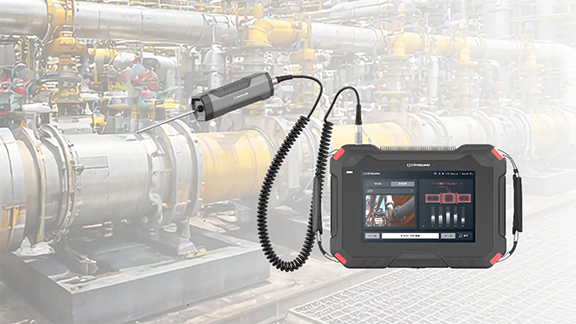
Valves are the "core control components" of pipeline systems. They perform four key functions—opening/closing, regulating, isolating, and directing—enabling precise control of fluid flow. Once sealing integrity fails, minor cases can lead to process upsets and energy losses, while severe cases may result in fires or explosions, toxic exposure, or environmental pollution. We built a valve leak application around the three things customers care about most on site—fewer missed detections and false alarms, better localization, and more reliable leak-rate estimation—by distilling them into an executable, traceable standardized workflow and closing the loop in the application for end-to-end deployment. Common Causes of Valve Internal Leakage What leads to valve leakage? We summarize it into the following four main causes: Normal wear and tear: Frequent opening and closing gradually wears the sealing surfaces; long-term scouring and erosion from the flowing medium can also degrade the seal fit. Process medium factors: Sulfur compounds and similar components in the medium can cause electrochemical corrosion; residual construction contaminants—such as sand, grit, and particles—can accelerate wear and scratch the sealing surfaces, leading to poor sealing. Improper operation and maintenance: Using an on/off valve for throttling, lack of routine cleaning and preventive maintenance, inadequate servicing, or improper/unsafe operation can all damage sealing surfaces or prevent full closure. Installation and management issues: Outdoor storage exposed to rain, ingress of mud and sand, and sandblasting/field conditions introducing grit or debris into the valve cavity can contaminate and scratch sealing surfaces, ultimately causing internal leakage. Figure 1. Illustration of Valve Internal Leakage When a valve is closed but the sealing surfaces do not fully mate, the pressure differential drives the medium to pass through small gaps from the high-pressure side to the low-pressure side, forming high-velocity micro-jets and turbulent flow. This leakage typically results in several observable signs, including sound/ultrasound, vibration, abnormal pressure behavior, and temperature anomalies or frosting. Figure 2. Symptoms of Valve Leakage Why Contact Ultrasound Works When a valve seal fails, high-pressure fluid passing through tiny gaps at the sealing surfaces generates turbulent flow, producing high-frequency ultrasonic signals in the 20–100 kHz range. The signal intensity is generally positively correlated with the leak rate—the larger the leak, the higher the amplitude. In the field, you can capture ultrasonic signals at measurement points upstream of the valve, on the valve body, and downstream, then apply algorithms to extract and analyze signal features to detect and localize internal leakage. Compared with traditional methods, temperature-based approaches are easily affected by heat conduction and are difficult to quantify; pressure-hold tests are time-consuming and poor at pinpointing the leak location; and listening by ear is inefficient, prone to missed detections and false alarms, and heavily dependent on individual experience. That's exactly why we launched this application—turning an experience-driven task into a standardized, process-driven workflow, supported by acoustics and data analytics. Figure 3. CRY8124 Acoustic Imaging Camera with IA3104 Contact Ultrasound Sensor Workflow and Key Capabilities More standardized workflow: turning on-site operation into guided testing In the CRY8124 valve leak application, the software features a standardized and visualized workflow. Operators follow on-screen prompts to place the contact ultrasound sensor on each measurement point in sequence and simply tap "Test". The results are displayed on the interface, and the algorithm automatically determines whether internal leakage is present after the test. Figure 4. Valve Leakage Detection Feature Page At the same time, the software provides standardized inputs for key parameters such as valve ID, valve type, valve size, medium type, and the upstream/downstream pressure differential. This means test results are easier to align across the same unit, different shifts, and different operators—making retesting and trend management much more consistent. Figure 5. Valve Leakage Detection Feature Page Smarter: automatic diagnosis + leak-rate estimation Our valve leak detection capability focuses on two key improvements: By analyzing the dB level at each measurement point and the features of the ultrasonic signal, the system automatically determines the internal leakage result based on algorithmic data, reducing reliance on manual interpretation. Built-in AI algorithms estimate the leak rate from ultrasonic features at the measurement points, providing a quantitative reference to support valve maintenance decisions. This is the core logic behind our emphasis on a "higher detection rate": when judgments rely less on subjective experience, missed detections and false alarms become far more controllable—especially in complex sites with many valves and multiple parallel branches. Application Scenarios Across different industries, there is a common need for valve leak detection: Figure 6: Application Scenarios Field Case Study Case : A Coal-to-Chemicals Plant in Inner Mongolia (Fuel Gas / Coal Gas System) Below is a real field test case of valve leak at a coal-chemical plant. Any internal leakage in fuel gas or coal gas systems can compromise isolation. If leakage exists, the downstream side may remain gas-charged, and the work area may still be exposed to risks of CO and sulfur-containing acid gases entering the zone—potentially leading to poisoning, fire, or even explosion hazards. Using contact ultrasonics, we performed on-site testing on the suspected valves, quickly identified the leakage points, and estimated the leak rate. This helped the customer turn "isolation confirmed" from an experience-based judgment into data-backed verification, prioritize corrective actions, reduce work risks caused by misjudged isolation, and ensure safer maintenance and stable operation. Figure 7. On-site Test Photos Valve type: Fuel gas compressor room bypass valve (butterfly valve). Test result: 19.8 L/min. Medium / pressure: Fuel gas (H₂, CO, CH₄), 3 MPa. Figure 8. Test Results Valve type: Fuel gas compressor room plug valve Test result: 1.7 L/min. Medium / pressure: Coal gas (mainly CO), 2.5 MPa. Figure 9. Test Results On-Site Test Method: Repeatable 5-Point Measurements Confirm Operating Conditions Ensure there is a pressure differential, and isolate interfering branches as much as possible. Key steps Close the valve to be tested. Open the upstream and downstream valves of the test section. Confirm a pressure differential between upstream and downstream gauges, and verify ΔP > 0.1 MPa. As shown in the figure below When testing Valve A for valve leakage: open Valves B and C, and close Valves A and D. When testing Valve B for valve leakage: open Valves A and C, and close Valves B and D. Figure 10. Valve Status Place Measurement Points (MP1–MP5) Cover upstream → valve core → downstream. MP3: Located at the valve core. MP2: Located 1–2 pipe diameters (D) upstream of the valve (place the point on the pipe wall away from the valve). MP1: Located upstream of the valve, 2–3D away from MP2. If space is limited, MP1–MP2 spacing can be shortened to 0.5D. MP4: Located 1D downstream of the valve (place the point on the pipe wall away from the valve). MP5: Located downstream of the valve, 1–2D away from MP4 (recommended on the pipe wall just after the valve flange). If space is limited, MP5–MP4 spacing can be shortened to 0.5D. D = pipe diameter Figure 11. Test Point Layout NoteFor small, flangeless threaded valves, the spacing between measurement points should be at least three pipe diameters (3D). Fugure12. Test Point Layout FAQ We've listed some common scenario-based questions about valve internal leakage to help you understand the application faster and choose the right solution more efficiently. Q1. How do I choose a Contact Ultrasound Sensor for pipelines at different temperatures? A1. We recommend the following sensor selection based on pipe surface temperature: For low-temperature pipes (below -20°C) or high-temperature pipes (above 50°C), use a needle-type Contact Ultrasound Sensor. For temperatures between -20°C and 50°C, use a ceramic Contact Ultrasound Sensor for signal capture. Q2. Which valves can be tested for valve leakage? A2. This method is suitable for valve leakage detection across a wide range of valve types, including: Gate valves Plug valves Globe valves Ball valves Check valves Butterfly valves Needle valves Pressure relief valves Pinch valves If your valve type is not listed above, please feel free to contact us. Q3. Can we still test if the valve and pipe are insulated? A3. If the insulation fully covers the valve and pipeline, testing may not be possible. You'll need to remove the insulation at the measurement area, or leave an opening of about 7 cm in diameter so the Contact Ultrasound Sensor can directly contact the pipe wall to capture the signal. Q4. What should we pay attention to regarding the pipe surface during data collection? A4. The Contact Ultrasound Sensor must make good contact with a solid surface to reliably capture ultrasonic signals propagating through the pipe. Large particles or debris between the sensor and the pipe surface can lead to inaccurate results. If the pipe wall is rusty, wipe off any large dust or loose particles on the surface before testing. Contact Us If you'd like to learn more about how CRYSOUND acoustics can be applied to valve leak detection, or if you want a more suitable inspection solution based on your on-site process conditions and acceptance criteria, please contact us via the form below. Our engineers will get in touch with you.


