
Measure Sound Better




Blogs
Sound Quality
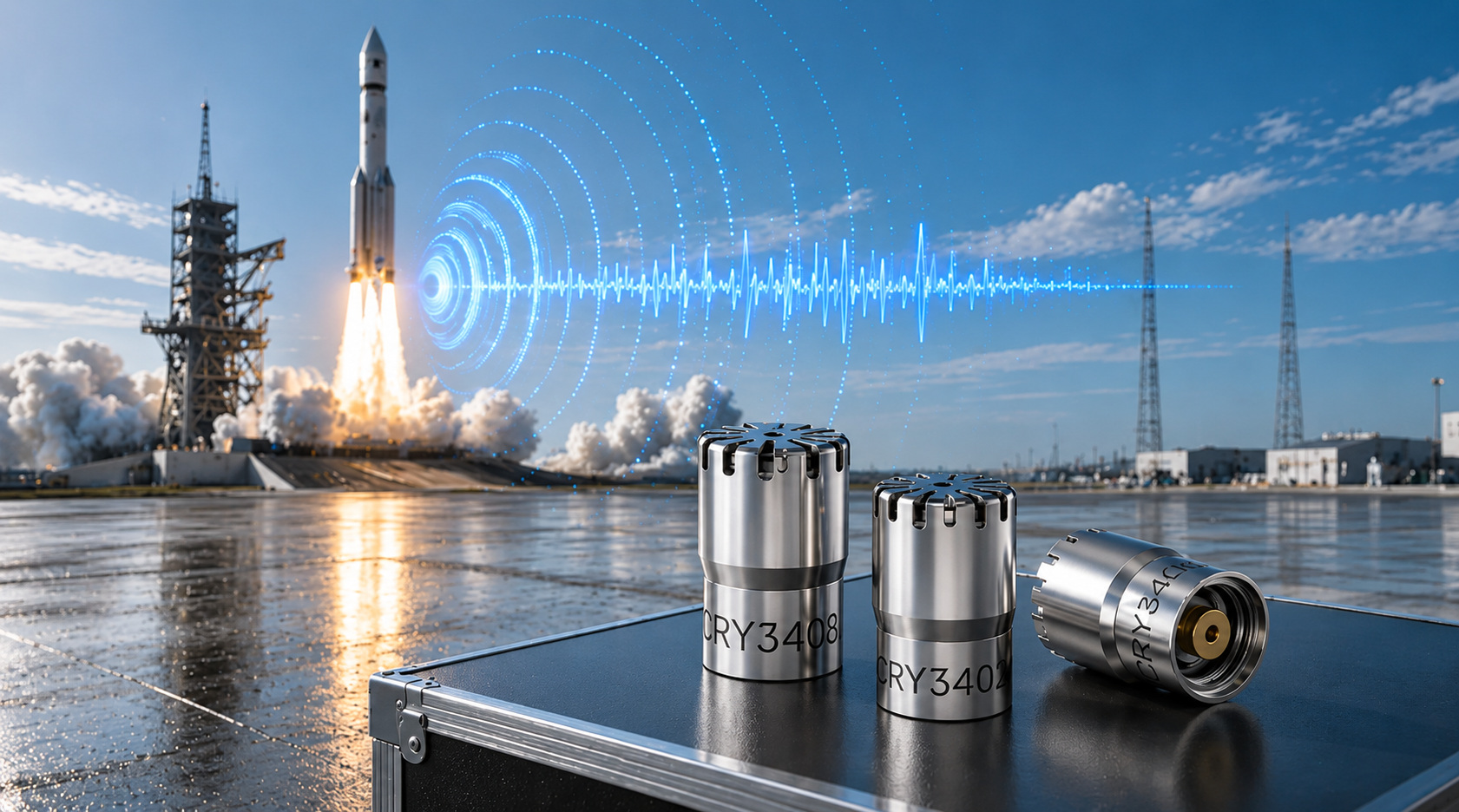
When engineers verify microphones, sound level meters, or high-intensity noise sources above 160 dB SPL, the key question is no longer only "can the sensor survive?" but "can the working standard microphone still measure accurately without adding its own distortion?" High sound pressure level measurements above 160 dB present unique challenges for acoustic testing systems. In this range, microphone distortion can significantly affect measurement accuracy. This article explains how distortion occurs in working standard microphones, how to build a reliable high-SPL test environment, and how to select microphones suitable for 160 - 170 dB measurements. How Does Distortion Occur When SPL Exceeds 160 dB? In high SPL acoustic testing, distortion refers to additional spectral components introduced into the output signal of a working standard microphone due to nonlinear response. These components generally appear as harmonic distortion and noise components. When the sound pressure level exceeds 160 dB SPL, the microphone diaphragm may experience two major effects: Excessive diaphragm vibration amplitude - The diaphragm displacement becomes large enough that it can no longer follow the acoustic waveform with perfect linearity. Generation of additional signal components - Frequency components not present in the original sound field may appear in the microphone output signal. These additional components are defined as Total Harmonic Distortion (THD). Under 160-170 dB high SPL measurement conditions, these nonlinear effects become increasingly significant. As a result, measurement data may appear stable while actually deviating from the real acoustic field. Therefore, in high sound pressure level measurements, distortion control is a critical factor in determining whether the measurement results remain accurate and reliable. What Is a Working Standard Microphone for High SPL Testing? A Working Standard Microphone is positioned between laboratory reference microphones and general measurement microphones. Its performance is defined by international electroacoustic standards such as IEC 61094, ensuring reliable accuracy and stability for industrial high SPL acoustic testing. For 160-170 dB high SPL measurements, the key performance requirement is: Total Harmonic Distortion (THD) ≤ 3% within the specified frequency range at sound pressure levels between 160-170 dB SPL THD represents the ratio of distortion components introduced by nonlinear system behavior in the microphone and measurement chain. For example, if THD = 3%, this means that up to 3% of the measured signal energy may originate from distortion generated by the measurement system rather than the actual acoustic signal. In international electroacoustic standards, THD ≤ 3% is generally considered the acceptable distortion limit for high SPL measurements. Why Use Distortion Curves as a Reference? What Does THD Above 3% Mean? A distortion curve illustrates how the distortion level of a working standard microphone changes as the sound pressure level increases. In high sound pressure level testing, the distortion curve provides one of the most important indicators for evaluating microphone performance. Under 160-170 dB SPL conditions: The diaphragm material may enter a nonlinear mechanical response region Harmonics appear at integer multiples of the original signal frequency The proportion of harmonic components increases with increasing sound pressure level When THD exceeds 3% during high SPL acoustic testing: Harmonic components significantly interfere with the original acoustic signal Sound power calculations and spectral analysis may deviate from the actual acoustic conditions Measurement accuracy in high sound pressure level measurements is reduced Therefore, when selecting a microphone for 160-170 dB high SPL tests, it is essential to confirm that the distortion curve remains below 3% within the required SPL range. How to Build a High SPL Test Environment A properly designed high SPL test environment is essential for performing reliable high sound pressure level measurements. The entire measurement system should follow recognized electroacoustic standards and ensure sufficient dynamic range. Reference Standards High SPL acoustic measurements commonly reference these international standards, depending on the microphone type, calibration workflow, and application scenario: IEC 61094-4 - Working Standard Microphones IEC 61094-5 - Comparison Calibration Method for Working Standard Microphones IEC 60942 - Sound Calibrators System Components A typical high SPL acoustic measurement system includes: Working standard measurement microphone - For 160-170 dB high SPL tests, the microphone is typically selected with measurement capability above 170 dB SPL and THD < 3% at the target sound pressure level. These criteria help maintain accuracy and reduce uncertainty in high SPL acoustic measurements. Preamplifier - Must provide high input dynamic range, adequate output voltage swing, overload margin, and overload indication capability. Insufficient dynamic range in the preamplifier may cause signal clipping even when the microphone itself operates within its linear range. Data acquisition system - Often uses 24-bit high-resolution acquisition, sampling rate ≥ 192 kHz, and large dynamic range signal capture. The overall system dynamic range is typically recommended to be ≥120 dB. Analysis software - Should support THD analysis, spectral analysis, and high SPL acoustic signal processing to evaluate distortion performance under extreme sound pressure levels. Sound source positioning and mounting structures Environmental Control Environmental factors strongly influence high SPL measurement accuracy. Typical environments for high SPL testing include anechoic chambers and semi-anechoic chambers. The objective is to minimize acoustic reflections, structural scattering, and mounting interference. For jet noise testing or aerodynamic noise measurements, additional factors must be considered, including airflow noise, mechanical vibration, and high temperature environments. Additional equipment such as windscreens, vibration isolation mounts, and stable positioning structures may be required. Calibration Before conducting high sound pressure level measurements, the measurement system should be calibrated on site. Common calibration levels using IEC 60942 sound calibrators include: 94 dB @ 1 kHz / 250 Hz 114 dB @ 1 kHz / 250 Hz Calibration verifies microphone sensitivity, system drift, and proper system operation. However, sound calibrators only verify low-level reference points and cannot validate system linearity at 170 dB SPL. CRYSOUND > 160 dB Working Standard Microphone Selection Selecting the correct microphone is the first step in performing reliable high SPL acoustic testing. Model Type Maximum SPL(THD Ratio < 3%) CRY3402 Pressure Field 170 dB CRY3404 Pressure Field 175 dB CRY3408 Pressure Field 180 dB In addition to maximum SPL capability, engineers should evaluate the THD value at 170 dB SPL. Lower distortion indicates better linearity and higher reliability in high sound pressure level measurements. Working Standard Microphone Distortion Curve Comparison Two representative working standard microphones were compared within the 160-170 dB SPL range: CRY3402 - The distortion curve gradually increases. At 170 dB SPL, THD approaches but does not exceed the 3% limit, meeting the working standard microphone requirement. CRY3404 / CRY3408 - With improved linear design, the distortion curves remain flatter. THD stays below 1.8% across the measurement range, providing a larger performance margin for high SPL acoustic measurements. At 170 dB SPL, all tested microphones maintain THD < 3%, meeting the requirements for working standard microphones used in high SPL testing. CRY3404 and CRY3408 show lower distortion, indicating superior linear performance in extreme high sound pressure level environments. Measured THD Data and Standards Compliance Note: The following THD comparison should be interpreted under the stated high SPL measurement conditions, including the target SPL range, calibration status, microphone configuration, data acquisition settings, and acoustic test environment. Actual field results may vary with sound source stability, mounting geometry, temperature, background noise, and system overload margin. Steady high sound pressure level sources were used during testing. The table below shows the THD test results of three working standard microphones within the 160-170 dB SPL range: Sound Pressure Level (dB SPL) CRY3402 - THD Ratio (%) CRY3404- THD Ratio (%) CRY3408 - THD Ratio (%) 158.9 0.332 0.336 0.327 159.9 0.392 0.386 0.376 161.1 0.491 0.473 0.432 162.2 0.610 0.600 0.521 163.3 0.515 0.654 0.568 164.3 0.329 0.493 0.462 165.4 0.516 0.494 0.506 166.5 0.695 0.656 0.608 167.6 1.190 0.813 0.769 168.6 1.594 1.042 0.969 169.4 1.713 1.334 1.251 170.2 2.912 1.634 1.498 Data Interpretation Standards Compliance - All listed working standard microphones meet the working standard requirement at 170 dB (THD < 3%), indicating that the measurement data is valid. Engineering Significance - The lower THD of CRY3404/ CRY3408 means that when measuring complex noise signals (such as broadband aircraft engine noise), harmonic interference is reduced, the spectrum remains cleaner, and the measurement results are more reliable. Selection Recommendation - For projects requiring high reliability and long-term stability, models with larger performance margins are recommended. Applications of High SPL Working Standard Microphones in Various Industries The following examples illustrate the application of high SPL working standard microphones in typical industrial scenarios. Aerospace: Aircraft Engine Noise Certification Scenario: Aircraft engines generate extremely high sound pressure level noise (often exceeding 160 dB) during takeoff thrust conditions. Airworthiness certification standards such as FAR Part 36 and ICAO Annex 16 require precise measurement of engine noise. Value: High SPL working standard microphones are used to build measurement arrays on engine test stands or airport test sites to measure the spatial distribution of engine noise. Low-distortion measurements ensure accurate sound power calculations and allow test data to meet certification requirements. Aerospace and Aerodynamic Experiments: Jet Noise Research Scenario: In jet noise experiments or high-speed airflow studies, the sound pressure level near the jet outlet may reach 160-170 dB. Under such conditions, ordinary microphones may exhibit diaphragm nonlinear response or signal clipping, leading to distortion in spectral analysis. Value: High SPL microphones enable accurate recording of broadband noise and harmonic structures on jet test rigs, providing reliable data for jet noise reduction design, engine nozzle optimization, and aerodynamic research. Industrial Aerodynamic Equipment: High-Power Jet Device Testing Scenario: Large aerodynamic equipment or industrial jet devices (such as gas injection systems or high-power nozzles) generate extremely high sound pressure level noise during operation. Ordinary microphones may overload, making it difficult to accurately analyze equipment noise characteristics. Value: High SPL microphones can be used for near-field measurements, accurately capturing sound pressure levels, spectral characteristics, and sound source distribution, thereby supporting equipment structural optimization and noise reduction design. Defense and Scientific Research: Shockwave and Explosion Acoustic Measurement Scenario: In explosion simulations, shockwave research, and weapon acoustic testing, instantaneous sound pressure levels may far exceed the range of ordinary acoustic measurements. If the measurement system does not have sufficient linear range, shockwave waveform distortion or amplitude misinterpretation may occur. Value: High SPL microphones maintain good linearity in high-energy acoustic fields, allowing researchers to accurately record shockwave pressure variations, energy distribution, and spectral characteristics, providing reliable data for safety assessment and experimental research. Acoustic Laboratories and Metrology Research: High SPL Calibration Testing Scenario: Acoustic laboratories and metrology institutions often need to verify the linearity and distortion performance of measurement systems under high sound pressure level conditions. If the reference microphone itself exhibits high distortion, it cannot serve as a reliable measurement reference. Value: Using working standard microphones for high SPL calibration testing allows engineers to evaluate the performance of acoustic equipment under extreme sound pressure conditions and ensure that the entire measurement system meets standard requirements. CRYSOUND High SPL Testing Solution To address industrial high SPL acoustic testing challenges, CRYSOUND provides a complete high sound pressure level measurement solution, including CRY3402 pressure-field microphones, CRY3404 microphones, CRY3408 high-level microphones, high dynamic range data acquisition systems, and acoustic analysis software. High SPL microphone selection: Supports different 160-170 dB SPL measurement scenarios with working standard microphones selected according to sensitivity, maximum SPL, and distortion performance. Distortion-controlled measurement: Helps engineers compare THD curves and select microphones with sufficient overload margin for the target sound pressure level. Complete test chain: Combines measurement microphones, preamplifiers, data acquisition hardware, and analysis software to reduce uncertainty across the full acoustic measurement system. Application support: Provides technical support from equipment selection and system setup to calibration workflow, field measurement, and acoustic data analysis. Summary and Frequently Asked Questions In 160-170 dB high SPL testing, selecting and correctly using working standard microphones that meet the distortion requirement (THD < 3%) is the foundation for obtaining valid measurement data. By analyzing distortion curves and validating performance under real application conditions, engineers can ensure that measurement results are accurate and reliable. For broader microphone background, see our measurement microphone guide and sound calibrator explanation. FAQ Q: If the distortion of a working standard microphone is 2.95% after calibration, can it still be used?A: Yes. As long as the distortion remains below 3%, it complies with the standard. However, its performance trend should be monitored carefully, and it should be used cautiously for critical measurements before the next calibration cycle. Q: How can we ensure that field test results meet the required standards?A: The measurement system must be verified using a sound calibrator before and after testing, and the test environment (background noise, temperature, etc.) must comply with the relevant measurement standards. Q: Why can ordinary measurement microphones not measure 170 dB?A: Ordinary measurement microphones typically have a maximum linear sound pressure level of only 130-150 dB. Beyond this range, the diaphragm enters a nonlinear region, signal clipping occurs, and measurement errors increase rapidly. Therefore, high-SPL working standard microphones must be used for measurements around 170 dB. Q: What is a working standard microphone used for in high SPL measurement?A: A working standard microphone is used as a reliable reference-grade measurement microphone in calibration, verification, and high SPL test workflows. It helps engineers evaluate sound pressure levels and distortion behavior while maintaining traceability to laboratory reference standards. Q: How should engineers select a microphone for high SPL acoustic testing?A: Engineers should consider maximum SPL, microphone sensitivity, THD performance at the target SPL, preamplifier overload margin, calibration requirements, and the actual test environment. For 160-170 dB SPL applications, a high-level working standard microphone with documented distortion performance is usually preferred. Explore CRYSOUND working standard microphones and acoustic measurement solutions for high-SPL testing and calibration applications. To obtain detailed distortion curve calibration reports or discuss a specific high-SPL measurement setup, please use the Get in touch form below. Our engineering team will contact you shortly.

A2DP (Advanced Audio Distribution Profile) is the core Classic Bluetooth profile for high-quality audio streaming. This article provides an overview of how A2DP transmits music, explains its position in the Bluetooth protocol stack, and introduces a practical A2DP testing workflow using the CRY578 Bluetooth LE Audio Interface. How Does A2DP Transmit Music? A2DP is the core profile in Classic Bluetooth for the unidirectional transmission of high-quality audio streams. It primarily defines two roles: the audio Source and the audio Sink. A2DP and the Bluetooth Protocol Stack Thinking of A2DP as a high-speed logistics channel that "delivers" music from one device to another, the diagram above illustrates the division of responsibilities from the moment audio is generated to the point it is transmitted wirelessly. Figure 1 A2DP System Block Diagram At the top of the stack, the Application / Audio Source (or Audio Sink) layer acts as the "content factory" and "player". On the transmitting side, it obtains PCM audio data from the system and encodes it into Bluetooth-supported formats such as SBC or AAC. On the receiving side, it decodes the bitstream back into audio for playback. This layer directly determines the perceived audio quality-akin to the quality of raw materials and finished products-which users experience most intuitively. Below this is the A2DP Profile layer, which functions as a "cooperation agreement". It defines which device acts as the Source and which as the Sink, along with the supported codecs, sampling rates, and other parameters. The profile itself does not carry audio data; instead, it ensures both sides agree on "what format to use and how to transmit" before streaming begins. The next layer down is AVDTP, the "transport and scheduling control center". AVDTP is responsible for establishing and managing audio streams. It translates user actions-such as play, pause, and stop-into explicit protocol procedures and sends the encoded audio data over the media channel. The smooth operation of A2DP in practice largely depends on this layer. Below AVDTP is L2CAP, which acts as a standardized "containerized transport system". Both audio data and control information are segmented, encapsulated, reassembled, and multiplexed here. They are then delivered in an orderly fashion to the lower layers, ensuring stable and reliable transmission over a single Bluetooth link. At the bottom, the LMP, Baseband, and RF layers form the system's "roads, vehicles, and radio infrastructure." They handle device pairing, link management, and the actual wireless transmission, converting all upper-layer data into bitstreams over the Bluetooth air interface. Viewed from top to bottom, the A2DP protocol stack exhibits a clear downward flow: the upper layers focus on the audio content itself, while the lower layers handle wireless data delivery. This strict separation of responsibilities is what allows us to enjoy stable and continuous music playback through Bluetooth headphones. How to Test A2DP Functionality with CRY578? The CRY578 Bluetooth LE Audio Interface is CRYSOUND's latest test interface dedicated to Bluetooth audio and user-interface testing. Based on Bluetooth v5.4, the CRY578 supports both Classic Bluetooth and Bluetooth Low Energy audio simultaneously, making it suitable for use in both R&D laboratories and production-line testing. Building an A2DP Test Environment CRYSOUND provides a complete Bluetooth audio test solution, including both hardware and software, to support A2DP testing. In the CRYSOUND Bluetooth audio test system, the components are as follows: CRY578 acts as the Bluetooth Source, responsible for device discovery, connection, and audio transmission. DUT (Device Under Test) acts as the Bluetooth Sink, receiving, decoding, and playing the audio stream. B&K HATS simulates human acoustic characteristics, captures audio signals, and converts them into analog signals for the acquisition system. SonoDAQ + OpenTest (https://opentest.com) perform data acquisition and analysis, evaluating DUT performance based on the test results. Figure 2 Test System Block Diagram In this setup, the CRY578 can be controlled either via its PC software (Bluetooth LE Audio Interface) or through serial commands to scan for nearby Bluetooth devices and establish connections. Standard test signals-such as sweeps, noise, and distortion signals-are played from the PC. The acoustic output from the DUT is captured and analyzed by OpenTest to evaluate performance metrics such as frequency response, distortion, and signal-to-noise ratio. The CRY578 also supports switching to high-quality codecs such as AAC and LDAC, as well as multiple sampling rates, for comprehensive testing. A2DP Test Procedure Establish the Bluetooth Connection At the beginning of the test, a Bluetooth connection must be established between the CRY578 (acting as the A2DP Source) and the DUT (acting as the A2DP Sink). Figure 3 inquiry and connect The connection process includes device discovery and pairing, ACL link establishment, A2DP profile setup, and codec capability negotiation. Test Signal Generation from the Host PC Audio test software, such as OpenTest or SonoLab, generates standard signals like single-tone sine waves or sweeps. These signals are sent as PCM data to the CRY578 via a USB Audio Class (UAC) link. Figure 4 Test Scenario Audio Transmission via Bluetooth by CRY578 The continuous PCM audio stream is first segmented into fixed-size frames, which are then passed to an encoder (e.g., SBC or AAC) for compression, producing encoded frames. These frames are encapsulated into AVDTP media PDUs according to the A2DP specification. The PDUs are segmented and multiplexed by L2CAP, passed through the HCI interface to the Bluetooth controller, packaged as ACL packets at the baseband layer, and finally transmitted over the Bluetooth RF link. Decoding and Playback by the DUT The DUT performs the reverse process of the CRY578's transmission chain. The Bluetooth packets are decoded back into PCM data, which is then converted to analog signals by a DAC and output through the speaker. Acoustic Capture by B&K HATS The high-precision microphones built into B&K HATS capture the sound produced by the DUT and convert it into analog signals. Data Processing and Analysis with SonoDAQ + OpenTest SonoDAQ digitizes the analog signals and sends them to OpenTest. OpenTest then applies its internal algorithms to analyze the audio data and generate results-such as frequency response and distortion measurements. These results are then used to determine if the DUT meets the performance requirements. The Value of Bluetooth Protocol Analyzers in Testing During testing, audio data undergoes multiple digital-to-analog conversions, RF transmission, and acoustic-to-electrical conversion. An issue at any stage can affect the final test results. Once problems in the analog and digital signal paths have been ruled out, the root cause often lies in the Bluetooth RF transmission. In such cases, a Bluetooth protocol analyzer becomes an effective tool for pinpointing the exact issue. Figure 5 Capture Bluetooth packets using Ellisys If you are interested in Bluetooth audio testing, please visit CRY578 Bluetooth LE Audio Interface to learn more or fill out the Get in touch form below and we'll reach out shortly.

Sound is everywhere in our daily life: birdsong, street noise, engine roar, even the faint airflow from an air conditioner. For people, sound is not only about whether we can hear it, but whether it feels comfortable, is disturbing, or poses a risk. The same 70 dB can feel completely different; and when something feels "noisy", the cause may come from the source itself, the propagation direction, or reflections from the environment. When we turn this "perception" into quantifiable engineering data, the three most easily confused concepts are sound pressure, sound intensity, and sound power. They answer: Sound pressure: how loud it is at a specific point; Sound intensity: how much sound energy is propagating in a particular direction; Sound power: how loud the source is in terms of its total acoustic emission; This article explains sound pressure, sound intensity, and sound power in an intuitive way, so you can better understand sound. Sound Waves In engineering acoustics, sound pressure, sound intensity, and sound power are three fundamental and important physical quantities. Before introducing them in detail, we need the concept of a sound wave. A vibrating source sets the surrounding air particles into vibration. The particles move away from their equilibrium position, drive adjacent particles, and those adjacent particles generate a restoring force that pushes the particles back toward equilibrium. This near-to-far propagation of particle motion through the medium is what we call a sound wave. Figure 1. Propagation of a Sound Wave in Air Sound Pressure When there is no sound wave in space, the atmospheric pressure is the static pressure p0. When a sound wave is present, a pressure fluctuation is superimposed on p0, producing a pressure fluctuation p1. Here p1 is the sound pressure (unit: Pa). Therefore, sound pressure is the instantaneous deviation of the air static pressure caused by the sound wave. The human brain does not respond to the instantaneous amplitude of sound pressure, but it does respond to the root-mean-square (RMS) value of a time-varying pressure. Therefore, the sound pressure p can be expressed as: In practical engineering applications, the sound pressure level Lp: where Pref = 2 × 10⁻⁵ Pa is the reference sound pressure. In practice, we usually use sound pressure level (dB) to characterize sound pressure, rather than using pressure in pascals. Why? Figure 2 answers this well. From a library to the entrance of a high-speed rail station, sound pressure may increase by a factor of 100, while sound pressure level increases by only 40 dB. This reflects the difference between a linear scale and a logarithmic scale. From an engineering perspective, using sound pressure directly leads to large numeric variations that are inconvenient for evaluation. Moreover, the human auditory system is closer to a logarithmic response, so sound pressure level better matches hearing. Figure 2. Sound Pressure and Sound Pressure Level Sound Intensity Sound intensity describes the transfer of acoustic energy. It is the acoustic power passing through a unit area per unit time. It is a vector quantity that is directional, with units of W/m2, defined as the time average of the product of sound pressure and particle velocity: where v(t) denotes the particle velocity vector. Under the ideal plane progressive-wave approximation, sound pressure and particle velocity approximately satisfy: where ρ is the air density, c is the speed of sound. Therefore, the magnitude of sound intensity along the propagation direction can be written as: Similarly, sound intensity has a corresponding intensity level LI: where I0 = 10-12 W/m2 is the reference sound intensity. Compared with sound pressure level measurements, sound intensity measurements have the following characteristics: Directional:it can distinguish whether acoustic energy is propagating outward or flowing back, so under typical field conditions it is often less sensitive to reflections and background noise; Source localization:intensity scanning can directly reveal the main radiation regions and leakage points, making remediation more targeted; Higher system complexity:it typically requires an intensity probe, with higher overall cost and more setup and calibration effort; Figure 3. Sound Intensity Testing A key advantage of sound intensity measurement in engineering applications is that it characterizes both the direction and magnitude of acoustic energy flow. It can separate the contributions of outward radiation from the source and reflected backflow from the environment, so under non-ideal field conditions it tends to be less affected by reflections and background noise. In addition, the sound intensity method can obtain sound power directly by spatially integrating the normal component of intensity over an enclosing surface. Combined with surface scanning, it can identify dominant source regions and locate leakage points. Therefore, it is highly practical and interpretable for noise diagnosis, verification of noise-control measures, and sound power evaluation. The key instrument for sound intensity testing is the sound intensity probe. Unlike a single microphone, an intensity probe is not used merely to measure "how large the pressure is"; it must provide the basic quantities required for calculating intensity (sound pressure and particle velocity). Therefore, the probe typically outputs two synchronous channels and, together with a two-channel data-acquisition front end and dedicated algorithms, yields intensity results. In engineering practice, the probe often includes interchangeable spacers, positioning fixtures, and windshields. Channel amplitude/phase matching, phase calibration capability, and airflow-interference mitigation directly determine the credibility and usable frequency range of intensity measurements. Two types of sound intensity probes are commonly used: P-U probes (pressure-particle-velocity) and P-P probes (pressure-pressure). A P-U probe consists of a microphone and a velocity sensor, measuring sound pressure p(t) and particle velocity v(t) simultaneously. The principle is more direct, but particle-velocity sensors are often more sensitive to airflow, contamination, and environmental conditions, requiring more protection and maintenance in the field and usually costing more. Figure 4. P-U Sound Intensity Probe (Microflown) A P-P probe uses two matched microphones aligned on the same axis. It uses the two pressure signals p1(t) and p2(t) to estimate the particle-velocity component v(t). However, it is sensitive to inter-channel phase matching and the choice of microphone spacing - the spacing determines the effective frequency range: a larger spacing benefits low frequencies, but high frequencies suffer from spatial sampling error; a smaller spacing benefits high frequencies, but low frequencies become more susceptible to phase mismatch and noise. Figure 5. P-P Sound Intensity Probe (GRAS) P-U probes are relatively niche, mainly because it is difficult to make them both stable and inexpensive, and they generally have poorer resistance to airflow. P-P probes, thanks to their good field robustness and the ability to adjust bandwidth flexibly via microphone spacing, are currently the mainstream choice in engineering applications. Sound Power Sound power W is the rate at which a source radiates acoustic energy, with units of watts (W). For any closed measurement surface S enclosing the source, the sound power equals the integral of the normal component of sound intensity over that surface: where n is the unit normal vector pointing outward from the measurement surface. Sound power level Lw is defined as: where W0 = 10-12 W is the reference sound power. Figure 6. Sound Power Measurement Sound power characterizes a source's inherent acoustic emission capability: the total acoustic energy it radiates per unit time. It has little to do with measurement distance or microphone position, and ideally does not depend on how "loud" it is at a particular point in a room. This is fundamentally different from sound pressure and sound intensity. To better understand sound pressure, sound intensity, and sound power, you can imagine noise as water flow. Sound pressure is like the "water pressure" you feel when you put your hand at a certain location (it changes with distance to the nozzle, direction, and the shape of the basin). Sound intensity is like the instantaneous "direction and rate of flow" (it has direction and can even be reflected by walls, creating backflow). Sound power is like "how much water the nozzle sprays per second" - it is a property of the nozzle itself. In measurement, it is obtained by integrating the outward normal flow over a surface surrounding the device. Figure 7. Analogy of Sound Pressure, Sound Intensity, and Sound Power In real projects, the algorithms for sound pressure, sound intensity, and sound power are relatively mature. The hardest part is acquiring the signals accurately and obtaining results quickly. In particular, tasks such as multi-channel microphone arrays, sound intensity, and sound power impose three hard requirements on the data-acquisition front end: low noise and wide dynamic range, strict synchronization and phase consistency, and stable on-site connections and power. SonoDAQ + OpenTest is positioned to provide a "front-end acquisition + synchronous analysis" foundation for engineering acoustics, allowing engineers to focus more on operating-condition control and data interpretation. It delivers the most value in the following types of projects: Sound intensity diagnostics: dual-channel synchronous sampling plus better amplitude/phase consistency management provide a more stable data basis for P-P intensity probes and intensity scanning. Microphone array systems: better aligned with engineering deployment needs in channel scalability, synchronization, and cabling, making it suitable for building expandable distributed test platforms. Sound power and standardized testing: helps engineers quickly lay out measurement points, covering multiple international sound power test standards. With guided configuration, one-click testing, and automatic report export, it saves substantial time and effort for engineers. Figure 8. SonoDAQ + OpenTest To see more clearly how SonoDAQ is connected and configured, typical application cases (such as equipment noise evaluation, sound source localization, and sound power testing), and commonly used BOM lists, please fill in the form below, and we will recommend the best solution to address your needs.
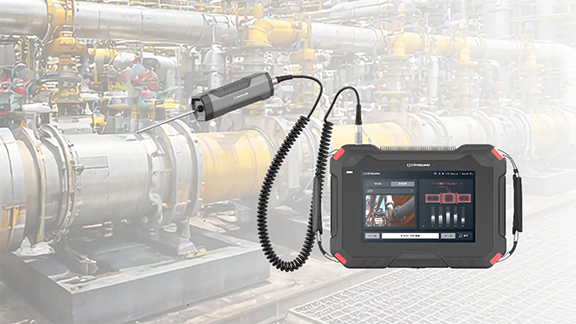
Valves are the "core control components" of pipeline systems. They perform four key functions-opening/closing, regulating, isolating, and directing-enabling precise control of fluid flow. Once sealing integrity fails, minor cases can lead to process upsets and energy losses, while severe cases may result in fires or explosions, toxic exposure, or environmental pollution. We built a valve leak application around the three things customers care about most on site-fewer missed detections and false alarms, better localization, and more reliable leak-rate estimation-by distilling them into an executable, traceable standardized workflow and closing the loop in the application for end-to-end deployment. Common Causes of Valve Internal Leakage What leads to valve leakage? We summarize it into the following four main causes: Normal wear and tear: Frequent opening and closing gradually wears the sealing surfaces; long-term scouring and erosion from the flowing medium can also degrade the seal fit. Process medium factors: Sulfur compounds and similar components in the medium can cause electrochemical corrosion; residual construction contaminants-such as sand, grit, and particles-can accelerate wear and scratch the sealing surfaces, leading to poor sealing. Improper operation and maintenance: Using an on/off valve for throttling, lack of routine cleaning and preventive maintenance, inadequate servicing, or improper/unsafe operation can all damage sealing surfaces or prevent full closure. Installation and management issues: Outdoor storage exposed to rain, ingress of mud and sand, and sandblasting/field conditions introducing grit or debris into the valve cavity can contaminate and scratch sealing surfaces, ultimately causing internal leakage. Figure 1. Illustration of Valve Internal Leakage When a valve is closed but the sealing surfaces do not fully mate, the pressure differential drives the medium to pass through small gaps from the high-pressure side to the low-pressure side, forming high-velocity micro-jets and turbulent flow. This leakage typically results in several observable signs, including sound/ultrasound, vibration, abnormal pressure behavior, and temperature anomalies or frosting. Figure 2. Symptoms of Valve Leakage Why Contact Ultrasound Works When a valve seal fails, high-pressure fluid passing through tiny gaps at the sealing surfaces generates turbulent flow, producing high-frequency ultrasonic signals in the 20-100 kHz range. The signal intensity is generally positively correlated with the leak rate-the larger the leak, the higher the amplitude. In the field, you can capture ultrasonic signals at measurement points upstream of the valve, on the valve body, and downstream, then apply algorithms to extract and analyze signal features to detect and localize internal leakage. Compared with traditional methods, temperature-based approaches are easily affected by heat conduction and are difficult to quantify; pressure-hold tests are time-consuming and poor at pinpointing the leak location; and listening by ear is inefficient, prone to missed detections and false alarms, and heavily dependent on individual experience. That's exactly why we launched this application-turning an experience-driven task into a standardized, process-driven workflow, supported by acoustics and data analytics. Figure 3. CRY8124 Acoustic Imaging Camera with IA3104 Contact Ultrasound Sensor Workflow and Key Capabilities More standardized workflow: turning on-site operation into guided testing In the CRY8124 valve leak application, the software features a standardized and visualized workflow. Operators follow on-screen prompts to place the contact ultrasound sensor on each measurement point in sequence and simply tap "Test". The results are displayed on the interface, and the algorithm automatically determines whether internal leakage is present after the test. Figure 4. Valve Leakage Detection Feature Page At the same time, the software provides standardized inputs for key parameters such as valve ID, valve type, valve size, medium type, and the upstream/downstream pressure differential. This means test results are easier to align across the same unit, different shifts, and different operators-making retesting and trend management much more consistent. Figure 5. Valve Leakage Detection Feature Page Smarter: automatic diagnosis + leak-rate estimation Our valve leak detection capability focuses on two key improvements: By analyzing the dB level at each measurement point and the features of the ultrasonic signal, the system automatically determines the internal leakage result based on algorithmic data, reducing reliance on manual interpretation. Built-in AI algorithms estimate the leak rate from ultrasonic features at the measurement points, providing a quantitative reference to support valve maintenance decisions. This is the core logic behind our emphasis on a "higher detection rate": when judgments rely less on subjective experience, missed detections and false alarms become far more controllable-especially in complex sites with many valves and multiple parallel branches. Application Scenarios Across different industries, there is a common need for valve leak detection: Figure 6: Application Scenarios Field Case Study Case : A Coal-to-Chemicals Plant in Inner Mongolia (Fuel Gas / Coal Gas System) Below is a real field test case of valve leak at a coal-chemical plant. Any internal leakage in fuel gas or coal gas systems can compromise isolation. If leakage exists, the downstream side may remain gas-charged, and the work area may still be exposed to risks of CO and sulfur-containing acid gases entering the zone-potentially leading to poisoning, fire, or even explosion hazards. Using contact ultrasonics, we performed on-site testing on the suspected valves, quickly identified the leakage points, and estimated the leak rate. This helped the customer turn "isolation confirmed" from an experience-based judgment into data-backed verification, prioritize corrective actions, reduce work risks caused by misjudged isolation, and ensure safer maintenance and stable operation. Figure 7. On-site Test Photos Valve type: Fuel gas compressor room bypass valve (butterfly valve). Test result: 19.8 L/min. Medium / pressure: Fuel gas (H₂, CO, CH₄), 3 MPa. Figure 8. Test Results Valve type: Fuel gas compressor room plug valve Test result: 1.7 L/min. Medium / pressure: Coal gas (mainly CO), 2.5 MPa. Figure 9. Test Results On-Site Test Method: Repeatable 5-Point Measurements Confirm Operating Conditions Ensure there is a pressure differential, and isolate interfering branches as much as possible. Key steps Close the valve to be tested. Open the upstream and downstream valves of the test section. Confirm a pressure differential between upstream and downstream gauges, and verify ΔP > 0.1 MPa. As shown in the figure below When testing Valve A for valve leakage: open Valves B and C, and close Valves A and D. When testing Valve B for valve leakage: open Valves A and C, and close Valves B and D. Figure 10. Valve Status Place Measurement Points (MP1-MP5) Cover upstream → valve core → downstream. MP3: Located at the valve core. MP2: Located 1-2 pipe diameters (D) upstream of the valve (place the point on the pipe wall away from the valve). MP1: Located upstream of the valve, 2-3D away from MP2. If space is limited, MP1-MP2 spacing can be shortened to 0.5D. MP4: Located 1D downstream of the valve (place the point on the pipe wall away from the valve). MP5: Located downstream of the valve, 1-2D away from MP4 (recommended on the pipe wall just after the valve flange). If space is limited, MP5-MP4 spacing can be shortened to 0.5D. D = pipe diameter Figure 11. Test Point Layout NoteFor small, flangeless threaded valves, the spacing between measurement points should be at least three pipe diameters (3D). Fugure12. Test Point Layout FAQ We've listed some common scenario-based questions about valve internal leakage to help you understand the application faster and choose the right solution more efficiently. Q1. How do I choose a Contact Ultrasound Sensor for pipelines at different temperatures? A1. We recommend the following sensor selection based on pipe surface temperature: For low-temperature pipes (below -20°C) or high-temperature pipes (above 50°C), use a needle-type Contact Ultrasound Sensor. For temperatures between -20°C and 50°C, use a ceramic Contact Ultrasound Sensor for signal capture. Q2. Which valves can be tested for valve leakage? A2. This method is suitable for valve leakage detection across a wide range of valve types, including: Gate valves Plug valves Globe valves Ball valves Check valves Butterfly valves Needle valves Pressure relief valves Pinch valves If your valve type is not listed above, please feel free to contact us. Q3. Can we still test if the valve and pipe are insulated? A3. If the insulation fully covers the valve and pipeline, testing may not be possible. You'll need to remove the insulation at the measurement area, or leave an opening of about 7 cm in diameter so the Contact Ultrasound Sensor can directly contact the pipe wall to capture the signal. Q4. What should we pay attention to regarding the pipe surface during data collection? A4. The Contact Ultrasound Sensor must make good contact with a solid surface to reliably capture ultrasonic signals propagating through the pipe. Large particles or debris between the sensor and the pipe surface can lead to inaccurate results. If the pipe wall is rusty, wipe off any large dust or loose particles on the surface before testing. Contact Us If you'd like to learn more about how CRYSOUND acoustics can be applied to valve leak detection, or if you want a more suitable inspection solution based on your on-site process conditions and acceptance criteria, please contact us via the form below. Our engineers will get in touch with you.
Sound Level Meter
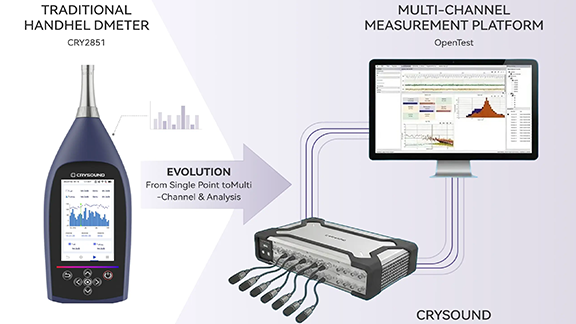
This article presents a multi-channel sound level meter developed on the OpenTest platform and designed to meet the technical requirements of IEC 61672-1. By integrating the SonoDAQ data acquisition system with measurement-grade microphones, the system implements standard A/C/Z frequency weightings, F/S/I time weightings, and enables accurate measurement of standard acoustic quantities such as Lp, Leq, and Ln. The solution is applicable to a wide range of scenarios, including environmental noise monitoring, product noise testing, and automotive NVH applications. From Handheld Sound Level Meters to Multi-Channel Sound Level Measurement Platforms In acoustics and vibration testing, one fundamental question appears in almost every project: "How loud is it?" From office equipment and household appliances to automotive NVH and industrial machinery, regulations, standards, and internal quality criteria all rely on quantitative evaluation of Sound Pressure Level (SPL). Traditionally, this is done using a handheld sound level meter compliant with IEC 61672, placed at a specified position to read an A-weighted sound level for compliance checks and quality verification. IEC 61672 defines detailed requirements for sound level meters in terms of frequency weighting, time weighting, linearity, self-noise, and dynamic range, and classifies instruments into Class 1 and Class 2, with Class 1 having stricter requirements and being suitable for laboratory and type-approval testing. As product structures and test requirements evolve, engineers increasingly expect more than what a single handheld meter can offer: Measure multiple positions simultaneously to compare different locations or operating points Combine sound level data with spectra and octave-band analysis to quickly identify problematic frequency regions Synchronize sound level measurement with speed, vibration, temperature, and other physical quantities for NVH diagnostics Integrate sound level measurement into automated and batch test workflows, rather than relying on manual spot checks This leads to the demand for multi-channel sound level meters: systems that not only meet IEC 61672-1 Class 1 accuracy requirements, but also provide multi-channel capability, scalability, and automation. OpenTest, developed by CRYSOUND, is a new-generation acoustic and vibration test platform. Its dedicated Sound Level Measurement module, combined with CRY5820 SonoDAQ Pro front-end hardware and measurement microphones, enables multi-channel sound level measurements consistent with Class 1 sound level meters. Figure 1. From handheld sound level meters to multi-channel sound level measurement platforms IEC 61672: What Are We Actually Measuring? Meaning of Sound Pressure Level (Lp) Sound Pressure Level (SPL) is a logarithmic measure of the root-mean-square sound pressure prms relative to the reference pressure p0, which is 20 μPa in air, defined as: When prms=1 Pa, the SPL is approximately 94 dB, which is why 94 dB / 1 kHz is commonly used as the reference level for acoustic calibrators. Frequency Weighting: A / C / Z Human hearing sensitivity varies with frequency. IEC 61672 requires all sound level meters to support A-weighting, while Class 1 instruments must also support C-weighting. Z-weighting (Zero weighting, i.e. flat response) is optional. A-weighting (dB(A))Based on the 40-phon equal-loudness contour, with significant attenuation at low and very high frequencies. It is widely used in regulations and standards as an indicator correlated with perceived loudness. C-weighting (dB(C))Much flatter than A-weighting, with less low-frequency attenuation. It is suitable for evaluating peak levels, mechanical noise, and high-level events. Z-weighting (dB(Z))Essentially flat within the specified bandwidth, preserving the original spectral energy distribution, and useful for detailed analysis. While A-weighting dominates regulations, it is not a perfect psychoacoustic model. In cases involving strong low-frequency content, modulation, or tonal components, A-weighted levels may underestimate perceived annoyance.For design and diagnostic work, it is therefore recommended to combine C/Z weighting, octave-band spectra, and sound quality metrics. Time Weighting: Fast / Slow / Impulse IEC 61672 defines the following time weightings: F (Fast): time constant ≈ 125 ms, suitable for rapidly fluctuating sound levels S (Slow): time constant ≈ 1 s, suitable for observing overall trends I (Impulse): designed for impulsive signals, more sensitive to short-duration peaks Common sound level descriptors include: LAF / LAS / LAI: A-weighted sound levels with Fast / Slow / Impulse time weighting LCpeak: C-weighted peak sound level Energy-Based and Statistical Quantities: Leq, SEL, Ln IEC 61672 also defines commonly used acoustic quantities: Leq,T / LAeq,TEquivalent continuous sound level over a time period T, widely used in environmental and product noise evaluation. Sound exposure and sound exposure level: E, LE / LAE (SEL)Represent the total sound energy of an event, commonly used for aircraft, traffic, and single-event noise evaluation. Lmax / Lmin: Maximum and minimum sound levels under a specified time weighting Lpeak (typically LCpeak): Peak sound level based on peak sound pressure Statistical levels Ln (L10, L50, L90, etc.)Levels exceeded for n% of the measurement time, commonly used in environmental noise analysis. Band Levels: Octave and 1/3-Octave Bands Although octave-band filters are specified in IEC 61260, IEC 61672 aligns with them in terms of frequency response and standard center frequencies. Common analyses include: 1-octave band levels (e.g. 31.5 Hz-16 kHz) 1/3-octave band levels, offering finer frequency resolution for identifying narrow-band noise and structural resonances Together, these quantities define the full scope of sound level measurement-from instantaneous readings to time-averaged values, and from broadband levels to frequency-resolved analysis. Sound Level Measurement with OpenTest Setup: Building the Signal Chain from Source to Software Hardware Preparation Data acquisition front-endFor example, CRY5820 SonoDAQ Pro, a modular multi-channel data acquisition system supporting 4-24 channels per unit and scalable to thousands of channels. It features 32-bit ADCs, up to 170 dB dynamic range, 1000 V channel isolation, and ≤100 ns PTP/GPS synchronization accuracy, suitable for both laboratory and field acoustic and vibration testing. SensorsOne or more measurement-grade microphone sets (with preamplifiers), positioned at representative measurement or listening locations. Computer and softwareA PC with OpenTest installed and the Sound Level Measurement module licensed. Connecting Devices and Channels in OpenTest Launch OpenTest and create a new project. In Hardware Settings, click "+"; available devices (including those connected via openDAQ or ASIO) are automatically detected. Select the required acquisition devices (e.g. SonoDAQ) and add them to the project. In Channel Settings, add the microphone channels and configure sampling rate and input range. At this point, the signal chain Sound source → Microphone → DAQ → OpenTest is fully established. Calibration: Setting the Acoustic Reference To ensure absolute accuracy, each channel must be calibrated using a Class 1 acoustic calibrator. Open the Calibration dialog in OpenTest. Select the microphone channels to be calibrated. Mount the calibrator on the microphone and start calibration. Once the reading stabilizes, complete the calibration. OpenTest automatically updates the channel sensitivity so that the 94 dB SPL reference point is aligned. For comparison tests, a handheld sound level meter (e.g. CRY2851) can be calibrated using the same calibrator (e.g. CRY3018) to ensure both systems share the same acoustic reference. Measurement: Acquiring Sound Level Time Histories Switch to the Sound Level Meter module in OpenTest and select: Measurement channels Quantities to compute (Lp, Leq, Ln, etc.) Frequency weighting (A / C / Z, computed simultaneously) Typical operating conditions may include: Idle Typical load Full load For each condition: Stabilize the DUT at the target operating state. Start measurement in OpenTest. Monitor sound level time histories, octave-band plots, and FFT spectra in real time. Stop after sufficient duration and name the dataset accordingly. Each measurement is automatically saved as a dataset for later comparison and analysis. Figure 2. Multi-channel sound level measurement using OpenTest Reporting: From Data to Traceable Documentation After measurements, OpenTest's reporting function can be used to generate structured reports: Project information, DUT details, operating conditions Selected acoustic quantities (Leq, Lmax, LCpeak, Ln, etc.) Company logo and test personnel information Raw waveforms and analysis results can also be exported for archiving or further processing. Figure 3. OpenTest sound level measurement report Comparison with CRY2851 Handheld Sound Level Meter CRY2851 is a Class 1 sound level meter compliant with IEC 61672-1:2013, supporting A/C/Z weighting, F/S/I time weighting, and a full set of acoustic parameters. Comparison procedure: Environment and operating conditionsLow-background laboratory or semi-anechoic room; multiple operating states. Calibration consistencyBoth systems calibrated with the same Class 1 calibrator (94 dB or 114 dB at 1 kHz). Sensor placement and acquisitionMicrophones positioned as closely as possible at the same measurement point. Result comparisonCompare LAeq, LAF, LCpeak, and other key parameters under identical weighting and time windows. Figure 4. CRY2851 vs. OpenTest multi-channel sound level measurement Typical Applications of the Sound Level Measurement Module Consumer Electronics / IT Equipment Evaluate the impact of cooling strategies on LAeq and LAFmax Combine sound level limits with sound power measurements Integrate FFT, 1/3-octave, and sound quality metrics Automotive NVH / Interior Acoustics Multi-position sound level measurement in the cabin Comparison across driving conditions Coupling with order analysis and sound quality modules Household Appliances and Industrial Machinery Supplement sound power tests with multi-point sound level monitoring Integrate into production lines using sequence mode Identify problematic frequency bands via 1/3-octave analysis Environmental and Long-Term Monitoring Multi-point statistical sound level evaluation (L10, L50, L90) Long-term data logging and remote access If you are already familiar with handheld sound level meters, the OpenTest Sound Level Measurement module effectively upgrades them into a system that is: Multi-channel Traceable (raw data + analysis + reports) Expandable, working seamlessly with sound power, sound quality, FFT, and octave-band analysis modules, and supporting automated test workflows. Welcome to fill in the form below ↓ to contact us and book a demo and trial of the OpenTest Sound Level Meter module. You can also visit the OpenTest website at www.opentest.com to learn more about its features and application cases.
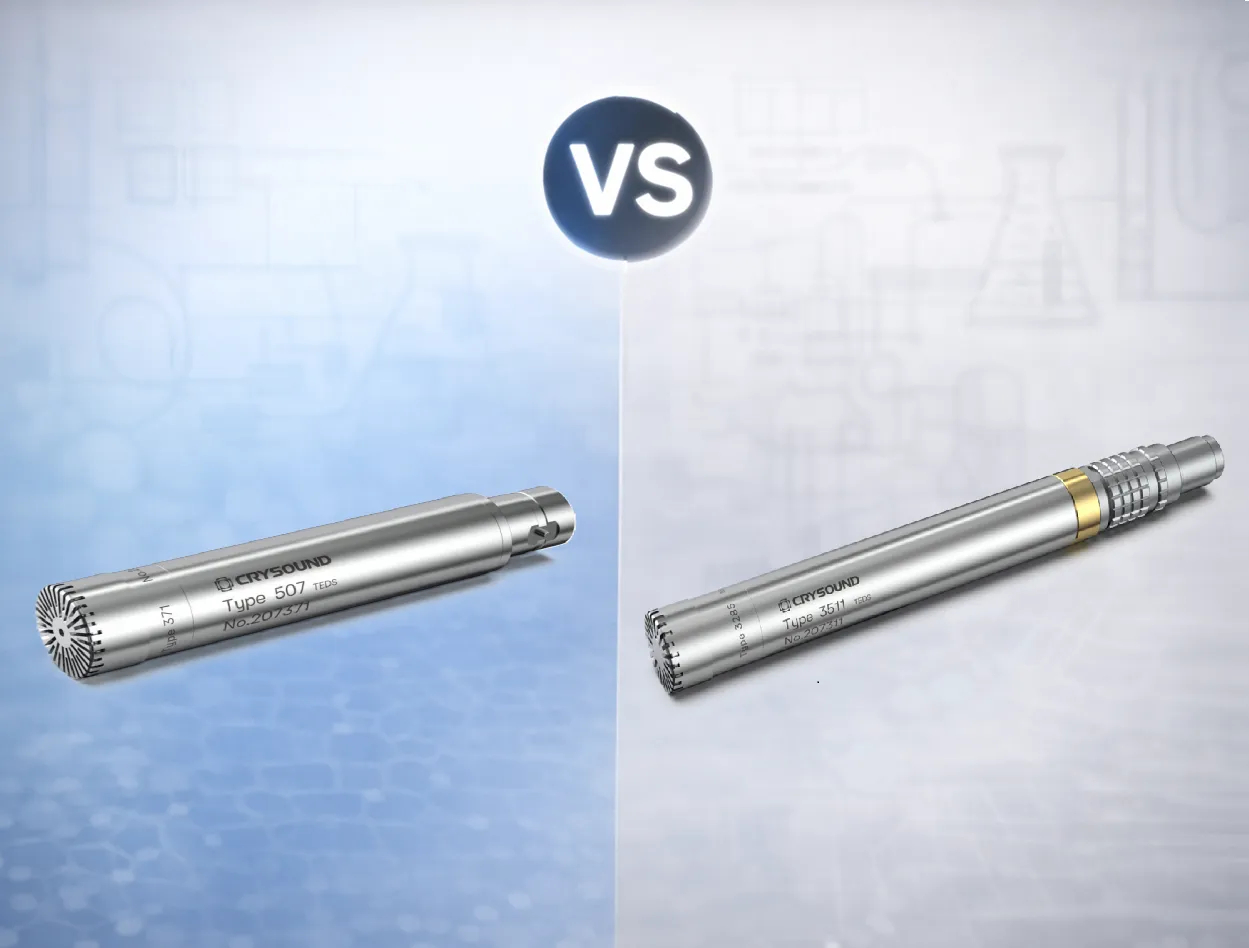
In acoustic testing, acoustic metrology, and product noise evaluation, the term measurement microphone typically refers to a condenser measurement microphone. Its signal generation relies on a polarization electric field: sound pressure changes the capacitance, and the front-end circuitry converts this change into an electrical signal. Depending on how the polarization field is provided, measurement microphones generally fall into two categories: externally polarized (polarization high voltage supplied by the measurement system, typically 200 V) and prepolarized (an internal electret provides the equivalent polarization, so no external high voltage is needed). Both can deliver high-precision measurements; the key to selection is system compatibility, environmental constraints, and maintenance cost. This article first explains how prepolarized and externally polarized microphones work and differ. It then compares power/front-end compatibility, noise and dynamic range, environmental robustness, and long-term stability. Next, it gives selection tips by scenario (metrology, approval tests, field, multichannel). It ends with a quick decision checklist. System Requirements Externally Polarized An externally polarized microphone requires a dedicated polarization unit / microphone power supply (provides 200 V polarization) to provide a stable polarization voltage (commonly 200 V) and to match the preamplifier interface (often 7-pin LEMO).This signal chain is closer to traditional metrology setups and is commonly used in laboratories and traceable calibration scenarios. Figure 1. Externally Polarized Microphone Structure Diagram Figure 2. Externally Polarized Microphone Set Prepolarized A prepolarized microphone uses an internal electret to provide equivalent polarization, so no external polarization voltage is required.System integration is simpler, making it well-suited for field work, mobile testing, and multi-channel distributed deployments. IEPE interfaces are widely used and broadly compatible; many data acquisition devices provide built-in IEPE inputs, which can significantly reduce overall equipment cost. (IEPE is the international term; some companies also refer to it as CCP or ICP.) Figure 3. Prepolarized Microphone Structure Diagram Figure 4. Prepolarized Microphone Set Engineering Trade-offs From an engineering application perspective, the main differences are: System compatibility: Externally polarized microphones depend on 200 V polarization and specific front-end/interfaces; prepolarized microphones place fewer requirements on the front-end and enable more flexible integration. Environmental robustness: High humidity, condensation, dust, oil mist, and similar environments can amplify insulation and leakage issues; prepolarized microphones often achieve more stable results. For high-temperature applications, carefully verify the model's temperature limit and long-term drift data; externally polarized microphones are more commonly used where high-temperature stability and metrology-grade requirements are prioritized. Deployment and maintenance: Prepolarized solutions avoid high-voltage risk, deploy faster, and typically cost less at scale. Externally polarized setups demand higher standards for cleanliness, insulation, connector reliability, and troubleshooting capability. Selection Guidelines Front-End and Power Architecture If your existing front-end natively supports 200 V polarization and you have long used that metrology signal chain, prioritize externally polarized microphones to minimize retrofit effort and compatibility risk. If your front-end does not support polarization high voltage, or your system is mainly based on constant-current powering (e.g., CCLD/IEPE), prioritize prepolarized microphones for higher deployment efficiency and broader compatibility. Environmental Constraints (Humidity / Contamination / Temperature) For high humidity, condensation, dust, or oil mist in the field: prioritize prepolarized microphones or models with protective designs, and pay close attention to connector and cable protection. For high temperature or thermal cycling: base the choice on datasheets and stability data. Both externally polarized and high-temperature prepolarized models may be suitable, but you must verify the temperature limit and drift specifications. Align the Key Performance Targets Low-noise measurement: focus on equivalent self-noise, front-end noise, cable length, and shielding/grounding strategy. High SPL / shock measurement: focus on maximum SPL, distortion, overload recovery, and front-end input headroom (capsule size selection is often more critical than polarization method). Consistency / traceability: focus on calibration system, long-term drift, temperature coefficient, and maintenance interval. Budget and Total Cost of Ownership If budget is tight, channel count is high, or you need rapid scaling: prioritize prepolarized microphones. Without external polarization high voltage, the measurement chain is simpler and total investment is usually lower. If an externally polarized chain is required: include the external polarization power supply/adapter as a mandatory budget item. In addition to the microphone and preamplifier, a stable 200 V polarization supply is required, and the polarization supply can be costly. For multi-channel deployments, total cost rises significantly with channel count. If the laboratory already has sufficient channels of external polarization supplies, the incremental cost can be much lower. Conclusion There is no absolute "better" option between prepolarized and externally polarized microphones. A more reliable engineering approach is to first define the measurement chain and environmental constraints, then finalize the model selection using key metrics such as noise, dynamic range, consistency, and traceability. You are welcome to learn more about microphone functions and hardware solutions on our website and use the "Get in touch" form to contact the CRYSOUND team.

This integrated single-station EoL test solution enables automotive HVAC air vent suppliers to perform NVH (noise/BSR), motor electrical testing, and vane presence detection in a single inspection step, helping to improve overall test efficiency and reduce labor dependency. System Block Diagram of the Automotive HVAC Air Vent Test Solution Modern automotive HVAC air vent assemblies increasingly integrate multiple drive motors, multi-row vanes (louvers), and smart features such as automatic airflow control and voice interaction. As a result, upstream process variation or assembly defects can translate directly into vehicle-level concerns-typically perceived as abnormal noise, buzz/squeak/rattle (BSR), airflow direction mismatch, or reduced airflow caused by missing/misassembled vanes. To reduce rework and prevent customer complaints, suppliers increasingly require 100% end-of-line (EoL) testing on the production line, covering NVH (noise/BSR), motor electrical testing, and vane presence detection. CRYSOUND Single-Station EoL Test Solution CRYSOUND's automotive HVAC air vent EoL test solution enables customers to perform single-station, 100% testing of noise/BSR, motor electrical testing, and vane presence detection. The solution integrates CRYSOUND's in-house hardware and software, CRY3203-S01 measurement microphone set, SonoDAQ, CRY7869 acoustic test box, and OpenTest. And it combines electroacoustic measurement with abnormal noise analysis (sound quality and AI-based algorithms) to identify noise/BSR issues that FFT and Leq may miss. It also integrates motor electrical testing and vane presence detection, enabling one-time clamping and a single OK/NG decision within the same sound-insulated EoL station. Schematic of the HVAC Air Vent Test Fixture Customer Results: Efficiency, Labor, and Quality Gains Replaced manual listening with machine-based detection, enabling unified criteria with quantitative, traceable results. One fixture, three test positions: supports parallel or mixed testing of left/center/right dashboard air vents, improving efficiency by >100%. Variant support via fixture changeover: reuse the same test station across different products, reducing repeated capital investment. One-operator, one-click inspection: a single line can save 1-2 long-term operators. EoL Test Equipment for Automotive HVAC Air Vent Typical Target Users This solution is designed for suppliers of motorized air vents and other motor-driven interior components,such as Valeo S.A.,Ningbo Joysonquin Automotive Systems Co., Ltd. and Jiangsu Xinquan Automotive Trim Co., Ltd. Main Hardware and Software Configuration ProductQty.NoteCRY3203-S01 Measurement Microphone Set1Measurement Microhone SetCRY5820 SonoDAQ Pro1Audio AnalyzerCRY7869 Acoustic Test Box1Test EnvironmentOpenTesthttp://www.opentest.com1SoftwareFixture1CustomizablePC & Monitor1(Optional) Feel free to fill in the form below ↓to contact us. Our team can share application-specific EoL testing recommendations based on your automotive HVAC air vent requirements.
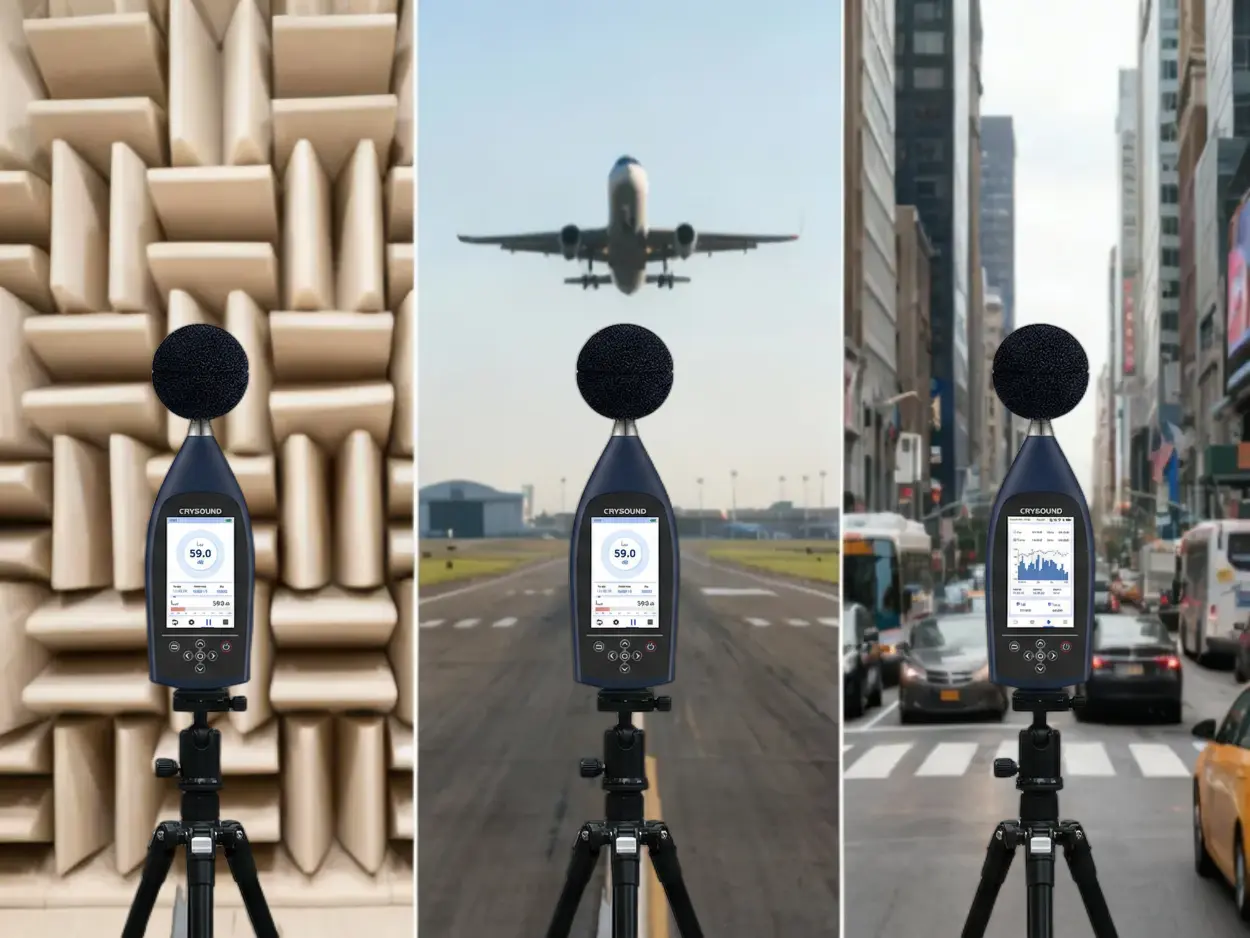
In industrial production and environmental monitoring, excessive noise implies compliance risks or potential complaint disputes. To handle this, you need a professional sound level meter (SLM) that provides "credible, traceable, and analyzable data." Faced with price differences ranging from hundreds to tens of thousands of dollars, and a complex array of parameters, how do you choose without making costly mistakes? We have distilled the complex selection process into a "4-Step Decision Method" to help you quickly find the balance between your budget and your needs. Step 1: Define the "Purpose" - Does the data need to be externally accountable? This is the first watershed moment in selection, directly determining the equipment's "Accuracy Class." Scenario A: Data must be "Externally Accountable" Typical Use Cases: Environmental law enforcement, third-party testing, laboratory R&D, legal arbitration. Must Choose: Class 1 Sound Level Meter. Key Reason: The difference between Class 1 and Class 2 goes beyond reading errors. The core difference lies in the Frequency Response Range. Class 1 Devices (e.g., CRY2851): Typically cover a wide band of 10 Hz - 20 kHz, capturing extremely low-frequency vibrations and ultra-high-frequency noise, fully meeting strict standards like IEC 61672-1:2013 Class 1. Class 2 Devices: Usually have a narrower frequency range (e.g., 20 Hz - 8 kHz) with potential attenuation at high or low ends, making them unsuitable for strict metering or certification scenarios. Scenario B: Used only for "Internal Management" Typical Use Cases: Workshop inspections, equipment spot checks, community surveys, internal process comparisons. Recommended: Class 2 Sound Level Meter. Core Advantage: It meets the vast majority of industrial and environmental noise measurement needs and is the ideal choice for internal control. Step 2: Clarify "Indicators" - What exactly are you measuring? Selecting the wrong indicators renders the data useless. Focus on the following two points: Frequency Weighting (A, C, Z): Which one to use? A-Weighting (Most Common): Simulates the human ear's response (insensitive to low frequencies). Must be used for Environmental Noise Evaluation and Occupational Health Assessments (e.g., 85 dB(A) limits). C-Weighting: Less attenuation at low frequencies, reflecting the total energy of the sound more truly. Often used for Mechanical Noise and Impact Sound where rich low-frequency components exist. Z-Weighting (Zero Weighting): Flat response across the entire frequency range with no attenuation. Must be used when you need Spectrum Analysis or deep research into noise components to preserve the original signal. "Instantaneous Value" or "Statistical Value"? For quick site checks: Focus on Lp (Instantaneous Sound Pressure Level) and Lmax (Maximum Sound Level). For scientific assessment or reporting: You must have Leq (Equivalent Continuous Sound Level). This is the core metric for evaluating noise energy over a period of time. Professional equipment (like CRY2850/2851) comes standard with integrating functions to automatically calculate Leq. Figure 1. Software Interface Diagram Step 3: Confirm if "Analysis" is needed - Do you need to find the noise source? This distinguishes a "regular noise meter" from a "professional sound level meter." Looking at a total value (e.g., 85dB) only tells you "it's noisy here"; seeing the spectrum tells you "where is it noisy." When do you need Spectrum Analysis (1/1 Octave, 1/3 Octave, or FFT)? Noise Control: Determining if noise comes from a fan (aerodynamic noise) or a motor (electromagnetic noise). R&D: Comparing sound quality differences between competing products or iterations. Diagnostics: Distinguishing between high-frequency bearing squeal and low-frequency structural resonance. Selection Advice: Taking the CRY2851 as an example, it supports both OCT Analysis and FFT Analysis. If your goal is to "solve problems" rather than just "record numbers," be sure to choose a device with spectrum functions. Figure 2. Measurement Demonstration Step 4: Plan the Measurement "Mode" - Single measurement or long-term monitoring? Many projects fail because the device "measures accurately, but is hard to use." Dynamic Range: Say goodbye to "Manual Gear Shifting" Old equipment requires manual range switching, which is prone to errors. Modern sound level meters (like CRY2851) feature a >120 dB wide dynamic range, covering everything from whispers to roaring engines without switching gears-preventing errors and improving efficiency. Data Export: Ensure data is "Portable and Usable" Ensure the device supports automatic storage to an SD card or internal memory and exports in universal formats (like CSV). Avoid the trap of "measuring data but failing to record it manually." Remote Monitoring Capability (Essential for Outdoor/Long-term) For long-term scenarios like construction sites or traffic monitoring, the device must have: Communication Functions: (LAN/Serial Port) for real-time remote data transmission. Outdoor Protection: (e.g., paired with NA41 Outdoor Kit, IP65 rating) to withstand rain and dust; otherwise, the equipment is easily damaged. Quick Selection Cheat Sheet To help you decide quickly, we have summarized three typical application scenarios based on the four-step method above: Figure 3. Handheld Measurement Operation The "Avoid Pitfalls" Checklist: Check these 5 points last Check the Standard: Confirm compliance with the latest IEC 61672-1:2013 standard. Check Bandwidth: Even for Class 2 meters, ensure the frequency range covers your main noise sources to avoid missed detections. Check Calibration: Buying a Class 1 SLM requires a Class 1 Sound Calibrator (e.g., CRY563A); otherwise, the system accuracy is downgraded. Check Range: Prefer "Wide Dynamic Range" or "Auto-Range" devices; refuse manual gear shifting. Check Accessories: Windscreens and protective cases are mandatory for outdoor use. Selecting a sound level meter is essentially balancing "Risk vs. Cost." If you still have doubts about "Class 1 vs. Class 2" or "Whether Spectrum Analysis is needed," CRYSOUND is ready to provide full lifecycle support: Pre-sales: Our application engineers provide one-on-one scenario consulting to help you match precisely and avoid wasting money. After-sales: We offer a full suite of services from calibration and training to long-term technical support, ensuring a complete chain of evidence. Instead of struggling with parameters alone, get in touch with our team using the form below to receive a configuration plan tailored to your application.
Sound Quality
This article is for engineers working in acoustics and vibration testing. It introduces how to perform sound quality measurements in OpenTest based on the ISO 532 loudness standard and the ECMA-74 tonality evaluation methods. By measuring and comparing three key psychoacoustic metrics - Loudness, Sharpness, and Prominence (Tonality) - teams in consumer electronics, automotive NVH, home appliances and IT equipment can turn "how good or bad it sounds" into quantitative engineering data, and complete a standardized sound quality workflow on a single platform from data acquisition, through analysis, to reporting. Why Sound Quality Measurements Matter In traditional noise testing, we usually rely on dB values to describe how "loud" a device is. But more and more studies and real-world projects are reminding engineers that "loudness" is only part of the story. In automotive NVH, home appliances, IT equipment and consumer electronics, user acceptance of product sound depends much more on whether it sounds pleasant, sharp, tiring or annoying, not just the overall sound pressure level. Industry surveys also show that most manufacturers now treat "how good it sounds" as being just as important as "how quiet it is", and they start paying attention to sound quality already in early design phases. At the same sound level, poor sound quality can significantly drag down overall product satisfaction. This is exactly why Sound Quality as a discipline exists: through a set of psychoacoustic metrics such as Loudness, Sharpness and Tonality/Prominence, it turns subjective impressions like "sharp", "boomy", "harsh" or "smooth" into data that is measurable, comparable and traceable, so engineering teams can go beyond noise control and truly design and optimize product sound around listening experience. Key Metrics in Sound Quality Measurement In engineering practice, sound quality is not a single number, but a set of psychoacoustic quantities. Commonly used metrics include Loudness, Sharpness, Roughness, Fluctuation Strength, Prominence/Tonality, etc. Figure 1 - Key metrics in sound quality measurement Loudness (ISO 532-1) Loudness and Loudness Level describe how loud a sound is perceived by the human ear, rather than just its sound pressure level in dB. Internationally, the ISO 532-1:2017 standard based on the Zwicker method is widely used for loudness calculation. It can handle both stationary and time-varying sounds and correlates well with subjective perception in many technical noise applications. From an engineering point of view, loudness has clear advantages over A-weighted SPL: It accounts for the ear's different sensitivity to frequency (human hearing is more sensitive in the mid-high range) At the same dB level, loudness often tracks "does it feel loud or not?" more accurately Sharpness (DIN 45692) Sharpness reflects whether a sound is perceived as sharp or piercing. When the high-frequency content has a higher proportion, people tend to feel the sound is more "sharp" or "edgy". Sharpness was standardized in DIN 45692:2009, and is typically calculated based on the specific loudness distribution from a loudness model, applying additional weighting in the higher Bark bands. The result is expressed in acum. In applications such as fans, compressors and e-drive whine, reducing sharpness often improves subjective comfort more effectively than just lowering the overall dB level. Roughness (asper) Roughness corresponds roughly to fast amplitude modulation in the 15-300 Hz range, which gives a "raspy, vibrating" impression - for example in certain inverter whines or gear whine where the sound feels like it is "shaking". Unit: asper Classical definition: 1 asper corresponds to a 1 kHz, 60 dB pure tone amplitude-modulated at about 70 Hz with 100% modulation depth The deeper the modulation and the closer the modulation frequency is to the sensitive region (around 70 Hz), the higher the perceived roughness In engineering, roughness is often used to describe how much a sound feels like it is "buzzing" or "scratching", and it is particularly relevant for subjective evaluation of technical noise in e-drive systems, gearboxes and compressors. Fluctuation Strength (vacil) Fluctuation Strength captures slower amplitude fluctuations - amplitudes that go up and down in the range of roughly 0.5-20 Hz, perceived as "pulsing" or "breathing", with a typical peak sensitivity around 4 Hz. Unit: vacil A classical definition of 1 vacil: a 1 kHz, 60 dB pure tone with 4 Hz, 100% amplitude modulation In cabin idle "breathing noise", or fans whose level periodically rises and falls, fluctuation strength is a key descriptor You can think of Fluctuation Strength and Roughness as two sides of the same "modulation" coin: Fluctuation Strength: slow modulation (a few Hz), perceived as "breathing" or "pulsing" Roughness: faster modulation (tens of Hz), perceived as "vibrating, raspy, grainy" Prominence / Tonality (ECMA-74) Many devices are not particularly loud overall, yet become extremely annoying because of one or two narrowband tonal components. These "sticking out tones" are usually quantified by Tonality / Prominence. In IT and information technology equipment noise, ECMA-74 specifies methods based on Tone-to-Noise Ratio (TNR) and Prominence Ratio (PR) to evaluate tonal prominence and to determine whether a spectral line is a "prominent tone". Historically, these metrics come from psychoacoustic research and are now widely used in automotive, aerospace, home appliances and IT equipment to predict and optimize annoyance. For example, studies have shown that, with loudness controlled, Sharpness, Tonality and Fluctuation Strength are important predictors for the annoyance of helicopter noise. Why Sound Quality Is More Useful Than Just "Watching dB" In many projects, you may have already seen questions like these: Two fan designs have similar sound power levels, but one "sounds smooth" while the other has a clear whine After noise reduction, overall SPL is a few dB lower, but user feedback hardly improves On the production line, A-weighted SPL is used as the only criterion, and some "bad-sounding" units still slip through Fundamentally, that is because: Sound pressure level / sound power = "how much energy is there" Sound quality metrics = "how the ear feels about it" With metrics like Loudness, Sharpness, Roughness, Fluctuation Strength and Prominence, you can decompose vague complaints like "it just sounds uncomfortable" into: Which frequency region has too much energy (leading to high sharpness) Whether there is strong amplitude modulation (causing high roughness or fluctuation strength) Whether any tonal component is sticking out clearly above its surroundings (high tonality / prominence) In engineering iteration, these metrics can be mapped directly to: Structural optimization (stiffness, modes, blade shape, etc.) Control strategies (e.g. PWM frequency, fan speed curves and transitions) Material and noise treatment / isolation choices This gives you much clearer and more actionable directions than "just reduce dB". Sound Quality Analysis in OpenTest As a platform for acoustics and vibration testing, OpenTest supports a complete sound quality workflow from acquisition → analysis → reporting. Fill in the form at the bottom ↓ of this page to contact us and get an OpenTest demo. Example Device: Office PC Fan Noise To make the process concrete, we use a very accessible device as our example: a typical office PC. Test objective: evaluate sound quality metrics of its fan noise under different operating conditions, in order to: Compare subjective noise performance of different cooling and fan control strategies Provide quantitative input to NVH reviews (e.g. does loudness exceed the target, is sharpness too high?) Build a foundation for further sound quality optimization (e.g. suppressing whine frequencies, smoothing speed transitions) Test environments might be: A semi-anechoic room / low-noise lab (recommended); or A quiet office environment for early-stage, comparative evaluation Measurement System: SonoDAQ + OpenTest Sound Quality Module On the hardware side, we use a CRYSOUND SonoDAQ multi-channel data acquisition system (for more detailed model information, please contact us), together with one or more measurement microphones placed near the PC fan or at the listening position, according to the test requirements. Figure 2 - SonoDAQ Pro multi-channel data acquisition system Of course, OpenTest also supports connection via openDAQ, ASIO, WASAPI and other mainstream audio interfaces, so you can reuse existing DAQ devices or audio interfaces for measurement where appropriate. On the software side, the Sound Quality module in OpenTest is one of the measurement modules. Combined with FFT analysis, octave analysis and sound level analysis, it can cover most standard audio and vibration test needs. Configuring Measurement Parameters After creating a new project in OpenTest, proceed as follows: 1. Channel configuration and calibration In Channel Setup, select the microphone channels to be used and set sensitivity, sampling rate and frequency weighting as required Use a sound calibrator (e.g. 1 kHz, 94 dB SPL) to calibrate the measurement microphones, ensuring that loudness and related metrics have a reliable absolute reference 2. Switch to the "Measure > Sound Quality" module Select the metrics to be calculated: Loudness, Sharpness, Prominence Set analysis bandwidth, frequency resolution and time averaging modes Optionally configure test duration and labels for different operating conditions Essentially, this step turns the "calculation definitions" in ISO 532, DIN 45692 and ECMA-74 into a reusable OpenTest sound quality scenario template. Acquiring Sound Data for Different Operating Conditions Once the test environment is set up and the parameters are configured, click Start to measure sound quality data under different operating conditions. Each test record is saved automatically for later analysis. Because sound quality focuses on how it sounds during real use, it is recommended to record several typical conditions, for example: Idle / standby (fan off or low speed) Typical office load (documents, multi-tab browsing, etc.) High load / stress test (CPU/GPU at full load) With this breakdown, engineers can clearly manage which sound quality result corresponds to which operating condition. Figure 3 - Overlaying multiple sound quality test records in OpenTest From Multiple Measurements to One Sound Quality Report After measuring multiple operating conditions (e.g. idle, typical office and full-load stress test), you can do the following in OpenTest. In the data set list, select the records you want to compare and overlay: Compare loudness curves under different conditions See whether sharpness spikes during acceleration or speed transitions Identify conditions where prominent narrowband tones appear (high prominence) In the Data Selector, save the associated waveforms and analysis results: Export .wav files for later listening tests or subjective evaluations Export .csv / Excel for further statistics or modelling Click the Report button in the toolbar: Enter project, DUT and operating condition information Select sound quality metrics and plots to include (e.g. loudness vs. time, bar charts of sharpness, spectra with marked tonal prominence) Generate a sound quality report with one click for internal review or customer submission Figure 4 - Example of a sound quality report in OpenTest The generated report includes measurement conditions and operating modes, key sound quality metrics such as Loudness, Sharpness and Prominence, as well as a comparison with traditional acoustic metrics (sound pressure level, 1/3-octave spectra, sound power, etc.), making it easier for project teams to discuss using a set of metrics that are both objective and closely related to perceived sound. Typical Application Scenarios You can build different sound quality test scenarios in OpenTest for different businesses, for example: Consumer electronics / IT equipment (laptops, routers, fans, etc.) Use loudness + sharpness + (where applicable) roughness to evaluate the "subjective comfort" of different thermal / fan strategies Compare sound quality across different speed curves or PWM schemes Automotive NVH / e-drive systems Use multi-channel acquisition to record interior noise and speed signals synchronously Combine order analysis with sound quality metrics to see how "sharp" an e-drive whine is and whether there is pronounced modulation causing roughness Home appliances and industrial equipment When sound power already meets standards, use sound quality metrics to further screen for "annoying noise", instead of relying only on dB If you are building or upgrading your sound quality testing capabilities, you can use ISO 532 and ECMA-74 as the backbone and let OpenTest connect environment, acquisition, analysis and reporting into a repeatable chain. That way, each sound quality test is clearly traceable and much more likely to evolve from a single experiment into a long-term engineering asset. Welcome to fill in the form below ↓ to contact us and book a demo and trial of the OpenTest Sound Quality module. You can also visit the OpenTest website at www.opentest.com to learn more about its features and application cases.
Measurement microphones are used in acoustic metrology, type-approval testing, and engineering measurements. Unlike general audio capture applications, measurement scenarios place far greater emphasis on consistency and traceability: the same microphone should deliver stable output when re-tested over time; variation within a production lot should be sufficiently small; and performance fluctuations between lots should remain controllable. In these applications, tiny contaminants introduced during manufacturing may not cause immediate "failure," but can accumulate over time as increased self-noise, subtle shifts in frequency response, changes in insulation leakage, or long-term drift-ultimately increasing measurement uncertainty and recalibration costs. Therefore, completing critical component assembly and sealing steps inside a controlled clean environment (a cleanroom) is a common engineering approach to achieve stable performance and batch-to-batch consistency for measurement-grade microphones. This article starts with measurement microphone structures and traceability requirements, then explains how particulate and molecular contamination affects noise, response, and drift. It next outlines cleanroom controls (cleanliness class, environment, people/material flow) that reduce risk. Finally, it summarizes benefits for consistency and recalibration cost. Figure 1. Precision Assembly in a Cleanroom Critical Structure and Measurement-Grade Requirements Taking a condenser measurement microphone as an example, its core structure consists of the diaphragm, backplate, an extremely small gap, and acoustic pathways. The dimensions and surface conditions of these structures directly affect sensitivity, frequency response, phase characteristics, and self-noise. Measurement microphones typically need to meet standardized geometric and electroacoustic requirements and support a traceable calibration chain. For example, the IEC 61094 series specifies requirements related to measurement microphone specifications and calibration, helping ensure comparability and consistency when used as metrology instruments and transfer standards. How Contamination Affects Performance Contamination typically falls into two categories: particulate contamination (dust, fibers, skin flakes, metal debris, etc.) and molecular contamination (oil mist, residual volatile organic compounds, cleaning-agent residues, etc.). For measurement microphones, both can alter boundary conditions of diaphragm motion, acoustic damping, or electrical insulation. Particulate Contamination: Self-Noise, Nonlinearity, and Response Deviation When particles enter critical gaps or adhere near the diaphragm, they may introduce localized friction and changes in damping, raising self-noise and reducing the effective dynamic range for low-level measurements. In more extreme cases, particles can cause intermittent contact or restricted motion, resulting in nonlinear distortion and poorer repeatability. Figure 2. Microphone Cross-sectional Structure Molecular Contamination: Changes in Insulation and Charge Stability Molecular contamination often appears as thin-film deposits on surfaces. Such films may change surface resistance on insulating parts, altering leakage currents and therefore affecting effective polarization conditions and low-frequency stability, potentially increasing electrical noise. For measurement chains requiring long-term stability, issues caused by molecular contamination are more subtle and often manifest as slow drift. Moisture Absorption/Migration and Batch Variation: Long-Term Stability and Consistency Some contaminants are hygroscopic or migratory. Under temperature and humidity cycling and long-term aging, their distribution and surface state may keep changing, causing gradual drift in sensitivity and frequency response. Meanwhile, contamination events are inherently random: the location and amount of particle deposition are hard to reproduce, which can amplify within-lot dispersion and lead to yield fluctuations-ultimately increasing the workload for system-level calibration and consistency control. The Engineering Value of a Cleanroom: Bringing "Contamination Risk" Under Process Control A cleanroom keeps particulate and molecular contamination within a verifiable range and stabilizes environmental parameters such as temperature, humidity, and pressure differential. Cleanroom classification commonly references ISO 14644-1, which uses airborne particle concentration as the primary metric. For measurement microphones, the key is to bring contamination risk in assembly, sealing, and packaging steps under process control. Completing critical assembly and sealing in a low-particle environment reduces the likelihood of random dust and fiber contamination. Controlling temperature/humidity, pressure differential, and implementing electrostatic management reduces risks from adsorption and secondary deposition. Following standardized protocols for personnel/material entry and tool maintenance-and maintaining clean packaging-helps preserve a consistent "as-shipped" condition. At CRYSOUND, critical assembly and sealing are performed in a Class 1,000 cleanroom, equivalent to ISO Class 6 under ISO 14644-1. It helps reduce particulate contamination risk during mass production while keeping process conditions stable. Figure 3. Cleanroom Manufacturing Area Cleanrooms and Calibration: Complementary, Not a Substitute A cleanroom controls contamination variables during manufacturing to reduce the risks of performance dispersion and drift. Calibration establishes traceability and provides parameters such as sensitivity under specified conditions. Clean manufacturing cannot replace calibration, but it can improve re-test consistency and reduce the impact of drift on calibration intervals and uncertainty. Figure 4. Cleanroom Manufacturing Direct Value for End Applications Once contamination variables are controlled, self-noise levels and response characteristics become more stable, and batch-to-batch differences are easier to manage. In multi-channel systems, acoustic imaging measurements, and production-line consistency monitoring, sensor interchangeability is easier to achieve-and it also becomes easier to define more appropriate recalibration and periodic verification strategies. A clean, controlled environment provides stable contamination control conditions for key manufacturing steps of measurement microphones, helping reduce risks of elevated self-noise, response deviation, and long-term drift. Combined with standardized design, in-process inspection, and traceable calibration, reliable measurement results can be maintained throughout the product lifecycle. You are welcome to learn more about microphone functions and hardware solutions on our website and use the"Get in touch"form to contact the CRYSOUND team.
Before you begin any formal data acquisition work, one critical step is connecting the DAQ front end to the PC. In day‑to‑day engineering, the most common options include USB direct connection, Wi‑Fi wireless, Ethernet, and PXIe. This article introduces these four common connection methods from several angles-how they differ, where each one shines, and their practical limitations-to help you build a deeper, more intuitive understanding of DAQ connectivity. Ethernet Connection An Ethernet connection means the front end joins a local area network (LAN) through its network port, and the PC accesses the device over IP. A typical data path looks like this: Sensor → front‑end sampling → Ethernet transport (TCP/UDP, etc.) → PC/server storage and processing. This topology ranges from very simple to quite complex, for example: Front end ↔ PC (point‑to‑point direct link) Multiple front ends → switch → PC/server (distributed) Figure 1. Ethernet Connection Advantages of Ethernet Connections Flexible topology: single‑node, multi‑node, and distributed setups are all easy to organize; Comfortable distance and cabling: copper Ethernet or fiber makes it easier to deploy across rooms, floors, or even buildings-and routing can be more standardized; Mature infrastructure and strong maintainability: switches, cables, transceivers, fiber, and rack accessories are widely available, and issues are usually easier to locate and troubleshoot; Limitations of Ethernet Connections The network introduces uncertainty-topology, switch performance, port congestion, broadcast storms, and link errors can all cause throughput/latency fluctuations; With multiple devices/nodes, the need for network planning rises quickly: IP addressing, subnetting, whether to use DHCP, routing across subnets, switch cascade depth, etc. As the system grows, things can get messy without a plan. Cable quality, shielding/grounding, routing close to high‑power lines, poor port contact, or switch power instability may show up as packet loss, retransmissions, or speed‑negotiation anomalies. For engineers, Ethernet is straightforward on the test floor: in many setups, a single cable is enough to bring the DAQ front end online with the PC-parameter setup, start/stop, live monitoring, and logging all feel smooth. When the distance grows, you can extend the copper run or switch to fiber to keep transmission stable. In cross‑floor or multi‑room environments-or where noise/safety constraints make it inconvenient to stay near the rig-data can be acquired and monitored from an office or control room over the network. Of course, very long cable runs can be a headache in their own right. SonoDAQ Pro comes standard with two Gigabit LAN ports (GLAN, daisy‑chain capable, supporting 90 W PoE++ power delivery) and also provides a USB‑C port with gigabit‑class throughput, giving users more flexible network‑style connection options. Figure 2. SonoDAQ Rear Panel Wi‑Fi Connection Wi‑Fi DAQ means the acquisition node communicates with a PC or a LAN over a wireless network. Unlike simply "replacing the cable with wireless," Wi‑Fi DAQ systems typically have two working modes: Real‑time streaming: after sampling, data is sent to the PC over Wi‑Fi in real time; Local buffering/storage: data is first buffered or stored on the front end; Wi‑Fi is used mainly for control, preview, transferring selected segments, or exporting after the run. Two common networking setups are: The DAQ front end joins an on‑site access point (STA mode); The PC creates a hotspot and the DAQ front end connects to it. In short, the front end must support Wi‑Fi, and it must be on the same LAN as the PC. Figure 3. Wi-Fi Connection Advantages of Wi‑Fi Connections No cabling: when wiring is difficult or not allowed, the DAQ can be placed close to the measurement point and controlled over Wi‑Fi; Flexible remote acquisition: by mapping the DAQ's IP to the public Internet, the PC can access the DAQ by IP address for ultra‑long‑distance remote control. Limitations of Wi‑Fi Connections Uncertainty for sustained high‑volume transfers: available wireless bandwidth can change at any time, so long, continuous acquisitions are more likely to expose packet loss/retransmissions/buffer overflows-the heavier the data load, the more obvious this becomes; Stability depends heavily on the environment: multipath, co‑channel interference, AP congestion, and movement (changing the RF path) can all cause throughput swings and higher latency/jitter, showing up as choppy live plots or occasional disconnect/reconnect events. In real projects, Wi‑Fi is most often used when cabling is inconvenient or prohibited, or when remote/off‑site acquisition is required but running Ethernet is impractical. Engineers can configure parameters remotely, start/stop acquisition, monitor key metrics, or pull specific segments. For larger datasets or long‑duration logging, it's common to pair Wi‑Fi with front‑end buffering/local storage-Wi‑Fi keeps things visible and controllable, while the front end protects data integrity. USB Connection A USB DAQ device typically means sampling happens in an external front end (with built‑in ADCs, signal conditioning, clocks, etc.). The PC handles configuration, visualization/analysis, and data storage, while USB "moves" the data into the computer. In this relationship, the PC acts as the USB host and the front end acts as the USB device. Figure 4. USB Connection Advantages of USB Connections Low barrier and quick to start: no IP setup and no dependency on network infrastructure-plug it in, install the driver/software, and you can usually start acquiring; Highly portable: an external box plus a laptop is a common combo, well suited to field work, customer sites, and temporary setups; Ubiquitous interface: cables, adapters, mounting clips, and docks are easy to source; Limitations of USB Connections Scalability is generally less "natural" than network/platform approaches. When a system grows from a single front end to multiple front ends and coordinated multi‑point measurements, cabling, device management, and synchronization depend more on the specific implementation; If multiple high‑throughput devices share the same USB controller (DAQ front end, external SSD, camera, etc.), you may see throughput fluctuations, buffer warnings, and occasional stuttering. USB controllers, driver stacks, system load, and power‑management policies vary from PC to PC, so the same device can behave differently on different hosts. Most USB front ends are portable external devices. They often integrate a reasonably complete set of general‑purpose measurement interfaces-analog inputs/outputs, digital I/O, counters/encoders, etc. With a single USB cable, you get both connection and control to the PC for acquisition, display, and storage. As a result, USB is widely used for temporary measurements in the field or at customer sites, rapid R&D bring‑up and debugging, and small‑channel, short‑duration tests. PXIe Interface PXIe is a platform form factor built around a chassis, backplane, and modules. Measurement/instrument modules plug into the chassis and interconnect through the backplane; the chassis then works with a controller or an external link to a PC workstation. Compared with a single external DAQ box, PXIe is more platform‑oriented, modular, and capable of system‑level composition. If a PXIe controller is installed in the chassis, the chassis effectively becomes the host and can run acquisitions independently. Without a PXIe controller, a PXIe chassis is typically not connected to a PC via a standard Ethernet port. Instead, it uses a remote‑control link that essentially "extends the PCIe bus" so an external PC can see the chassis modules as if they were local PCIe devices. In practice, the two most common options are MXI‑Express (a host interface card in the PC plus a remote‑control module in the chassis, linked with a dedicated cable) and Thunderbolt. A typical data path looks like this: Sensor → PXIe module sampling/processing → chassis backplane → controller/link → PC/storage Figure 5. PXIe interface Advantages of PXIe Interface You can populate the chassis with the functional modules you need (analog, digital, bus interfaces, switch matrices, etc.). System capability comes from the "module mix," and adding or swapping modules later is straightforward; High level of engineering integration: power, cooling, and mechanical form factor feel more like a test platform. In rack/bench systems, cabling, maintenance, and spare‑parts management are easier to standardize; When a test system is expected to evolve-more channels, more functions, module upgrades over time-the platform's long‑term scalability is a strong advantage. Limitations of PXIe Interface Higher cost and larger footprint: a chassis + module ecosystem is typically a bigger investment than "PC + single card/box," and it tends to be a fixed installation. Less friendly for mobile/field work: for scenarios that require frequent transport and rapid setup, PXIe's platform advantages can become a burden; Higher system‑build complexity: it's more like building a test system, where rack layout, harness management, thermal design, power headroom, and grounding all need to be considered. In practice, SonoDAQ Pro adopts a PCIe‑based modular backplane architecture. Each functional module connects to the main control platform (ARM) through the backplane for high‑speed data uplink/downlink, synchronization, and power distribution. We call this internal interconnect "Trilink." While enabling modular expansion, SonoDAQ Pro also supports external communication interfaces such as GLAN, Wi‑Fi, and USB‑C, significantly improving deployment flexibility. For a more hands‑on view of how SonoDAQ works over different connection methods (USB / Wi‑Fi / GLAN)-including real usage workflows, representative scenarios, and common configuration checklists-please fill out the Get in touch form below and we'll reach out shortly.
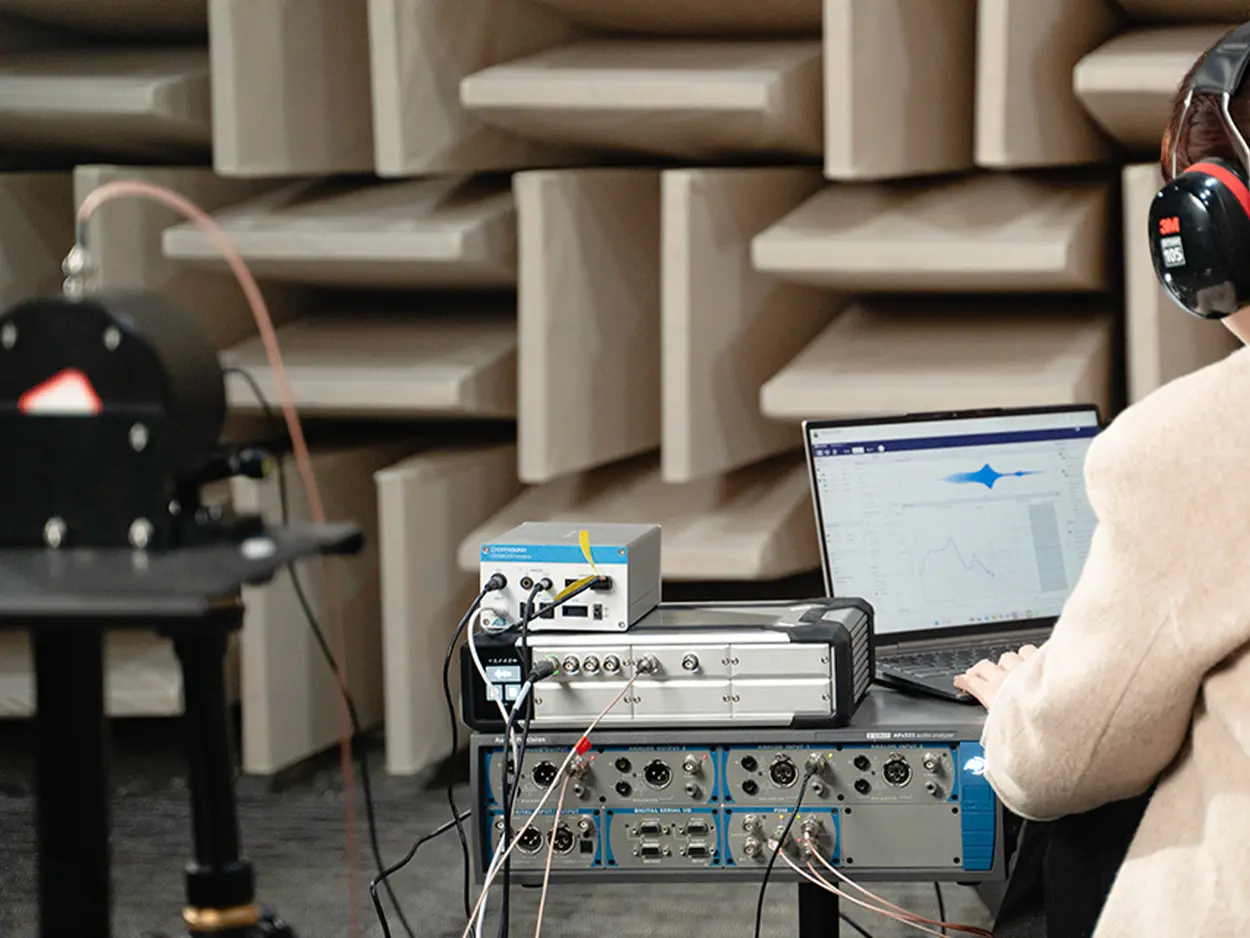
CRY580 A²B Interface is a bidirectional bridge designed to connect the A²B (Automotive Audio Bus) ecosystem with standard test & measurement setups (e.g., SonoDAQ, CRY6151B, Audio Precision). This article explains what makes A²B testing challenging-most analyzers don't have a native A²B interface-and how CRY580 solves it by encoding/decoding A²B streams and converting them into measurable Analog or S/PDIF outputs, while supporting multi-channel I²S/TDM audio paths for fast, repeatable validation. Faster Automotive Audio Testing with CRY580 One bidirectional A²B bridge for testing: apply an analog/digital test stimulus for A²B amplifier testing, and bring A²B microphone or accelerometer sensor streams out as analog or S/PDIF for measurement. The A²B Audio Bus Is Reshaping In-Vehicle Audio A²B technology enables cost-effective audio data transport over long distances, combining multichannel audio (I²S/TDM), control (I²C), and power delivery over affordable cabling. Bidirectional data transfer at 50 Mbps bandwidth Low and deterministic latency(50 µs) System-level diagnostics Slave nodes can be locally-powered or bus-powered Programmable using ADI's SigmaStudio® GUI Uses cost-effective cables(unshielded twisted pair) The Testing Pain: A²B Adds Performance-And Complexity Traditional audio analyzers do not include A²B interfaces, making it impossible to directly test A²B devices. To perform accurate testing, a dedicated A²B codec is required to decode and convert A²B audio signals into standard analog or digital formats for measurement and analysis. How Bridging to Measurements Works in Practice How A²B Technology and Digital Microphones Enable Superior Performance in Emerging Automotive Applications A²B Microphone A²B Accelerometer A²B Amplifier "Bridging" in practice means converting A²B audio signals into standard analog or digital formats for testing: for A²B amplifier testing, injecting analog/digital stimulus into the A²B bus; and for A²B sensor testing, extracting A²B audio data to analog or S/PDIF for measurement. The CRY580 serves as the ideal bidirectional test bridge, facilitating seamless conversion and measurement in both directions. Introducing CRY580: An A²B Interface Built for Automotive Testing The CRY580 is a versatile A²B interface designed to seamlessly bridge A²B networks with testing equipment. It provides both decoding and encoding capabilities, allowing for the efficient transfer of audio data between A²B devices and standard measurement systems. Whether you're testing A²B microphones, amplifiers, or sensors, the CRY580 enables smooth and reliable testing workflows, ensuring accurate results across a range of automotive audio applications. Who Buys CRY580 and What They Test OEM / Tier1 Audio Teams: Integration, debugging, and acceptance testing across A²B networks. A²B Microphone & Mic-Array Suppliers: Sensitivity, frequency response (FR), and phase consistency checks. A²B Amplifier / Audio Processor Suppliers: Amplifier testing with injected stimuli, as well as mapping and performance verification. Test Labs: Standardized A²B measurement processes and delivery. Manufacturing / EOL QC: Repeatable pass/fail testing with faster fault isolation. Typical Test Setups: More Than Just an Interface At CRYSOUND, we provide more than just the CRY580 A²B interface. We offer a full automotive audio testing solution, including audio acquisition cards, microphones and sensors, acoustic sources, custom fixtures, acoustic test boxes, and vibration shakers, delivering a complete and streamlined testing experience. Here's a description of the testing block diagram, including the use of the latest OpenTest Audio Test & Measurement Software https://opentest.com The CRY580 A²B Interface can be used in conjunction with the Audio Precision. Digital Interface Analog Interface "Performing A²B microphone performance tests (Frequency Response, THD+N, Phase, SNR, AOP) in an anechoic chamber, using the CRY5820 SonoDAQ Pro, CRY580 A²B Interface, and other equipment." Why CRYSOUND: A Complete Automotive Audio Test Ecosystem The value of end-to-end delivery: reducing system integration time and minimizing coordination costs between multiple suppliers. We cover everything from R&D to production line testing. BOM list of the solution CRY580 bridges A²B to mainstream test & measurement setups in both directions, turning complex in-vehicle audio validation into a faster, repeatable workflow from R&D to end-of-line production. To discuss your use case, system configuration, or a demo, please fill out the Get in touch form below and we'll reach out shortly.

In audio and vibration testing, FFT analysis (Fast Fourier Transform) is one of the tools almost every engineer uses sooner or later: Loudspeaker frequency response Headphone distortion NVH diagnostics Structural resonance troubleshooting Production noise and "mysterious tone" hunting A lot of practical questions are actually asking the same few things: Where is the energy concentrated in frequency? Is it dominated by one tone or a bunch of harmonics? How high is the noise floor? Are there any resonance peaks? FFT is the most universal entry point to answer these questions. This article will help you clarify three things from an engineering perspective: What FFT analysis is How FFT works conceptually How to use FFT correctly and efficiently in practice What Is FFT? In the time domain, a signal is just a waveform changing over time - all components "stacked together" in one trace. You can see it, but it's hard to tell which frequencies are inside. FFT (Fast Fourier Transform) decomposes a time-domain signal into a sum of sinusoids at different frequencies. In the frequency domain, the signal is represented by frequency + amplitude + phase. In simple terms: Time domain: how the signal moves over time Frequency domain: what frequency components it contains, which are strongest, and how they relate to each other Historically, Fourier's key idea (early 19th century) was that a complex periodic function can be expressed as a sum of sines and cosines. This evolved into the continuous-time Fourier transform, mapping signals onto a continuous frequency axis. In the computer age, things changed: engineers work with sampled data and typically only have a finite-length record of N samples. That leads to the DFT (Discrete Fourier Transform), which maps N time samples to N discrete frequency bins. FFT (Fast Fourier Transform) is not a different transform. It is a family of algorithms that compute the exact same DFT much more efficiently: Direct DFT: complexity ~ O(N²) FFT: complexity ~ O(N log N) The output X[k] is identical to the DFT result - FFT just gets there far faster by exploiting symmetry and divide-and-conquer. What FFT Is Good at - and What It Isn't FFT is very good at: Finding deterministic narrowband components Fundamental tones, harmonics, switching frequencies, whistle tones, speed-related lines Looking at broadband distributions Noise floor, 1/f slopes, in-band power, SNR Characterizing system behavior Transfer functions, resonances / anti-resonances, coherence, delay estimation Serving as the foundation of time-frequency analysis STFT, spectrograms, etc. FFT is not good at (or not sufficient on its own for): Strongly non-stationary signals and "instantaneous frequency" For chirps and rapidly changing content, you need STFT, wavelets, or other time-frequency methods, not a single FFT on a long record Separating two extremely close tones below your frequency resolution If the spacing is smaller than your bin resolution (set by N), no algorithm will magically resolve them Turning short data into "long measurements" Zero padding only interpolates the spectrum visually; it does not add new information Before Using FFT: Key Concepts to Get Right To use FFT well, you need to be confident about a few fundamentals: Sampling rate DFT and its interpretation What you actually plot (magnitude, amplitude, power, PSD) Windowing and spectral leakage Averaging Sampling Rate: How High in Frequency You Can See Before FFT, you already made one crucial decision: sampling. A continuous-time signal x(t) is turned into a discrete sequence x[n]=x(n/fs). The sampling rate fsf_sfs determines the highest frequency you can observe without aliasing: the Nyquist frequency, fs/2. If the analog signal contains energy above fs/2, it does not disappear - it folds back into the band below Nyquist as aliasing. Once aliasing happens, FFT cannot "undo" it; the information is irretrievably mixed. In practice, you must use an anti-alias filter before the ADC (or before any resampling) to suppress components above Nyquist. Example: A 900 Hz sine sampled at fs=1 kHz will appear at 100 Hz in the discrete spectrum - a classic aliasing artifact. DFT Computation and Interpretation Given N samples x[0]..x[N−1], the DFT is defined as: The inverse transform (IDFT) reconstructs the time signal: Intuitively, X[k] tells you how strongly the signal correlates with a complex exponential at that bin's frequency. The magnitude X[k] indicates "how much" of that frequency component exists The phase encodes time alignment relative to other components What Are You Plotting? Magnitude, Amplitude, Power, PSD From one set of FFT results X[k], you can create many different "spectra" that look similar but represent different physical quantities. This is where confusion between tools and platforms often arises. Common variants include: Magnitude spectrum |X[k]| Units depend on normalization (e.g., "V·samples") Useful for locating peaks, harmonics, and general spectral shape Amplitude spectrum Properly scaled magnitude, in physical units (e.g. V) Appropriate for reading off sinusoid amplitudes and doing calibrated measurements Power spectrum |X[k]|² Again, scaling dependent; often used for power/energy comparisons when conventions are fixed Power Spectral Density (PSD) Sxx(f) Units like V²/Hz or Pa²/Hz Used for noise analysis, band power, and comparisons across different FFT lengths If you want to compare noise levels across different FFT sizes, windows, or tools, use PSD (or amplitude spectral density). Raw |X| or |X|² values are rarely directly comparable. A Concrete Example: Two Tones in Time and Frequency Imagine a signal consisting of two sinusoids at different frequencies. In the time domain, their sum may look like a "wobbly" waveform. In the frequency domain (FFT/PSD), you will see two distinct narrow peaks at the corresponding frequencies. In OpenTest's FFT analysis, you can visualise both the spectrum and PSD/ASD side by side, making it easy to: Identify tonal components Inspect noise distribution Compare different operating conditions on the same frequency grid Try it yourself: Download the free OpenTest edition and run an FFT on a simple two-tone signal to see both peaks clearly separated. Window Functions and Spectral Leakage: Cleaning Up Spectra In theory, FFT assumes the sampled block contains an integer number of periods and is then repeated periodically. In reality, the record almost never lines up perfectly with an integer number of cycles. When you repeat that block, you get discontinuities at the boundaries, which causes energy to spread into neighboring bins - this is spectral leakage. To reduce leakage, we typically apply a window function to the time record before doing FFT. A window simultaneously affects: Main lobe width Wider main lobe = peaks get broader → it's harder to separate close tones Side lobe height Lower side lobes = easier to see small peaks near a large one (better dynamic range) Amplitude/energy scaling Windows change the relationship between a pure tone's true amplitude and the observed peak, as well as the noise floor level Some practical guidelines: Rectangular window Only use when you can ensure coherent sampling (an integer number of periods in the record) and you want the narrowest possible main lobe Hanning (Hann) window A very robust default choice for general acoustics and vibration work Widely used with Welch/PSD methods Hamming Similar to Hann, with slightly different side-lobe behavior, common in communications Blackman / Blackman-Harris Lower side lobes, useful when you need to see small peaks next to big ones, at the cost of a wider main lobe In OpenTest, you can switch between different window functions in the FFT analysis module and immediately see the impact on peak width, side lobes, and noise floor. Averaging: Making Spectra More Stable For noisy or non-stationary signals, a single FFT can look very "spiky" or unstable. By averaging multiple spectra, you obtain a smoother, more repeatable result. Common averaging types include: Linear averaging A simple arithmetic mean of several FFT results Exponential averaging Recent data gets more weight; good for live monitoring when the spectrum should react but not jump wildly Energy (power) averaging Based on power; ensures power-related quantities remain consistent A good averaging configuration strikes a balance between suppressing random fluctuations and preserving genuine changes in the signal. Where Do We Use FFT in Practice? Audio and Acoustics Typical applications include: Finding feedback frequencies, harmonic distortion, and device noise floors Frequency response (transfer function) measurement Room modes / resonance analysis Spectrograms of speech, music, and equipment noise In audio/acoustics, you must be clear about units and conventions: dB SPL, A-weighting, 1/3-octave bands, etc. FFT is the engine; the reporting convention (reference, weighting, bandwidth) must be clearly defined. Vibration and Rotating Machinery Identifying speed-related peaks (1X, 2X, gear mesh frequencies) Structural resonances and mode behavior under different operating conditions Bearing diagnostics, gear whine, imbalance, misalignment For bearing and gearbox analysis, envelope detection/demodulation is often used: Band-pass filter the signal Demodulate and then perform FFT on the envelope to reveal fault frequencies If the rotational speed is changing, a simple FFT will "smear" peaks. In that case, order tracking or synchronous resampling is more appropriate, turning the axis from "frequency" into "order". Power Electronics and Power Quality Line frequency harmonics (50/60 Hz and multiples), THD, ripple, switching spikes Pre-compliance EMI checks: spectral lines, noise floor, in-band power In power systems, non-coherent sampling is a common issue: if the record length is not an integer number of mains cycles, leakage affects harmonic accuracy. Solutions include synchronous sampling, integer-cycle windows, or specialized harmonic analyzers. RF and Communications (Baseband View) Modulated signal spectra and spectral masks OFDM and multi-carrier spectral analysis, adjacent channel leakage Here, consistency is paramount: Same units Same bandwidth (RBW) Same window, detector, and averaging style FFT itself is straightforward; turning it into comparable power measurements requires tightly defined settings. Imaging and 2D Filtering 2D FFT extends the same idea to images: Edges correspond to high spatial frequencies; smooth areas to low frequencies Low-pass / high-pass filtering, removal of periodic noise, convolution acceleration in the frequency domain The same periodic extension assumption now applies in 2D: discontinuities at image borders produce strong artifacts in the frequency domain. Padding, mirrored borders, or 2D windows are common ways to mitigate this. Turning FFT into an Everyday Engineering Tool From a mathematical standpoint, FFT is not particularly "lightweight". But in engineering use, the goal is actually simple: See what's hidden inside the signal more clearly and much faster. When you understand: What FFT really computes How sampling, windowing, scaling, and averaging affect the result When to use spectra vs PSD, and which settings matter for your use case ...then FFT stops being an abstract math topic and becomes a practical, everyday tool for acoustics and vibration work - from R&D and validation all the way to production testing. Download and get started now -> or fill out the form below ↓ to schedule a live demo. Explore more features and application stories at www.opentest.com.
In acoustic measurements (SPL, frequency response, noise, reverberation, etc.), large errors often come not from instrument accuracy, but from a mismatch between the assumed sound field and the actual one. What a microphone reads as sound pressure is not strictly equivalent across different fields-especially at mid and high frequencies, where the microphone dimensions become comparable to the acoustic wavelength. Measurement microphones are commonly categorized by the field for which their calibration/compensation is defined: Free-field, Pressure-field, and Diffuse-field (Random incidence). This article uses engineering-oriented comparison tables and common-pitfall checklists to explain the differences among the three sound-field types, their typical application scenarios, and key usage considerations. It also provides selection rules that can be directly incorporated into test plans, helping to improve measurement repeatability and comparability. Build Intuition With One Picture The following diagrams illustrate the three typical sound-field assumptions used in microphone calibration and selection. Figure 1 Free field: reflections negligible, wave incident mainly from one direction Figure 2 Pressure field: coupler/cavity measurement focusing on diaphragm surface pressure Figure 3 Diffuse (random-incidence) field: energy arrives from many directions (statistical sense) Quick Comparison for Engineering Selection TypeField assumptionTypical scenariosPlacement / orientationMain error driversFree-field microphoneReflections negligible; primarily single-direction incidence (often 0°)Anechoic measurements; on-axis loudspeaker response; front-field SPLAim at source (0°)Angle deviation; unintended reflections; fixture scatteringPressure-field microphoneMeasure true pressure at diaphragm surface (often in small cavities)Couplers; ear simulators; boundary/flush measurementsFlush-mounted or connected to couplerLeaks; cavity resonances; coupling repeatabilityDiffuse-field (random-incidence) microphoneEnergy arrives from all directions with equal probability (statistical)Reverberation rooms; highly reflective enclosures; diffuse-field testsOrientation less critical, but mounting must be controlledNot truly diffuse in real rooms; local blockage/reflections Free Field: Estimate the Undisturbed Sound Pressure A free field is an environment where reflections are negligible and sound arrives mainly from a defined direction (commonly 0° to the microphone axis). Because the microphone body perturbs the field, a free-field microphone typically includes free-field compensation, so the indicated pressure better represents the pressure that would exist without the microphone in place. Typical Use Cases Anechoic or quasi-free-field SPL measurements On-axis loudspeaker frequency response and source characterization Tests with a strictly defined incidence direction Practical Notes Keep 0° incidence when specified; off-axis angles can cause significant high-frequency deviations. Minimize scattering from fixtures (stands, adaptors, fixture、cable、windscreens). Control nearby reflective surfaces that break the free-field assumption. Pressure Field: Measure Diaphragm Surface Pressure A pressure field is commonly associated with small enclosed volumes (couplers/cavities). Here, the quantity of interest is the true pressure at the diaphragm surface. The microphone often becomes part of the cavity boundary. Typical Use Cases Pistonphone/coupler calibration and cavity measurements IEC ear simulators and couplers for headphone and in-ear testing Flush/boundary pressure measurements Practical Notes Seal and coupling are critical; small leaks can strongly affect low and mid frequencies. Cavity resonances can shape high-frequency response; follow the applicable standard or method. Maintain consistent mounting force and assembly for repeatability. Diffuse Field: An Average Over Angles A diffuse field (random incidence) assumes that sound energy arrives from all directions with equal probability, in a statistical sense. This is approached in reverberation rooms or highly reflective enclosures. Diffuse-field microphones are designed so their response better matches the average over many incidence angles. Typical Use Cases Reverberation-room measurements and room acoustics Noise and SPL measurements in reflective cabins (vehicle or enclosure) Statistical measurements where multi-direction incidence dominates Practical Notes A normal room is not necessarily diffuse; strong direct sound breaks the assumption. Proper installation and operation remain essential: large fixtures, mounting brackets, and obstructions can alter the characteristics of the local acoustic field. Keep measurement locations consistent; position changes alter modal and reverberant contributions. Rule of Thumb: Write the Field Assumption into the Test Plan Quasi-anechoic, direction defined → choose a free-field microphone Coupler/cavity/boundary pressure → choose a pressure-field microphone Highly reflective, multi-direction incidence → choose a diffuse-field microphone When the field is uncertain, define the geometry first (direct-to-reverberant ratio, incidence direction, distance), then apply an appropriate calibration or correction strategy to control the dominant error sources. Common Pitfalls Using a free-field microphone in a coupler/cavity: high-frequency deviations are often exaggerated. Free-field testing without controlling angle: off-axis error grows at mid and high frequencies. Treating a normal room as diffuse: if direct sound dominates, the diffuse-field assumption fails. Conclusion Free field, pressure field, and diffuse field are not marketing terms-they tie microphone design and calibration assumptions to specific acoustic models. By explicitly documenting the assumed field (geometry, angle, reflections, calibration and corrections) in your test plan, you can significantly improve repeatability and comparability across measurements. To learn more about microphone functions and measurement hardware solutions, visit our website-and if you'd like to talk to the CRYSOUND team, please fill out the "Get in touch" form.
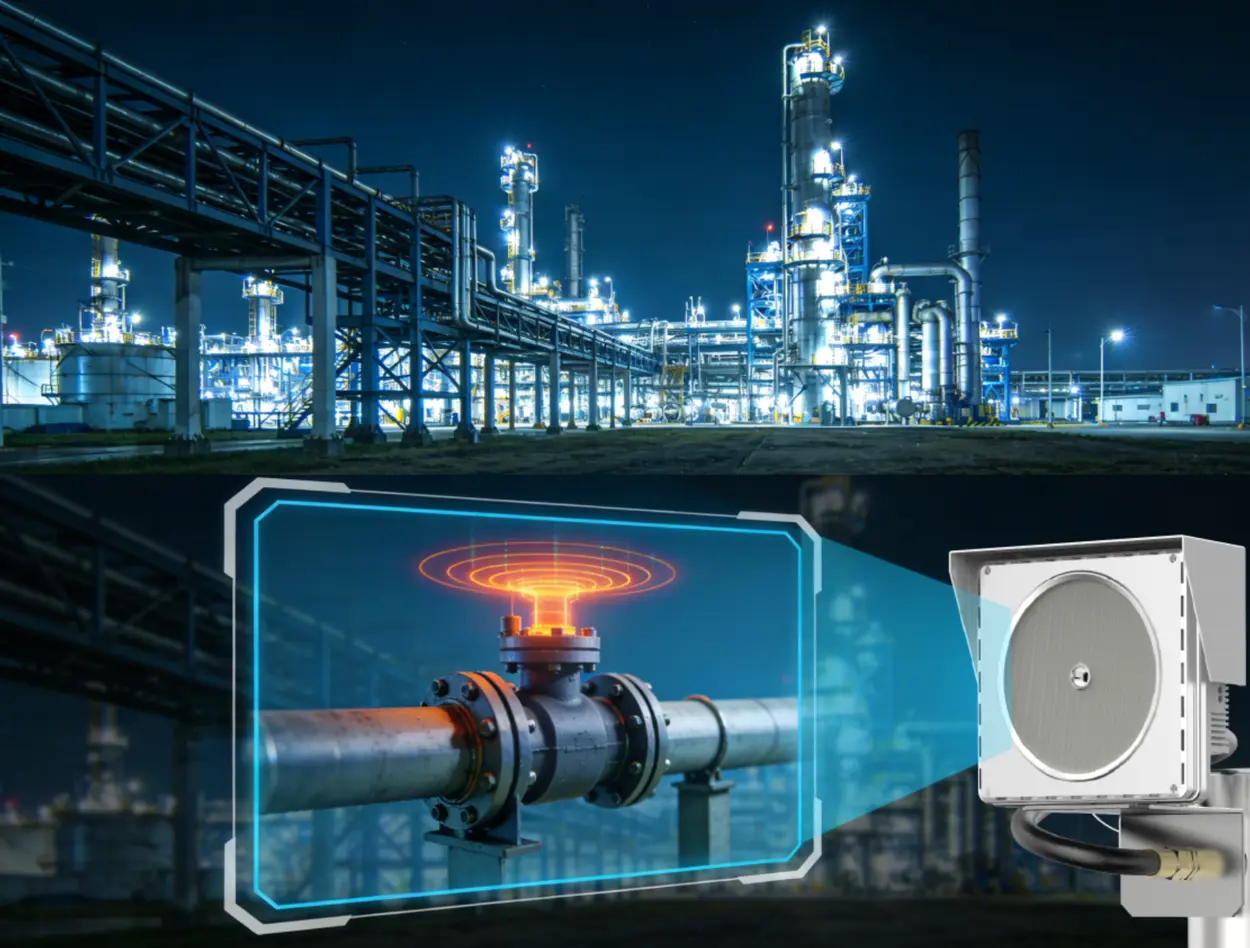
The Acoustic Imaging Leak Detection System is developed by CRYSOUND and has already been deployed in multiple coal chemical, petrochemical and natural gas facilities. It is used for online leak monitoring in high‑risk areas. This article is written by the Acoustic Imaging Leak Detection System project team at CRYSOUND based on real‑world deployment and operation experience. In a straightforward way, we will explain why such a system is needed, how it works in principle, what actually changes after it is put into service on site, and what it can and cannot do. Why is traditional leak inspection so difficult? In petrochemical plants, natural gas stations, coal chemical complexes and hazardous chemical storage yards, everyone understands how sensitive the word "leak" is. What really makes life hard is that many critical points are located high above ground, on pipe racks or at the tops of towers. In the past, finding a small leak at height usually meant going through a process like this: • Erect scaffolding or use a man‑lift and spend hours going up and down; • Climb around the pipe racks with soap solution or portable instruments in hand; • In winter, hands are frozen stiff; in summer, clothes are soaked with sweat, and even after checking a full round, people still worry: "There are so many valves and flanges, did we miss something?" To sum up, traditional leak inspection at such sites has several persistent pain points: • High locations: pipe racks at 20 meters or tower tops are hard to reach. Temporary access equipment is costly and high‑risk to use. • Very quiet leaks: the ultrasonic signals generated by small leaks are drowned in the noise of pumps and fans, and are practically impossible to hear with the human ear. • Invisible leaks: in the early stage, leak flow is tiny. Soap solution doesn't bubble, and the smell is faint. By the time you actually see stains or smell gas, the leak has usually spread. • Low efficiency: a single process area can easily have thousands of monitoring points. Manual "up and down" inspection is mostly spot‑checking, and it is very hard to achieve truly continuous and full coverage. Traditional electrochemical, infrared and laser‑based detection methods are essentially point or line monitoring: • Measuring at a fixed point to see whether the concentration exceeds a threshold; • Watching along a single optical path to see whether any gas crosses it. What operators actually want, however, is not only to know whether a leak exists, but also to see clearly, over a wide area, exactly where the leak is occurring. That is precisely the problem that the ultrasonic acoustic imaging leak detection system (Acoustic Imaging Leak Detection System) is designed to solve. Acoustic Imaging Leak Detection System: Turning "inaudible leak noise" into colorful soundmap on the screen Basic principle: pressurized gas leak → ultrasonic signal → colorful soundmap on the image When pressurized gas escapes through valve gaps, tiny flange cracks or weld defects, it interacts with the surrounding air and produces intense turbulence, creating a class of ultrasonic signals with distinct characteristics: • The greater the leak rate, the stronger the ultrasonic signal; • The higher the pressure difference, the more pronounced the acoustic characteristics; • These signals are quite different from the lower‑frequency mechanical noise of motors and pumps, which makes it possible to pick them out from the background. What Acoustic Imaging Leak Detection System does is to convert this "inaudible sound" into "visible images" in a smart way: • A multi‑channel ultrasonic sensor array is used to acquire ultrasonic signals simultaneously from multiple directions; • At the front end, amplification, filtering and denoising are performed to remove electromagnetic interference and low‑frequency background noise as much as possible; • Phase and amplitude differences between channels are analyzed to estimate the spatial distribution of sound energy and to infer from which direction and which area the leak noise is coming; • The sound energy distribution is mapped into a two‑dimensional "heat map" and overlaid onto the live video image from the field. In the end, the location with the strongest leak signal will appear as a red‑yellow‑green "cloud" on the display. For operators, the effect is very intuitive: wherever a cloud appears on the image, that is where something looks suspicious. Engineering parameters: how far and how small can it detect? Based on field tests and joint calibration results from multiple online projects,Acoustic Imaging Leak Detection System exhibits the following typical capabilities in engineering applications: Recommended detection distance: 0.5-50 m. Within roughly 1-30 m, the system achieves better signal‑to‑noise ratio and imaging performance for small leaks. Operating frequency range: Acoustic Imaging Leak Detection System operates in the ultrasonic band (above 20 kHz). A band‑pass filter is used to select the leakage characteristic band (typically 20-40 kHz), effectively suppressing audible‑range and low‑frequency mechanical noise. Minimum detectable leak rate / orifice size (for typical conditions): Under a minimum pressure difference of about 0.6 MPa, Acoustic Imaging Leak Detection System can provide visual detection for early‑stage leaks around the 0.1 mm scale at valve gaps and flange micro‑cracks. The actual sensitivity varies with gas type, pressure, background noise and sensor placement. Localization accuracy: Within the recommended detection distance, Acoustic Imaging Leak Detection System can provide leak localization with approximately centimeter‑level accuracy. Combined with the video image, it can effectively point to a specific piece of equipment or flange area on the screen. These values are not rigid, unchanging limits, but rather typical engineering‑level performance verified across multiple real‑world projects. Protection rating: Acoustic Imaging Leak Detection System has passed Ex ib IIC T4 Gb explosion‑proof certification and IP66 ingress protection tests, making it suitable for long‑term deployment in typical hazardous areas. System architecture: more than a single sensor-it is a complete online system Acoustic Imaging Leak Detection System is not just a "smart sensor". It is a complete online monitoring system that can roughly be broken down into three layers: Front‑end sensing layer: Pan‑tilt ultrasonic imaging leak detectors are deployed on site. They "listen" for leaks, capture the video image, and output the colored acoustic image. The pan‑tilt unit can rotate and tilt to scan a wide area. Mid‑tier storage layer: NVR and other storage equipment receive data from the front‑end devices, storing video, acoustic images and alarm records completely for later playback and incident analysis. Back‑end management layer: VMS and other management platforms connect to multiple front‑end devices, performing unified device management, detection control, alarm display and report generation, and presenting all data centrally on the control room video wall. In short: • The front end "sees" the leak point; • The mid‑tier "remembers" the process; • The back end "manages the whole site on one screen." A typical site: from climbing pipe racks to watching colored clouds Let us take a typical coal chemical unit in Ningxia as an example. In this facility, 11 Acoustic Imaging Leak Detection System units have been installed, covering gasifiers, heaters, tank farms and pipe racks. We can look at how day‑to‑day work has changed after Acoustic Imaging Leak Detection System was introduced. Before the retrofit: six people climbing for half a day and still feeling unsure In a typical gasifier area, there are many high‑temperature and high‑pressure pipelines, valves and flanges inside the unit. Many key points are located around 20 meters above ground. The media are mostly flammable or toxic gases, so any leak not only wastes feedstock but also poses risks to personnel safety and plant stability. Previously, inspection was carried out roughly as follows: • Several inspectors and maintenance technicians would be assigned, scaffolding or access platforms would be prepared, and then they would go up onto the pipe racks; • With soap solution and portable detectors in hand, they would walk along the racks and platforms, checking each flange and valve one by one; • A single round could easily take half a day. During major inspections or special campaigns, they might have to repeat this work for days in a row. Front‑line staff described this mode in three words: "tiring, slow, and worrying." Tiring: repeatedly climbing at height and twisting into awkward positions to look and listen close to equipment; Slow: in an area with dozens or hundreds of points, checking each one by one takes a long time; Worrying: with high background noise and many points, people always feel that eyes and ears alone may miss subtle issues. During the retrofit: letting the pan‑tilt unit "sweep the area" every day After assessing leak risks and inspection workload, we worked with the client to deploy several pan‑tilt ultrasonic imaging leak detectors at different platform elevations and connect them to Acoustic Imaging Leak Detection System: • High‑level pan‑tilt units cover key areas such as gasifier heads and pulverized coal lines; • Mid‑level units cover lock hoppers, heat‑tracing lines, and dense clusters of flanges and valves; • Low‑level units cover feed tanks and ground‑level pipelines. Setting patrol routes and presets For each pan‑tilt unit, several preset views are configured-for example, along a specific pipe rack, a group of flanges, or a particular platform area. Patrol cycles are set according to process sections and risk levels, with higher‑risk areas scanned more frequently. Connecting to the central control system All acoustic images and alarm information from the front‑end devices are fed into the Acoustic Imaging Leak Detection System management platform. On the control room video wall, operators can see an overview of the unit, the colored cloud images, and the alarm list at the same time. From then on, the devices basically follow the configured strategy and automatically "sweep the area" every day: • Each pan‑tilt unit rotates and tilts along its preset route, scanning key areas at each elevation; • Once characteristic ultrasonic leak signals appear at a certain location, a cloud will pop up at the corresponding position on the screen; • When operators in the control room see an abnormal cloud, they can immediately notify maintenance, who go straight to the indicated valve or flange to verify and fix the problem. After the retrofit: from "people hunting for problems" to "problems showing up on their own" After a period of operation, feedback from the site has mainly focused on three aspects: Fewer high‑level work operations Where previously 2-3 comprehensive high‑level inspection rounds per month were needed, they have now been reduced to seasonal campaigns plus on‑demand checks when abnormal clouds appear. High‑level work is much more focused on specific issues, and overall frequency has clearly dropped. Problems are found earlier and at a smaller scale In the past, many small leaks were only noticed when people smelled something or saw visible signs. Now, as soon as a leak reaches the detectable threshold, anomalies can appear on the cloud image in advance, allowing corrective actions to be taken earlier. Maintenance is more efficient Previously, when someone reported "it smells like gas in that area," maintenance teams had to check dozens of flanges and valves one by one. Now, Acoustic Imaging Leak Detection System directly marks which piece of equipment shows a strong acoustic anomaly on the screen, so technicians can take their work orders and go straight to the target region. Front‑line staff came up with a vivid summary: "In the past, we went around looking for problems; now, the problems show up on the screen by themselves." This, in essence, is the change from climbing pipe racks to watching colored clouds. What can Acoustic Imaging Leak Detection System do-and what can it not do? From a safety and engineering perspective, understanding the system's boundaries is very important-this is being responsible both to the plant and to the system itself. What Acoustic Imaging Leak Detection System is particularly good at Wide‑area online monitoring of high‑level and high‑risk zones By combining pan‑tilt units with sensor arrays, Acoustic Imaging Leak Detection System can perform area coverage scans within approximately 0.5-50 m, making it especially suitable for 20 m pipe racks, tower tops and other locations where frequent manual access is difficult. Visual localization Acoustic Imaging Leak Detection System not only tells you that "there is a leak", but also shows a cloud directly on the image to indicate where it is. With centimeter‑level localization accuracy, it can quickly narrow down to a specific piece of equipment or flange area. Around‑the‑clock monitoring Acoustic Imaging Leak Detection System can operate online 24/7, greatly reducing the dependence on "someone just happening to walk by that point" at the right time. Compared with methods that rely on gas concentration build‑up, Acoustic Imaging Leak Detection System is less affected by wind dispersing the gas, because it focuses on the ultrasonic signal generated by the jet itself, rather than on concentration readings at a single point. Reducing high‑level work and repetitive inspections By shifting from "frequent high‑level inspections" to "going up only when an abnormal cloud appears," Acoustic Imaging Leak Detection System helps reduce the workload and risk of working at height while improving overall inspection efficiency. What Acoustic Imaging Leak Detection System cannot do: limitations we need to acknowledge honestly It cannot "see" leaks that are completely blocked The ultrasonic leakage signal can only be effectively detected and imaged when it is able to propagate to the ultrasonic sensor array. If the leak source is completely blocked by structural components or thick‑walled shells along the path, the array will receive much weaker, or even no, leak signal. Such areas need to be compensated by reasonable sensor placement, multi‑angle coverage or other complementary detection methods. Strong ultrasonic interference sources require special design Examples include process blow‑off points, steam vents that are open for long periods, and high‑frequency pneumatic devices, all of which can generate ultrasonic signatures similar to leaks. For these points, on‑site noise spectrum analysis is usually carried out during project design, and measures such as regional masking or logic filtering are introduced. Acoustic Imaging Leak Detection System is not a universal replacement, but a powerful complement For some scenarios where gas concentration itself must be monitored-such as toxic gas alarms in occupied areas-electrochemical, infrared and laser‑based sensors are still necessary. Acoustic Imaging Leak Detection System is better suited to building a "sonic radar network" that lights up leak risks on the screen as early as possible. If we think of the entire leak‑monitoring setup as a team: • Concentration sensors are responsible for "defending the bottom line" (whether concentration exceeds the limit); • Acoustic Imaging Leak Detection System is like an "early scout," indicating where suspicious jets may be occurring and reminding you to take a closer look. Conclusion: let the system see the problem first so people can solve it more safely With an ultrasonic imaging leak detection system like Acoustic Imaging Leak Detection System in place, the way work is done can change fundamentally: • The system scans the unit along preset routes every day; • Once a colored cloud appears on the display, personnel take their work orders and go up in a targeted way to deal with the issue; • High‑level work becomes more focused and less frequent, and many leaks can be resolved before they cause noticeable impact. For industries such as petrochemicals, natural gas and coal chemicals, Acoustic Imaging Leak Detection System is not a flashy new gadget, but a way to identify leaks earlier, organize inspections more safely and manage risk more systematically. It is important to emphasize that Acoustic Imaging Leak Detection System is not a replacement for all traditional detection techniques, but an important piece of the puzzle. In actual projects, we usually combine Acoustic Imaging Leak Detection System with concentration detection, process interlocks and manual inspections, using a layered defense approach to improve overall leak‑control capability. If your site is facing issues such as many high‑level points with frequent scaffolding, late detection and slow troubleshooting of small leaks, or heavy inspection pressure at night and in bad weather, you may want to consider deploying an ultrasonic imaging leak detection system like Acoustic Imaging Leak Detection System-letting problems first appear clearly on the screen so that people can address them more calmly and safely. To discuss your application or see whether Acoustic Imaging Leak Detection System is a fit, please get in touch via our Get in Touch form.
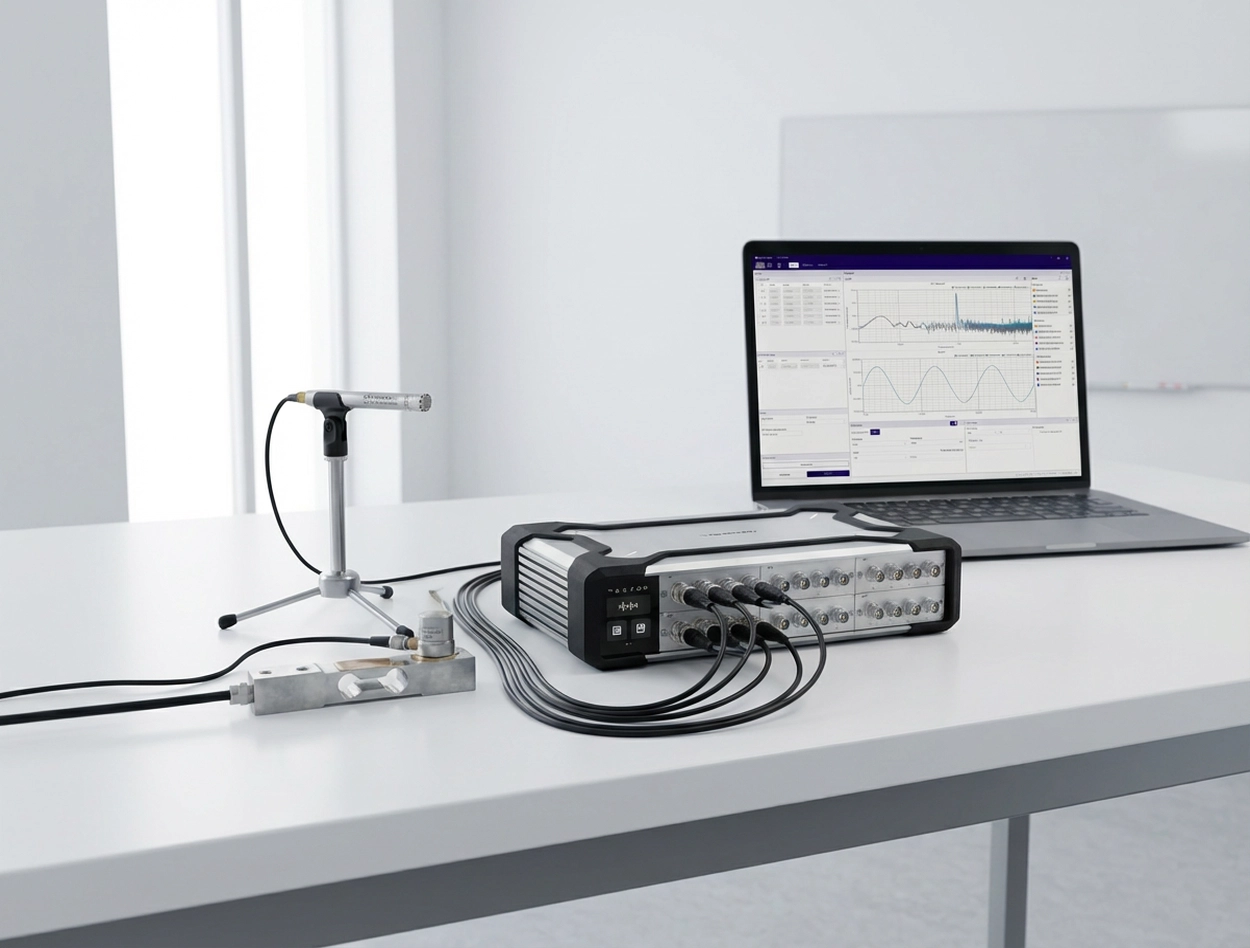
A data acquisition system (DAQ) is the measurement front end: it converts analog sensor outputs-such as voltage, current, and charge-into digital data. The signal is first conditioned (amplification, filtering, isolation, IEPE excitation, etc.) and then fed to an ADC, where it is digitized at the specified sampling rate and resolution; software subsequently handles visualization, storage, and analysis. This article systematically reviews common DAQ form factors, including PCIe/PXI plug-in cards, external USB/Ethernet/Thunderbolt devices, integrated data recorders, and modular distributed systems. It also summarizes key selection criteria-signal compatibility, channel headroom and scalability, sampling rate and anti-aliasing filtering, dynamic range, THD+N, clock synchronization and inter-channel delay, as well as delivery and after-sales support-to help readers quickly build a clear understanding of DAQ systems. Why Data Acquisition Matters? In the real world, physical stimuli such as temperature, sound, and vibration are everywhere. We can sense them directly; in a sense, the human body itself is a "data acquisition system": our senses act like sensors that capture signals, the nervous system handles transmission and encoding, the brain fuses and analyzes the information to make decisions, and muscles execute actions-forming a closed feedback loop. Progress in science and engineering ultimately comes from observing, understanding, and validating the world with more reliable methods. Physical quantities such as temperature, sound pressure, vibration, stress, and voltage are the primary carriers of information. However, human perception is subjective and cannot quantify these changes accurately and repeatably; and in high-current, high-temperature, high-stress, or high-SPL environments, direct exposure can even cause irreversible harm. To enable measurement that is quantifiable, recordable, and safer, data acquisition systems (DAQ) came into being. Put simply, a data acquisition system (DAQ) is an analog front end that converts a sensor's analog output (voltage/current/charge, etc.) into digital data at a defined sampling rate and resolution, and hands it to software for display, logging, and analysis (typically with the required signal conditioning). It helps engineers see problems more clearly-and solve them. In today's development cycles-from cars and aircraft to consumer electronics-it's difficult to validate performance, safety, and reliability efficiently without data acquisition. In durability testing, DAQ records cyclic load and strain for fatigue-life analysis; in noise control, synchronous multi-point acquisition of vibration and sound pressure helps identify noise sources and transmission paths. This quantitative capability is what provides a scientific basis for engineering improvements. DAQ applications span a wide range of fields: Automotive NVH and mechanical vibration testing: Used to acquire body vibration, noise, engine balance, structural modal data, and more-helping engineers improve vehicle ride comfort. Audio testing: In the development and production of speakers, microphones, headphones, and other audio devices, DAQ is used to measure frequency response, SPL, distortion, and more, to verify acoustic performance. Industrial automation and monitoring: DAQ is widely used for process monitoring, condition monitoring, and industrial control. For example, it acquires temperature, pressure, flow, and torque sensor signals to enable real-time monitoring and alarms, and it often must run continuously with high stability and strong immunity to interference. Research labs and education: From physics and biology experiments to seismic monitoring and weather observation, DAQ is a basic tool for capturing raw data. It makes data recording automated and digital, which simplifies downstream processing. As quality and performance requirements continue to rise across industries, DAQ has become an indispensable set of "eyes and ears," giving engineers the ability to observe and interpret complex phenomena. Common DAQ Form Factors Depending on interface, level of integration, and the application, DAQ hardware comes in several common forms. Below are a few typical DAQ card/system categories: TypeForm factor / InterfaceAdvantagesLimitationsTypical ApplicationPlug-in DAQ cardPCIe / PXI / PXIeLow latency; high throughput; strong real-time performanceNot portable; requires chassis/industrial PC; expansion limited by platformFixed labs; rack systems; high-throughput acquisitionExternal DAQ deviceUSB / Ethernet / ThunderboltPortable; fast setup; laptop-friendlyBandwidth/latency depends on interface; driver stability is critical; mind power and cablingField testing; mobile measurements; general-purpose DAQIntegrated data recorderBuilt-in battery/storage/display (standalone)Ready out of the box; easy in the field; straightforward offline loggingChannel count/algorithms often limited; weaker expandability; post-processing depends on exportPatrol inspection; quick diagnostics; long-duration offline loggingModular distributed systemMainframe + modules; network expansion (synchronized)Mix signal types as needed; easy channel scaling; strong synchronizationPlanning matters: sync/clock/cabling; system design becomes more important at scaleSynchronized Multi-Physics Measurement;High-Channel-Count Scalability;Distributed, Multi-Site Testing Plug-in DAQ cards (internal): These are boards installed inside a computer, with typical interfaces such as PCI, PCIe, and PXI (CompactPCI). They plug directly into the PC/chassis bus and are powered and controlled by the host, providing high bandwidth and strong real-time performance for high-throughput applications in desktop or industrial PC environments. The trade-off is portability-these are usually used in fixed labs or rack systems. External DAQ devices (modules): DAQ hardware that connects to a computer via USB, Ethernet, Thunderbolt, and similar interfaces. USB DAQ is common-compact, plug-and-play, and well-suited to laptops and field testing. Ethernet/network DAQ enables longer cable runs and multi-device connections. External units are generally portable with their own enclosure, but high-end models may be somewhat limited in real-time performance by interface bandwidth (USB latency is typically higher than PCIe). Portable / integrated data recorders: These integrate the DAQ hardware with an embedded computer, display, and storage to form a standalone instrument. They're convenient in the field and can acquire, log, and do basic analysis without an external PC. Examples include portable vibration acquisition/analyzer units with tablet-style displays and handheld multi-channel recorders. They are typically optimized for specific applications, ready to use out of the box, and well-suited for mobile measurements or quick on-site diagnostics. Modular distributed DAQ system platform: Built from multiple acquisition modules and a main controller/chassis, allowing flexible channel scaling and mixing of different function modules. Each module handles a certain signal type or channel count and connects to the controller (or directly to a PC) over a high-speed, time-synchronized network (e.g., EtherCAT, Ethernet/PTP). This architecture offers very high scalability and distributed measurement capability; modules can be placed close to the test article to reduce sensor cabling. For example, CRYSOUND's SonoDAQ is a modular platform: each mainframe supports multiple modules and can be expanded via daisy-chain or star topology to thousands of channels. Modular systems are a strong fit for large-scale, cross-area synchronized measurement. What Makes Up a DAQ System? A complete data acquisition system typically includes the following key building blocks: Sensors: The front end that converts physical phenomena into electrical signals-for example, microphones that convert sound pressure to voltage, accelerometers that convert acceleration to charge/voltage, strain gauges that convert force to resistance change, and thermocouples for temperature measurement; Signal conditioning: Electronics between the sensor and the DAQ ADC that adapts and optimizes the signal.Typical functions include gain/attenuation (scaling signal amplitude into the ADC input range), filtering (e.g., anti-aliasing low-pass filtering to remove noise/high-frequency content), isolation (signal/power isolation for noise reduction and protection), and sensor excitation (providing power to active sensors, such as constant-current sources for IEPE sensors). Analog-to-digital converter (ADC): The core component that converts continuous analog signals into discrete digital samples at the configured sampling rate and resolution. Sampling rate sets the usable bandwidth (it must satisfy Nyquist and include margin for the anti-aliasing filter transition band), while resolution (bit depth) affects quantization step size and usable dynamic range. Many DAQ products use 16-bit or 24-bit ADCs; in high-dynamic-range acoustic/vibration front ends (such as platforms like SonoDAQ), you may also see 32-bit data output/processing paths to better cover wide ranges and weak signals (depending on the specific implementation and how the specs are defined). Data interface and storage: The ADC's digital data must be delivered to a computer or storage media. Plug-in DAQ writes directly into host memory over the system bus. USB/Ethernet DAQ streams data to PC software through a driver. In addition to USB/Ethernet/wireless data transfer, SonoDAQ also supports real-time logging to an onboard SD card, allowing standalone recording without a PC-useful as protection against link interruptions or for long-duration unattended acquisition. Host PC and software: This is the back end of a DAQ system. Most modern DAQ relies on a computer and software for visualization, logging, and analysis. Acquisition software sets sampling parameters, controls the measurement, displays waveforms in real time, and processes data for results and reporting. Different vendors provide their own platforms (e.g., OpenTest, NI LabVIEW/DAQmx, DewesoftX, HBK BK Connect). Software usability and capability directly impact productivity. In addition, CRYSOUND's OpenTest supports protocols such as openDAQ and ASIO, enabling configuration with multiple DAQ systems. What Specs Matter When Selecting a DAQ? Three common selection pitfalls: Focusing only on "sampling rate / bit depth" while ignoring front-end noise, range matching, anti-aliasing filtering, and synchronization metrics: the data may "look like it's there," but the analysis is unstable and not repeatable. Sizing channel count to "just enough" with no headroom: once you add measurement points, you're forced to replace the whole system or stack a second system-increasing cost and integration effort. Focusing only on hardware while ignoring software and workflow: configuration, real-time monitoring, batch testing, report export, and protocol compatibility (openDAQ/ASIO, etc.) directly determine throughput. What you should evaluate: Signal types to acquire: In selection, clearly defining your signal types is the first step. Acoustic/vibration measurements are very different from stress, temperature, and voltage measurements. Traditional systems often support only a subset of signal types-for example, only sound pressure and acceleration-so when the requirement expands to temperature, you may need a second system, which increases budget and adds integration/synchronization complexity. SonoDAQ uses a modular platform approach: by inserting the required signal-type modules, you can expand capability within one system and run synchronized multi-physics tests-configuring what you need in one platform. Channel count and scalability: First determine how many signals you need to acquire and choose a DAQ with enough analog input channels (or a system that can expand). It's best to leave some margin for future points-for example, if you need 12 channels today, consider 16+ channels. Equally important is scalability: SonoDAQ can be synchronized across multiple units to scale to hundreds or even thousands of channels while maintaining inter-channel acquisition skew < 100 ns, which suits large-scale testing. By contrast, fixed-channel devices cannot be expanded once you exceed capacity, forcing a replacement and increasing cost. Match sampling rate to signal bandwidth: start with the highest frequency/bandwidth of interest. The baseline is Nyquist (sampling rate > 2× the highest frequency). In practice, you also need margin for the anti-aliasing filter transition band, so many projects start at 2.5-5× bandwidth and then fine-tune based on the analysis method (FFT, octave bands, order tracking, etc.). For example, if engine vibration content tops out at 1 kHz, you might start at 5.12 kS/s or higher; for speech/acoustics that needs to cover 20 kHz, common choices are 51.2 kS/s or 96 kS/s. In short: base it on the spectrum, keep some margin, and align it with your filtering and analysis. Measurement accuracy and dynamic range: If your application needs to resolve weak signals while also covering large signal swings-for example, NVH tests often need to capture very low noise in quiet conditions and also record high SPL under strong excitation-you need a high-dynamic-range, high-resolution DAQ (24-bit ADC or higher, dynamic range > 120 dB). For audio testing, where distortion and noise floor matter and you want the DAQ's self-noise to be well below the DUT, choose a low-noise, high-SNR front end and check vendor specs such as THD+N. Environment and use constraints: Think about where the DAQ will be used: on a lab bench, on the factory floor, or outdoors in the field. If you need to travel frequently or test on a vehicle, a portable/rugged DAQ is usually a better fit.For scenarios without stable power for long periods, built-in battery capability and battery runtime become critical. Lead time and after-sales support: After you define the procurement need, delivery lead time is a practical factor you can't ignore. If your schedule is tight, a 2-3 month lead time can directly delay project kickoff and execution, so evaluate the supplier's delivery commitment. Support is equally important: training, responsiveness when issues occur, and whether remote or on-site assistance is available. Also review warranty terms, software upgrade policy, and support response mechanisms-these directly affect long-term system stability and overall project efficiency. With the above steps, you can narrow down the DAQ characteristics that fit your application and make a defensible choice from a crowded product list. In short: start from requirements, focus on the key specs, plan for future expansion, and don't ignore vendor maturity and support. Choose the right tool, and testing becomes far more efficient. FAQ Q: Can I use a sound card as a DAQ? A: For a small number of audio channels where synchronization/range/calibration requirements are not strict, a sound card can "work" at a basic level. But in engineering test work, common issues are: no IEPE excitation, insufficient input range and noise floor, uncontrolled channel-to-channel sync, and driver latency that is high and unstable. If you need repeatable, traceable test data, use a professional DAQ front end. Q: What's the difference between a DAQ and an oscilloscope? A: An oscilloscope is more of an electronics debugging tool-great for capturing transients and doing quick troubleshooting. A DAQ is more of a long-duration, multi-channel, time-synchronized acquisition and analysis system, with an emphasis on channel scalability, synchronization consistency, long-term stability, and data management. Q: How do I choose the sampling rate? A: Start from the highest frequency/bandwidth of interest and meet Nyquist (>2× fmax) as a baseline. In practice, also account for the anti-aliasing filter transition band and your analysis method; starting at 2.5-5× bandwidth is usually safer. If you're unsure, prioritize proper filtering and dynamic range first, then optimize sampling rate. Q: What is IEPE, and when do I need it? A: IEPE is a constant-current excitation scheme used by sensors such as accelerometers and IEPE measurement microphones, with power and signal on the same cable. If you use IEPE sensors, your DAQ front end must support IEPE excitation, appropriate isolation/grounding strategy, and suitable input range and bandwidth. Q: What should I check for multi-channel / multi-device synchronization? A: Focus on three things: a common clock source (external clock/PTP/GPS, etc.), channel-to-channel sampling skew/delay, and trigger/alignment strategy. For NVH, array measurements, and structural modal testing, sync performance often matters more than single-channel specs. Q: How do I estimate channel count-and should I leave headroom? A: List the "must-measure" signals and points first, then add auxiliary channels such as tach/trigger/temperature. A good rule is to reserve at least 20%-30% headroom, or choose a modular platform that scales, so you're not forced to replace the system when points get added. If you'd like to learn more about the latest intelligent sound & vibration data acquisition system, SonoDAQ, from CRYSOUND, including its key features, typical application scenarios, and common configuration options, please fill out the Get in touch form below to contact the CRYSOUND team. You're also welcome to reach out to the CRYSOUND team. Based on your constraints-such as signal types, channel count, sampling rate/bandwidth, synchronization requirements, and on-site environmental conditions-we can provide a product demo and practical configuration recommendations. SonoDAQ Pro: A Modular DAQ System Built for Acoustic & NVH Testing For engineers focused on acoustic, vibration, and NVH testing, choosing a general-purpose DAQ system often means compromising on signal conditioning, synchronization accuracy, or software integration. SonoDAQ Pro is designed specifically for these demands - combining high-channel-count acquisition, precision synchronization, and deep integration with the open-source OpenTest software platform. SonoDAQ Pro vs. Typical DAQ Systems - Key Differences FeatureTypical DAQ SystemSonoDAQ ProChannels4-16 (fixed)4-24 per unit, scalable across unitsDynamic Range~120 dB typicalUp to 170 dBSynchronizationTrigger or proprietary syncPTP (IEEE 1588) / GPS, ≤100 nsChannel IsolationBasic floating or none1000 V isolation per channelSoftwareVendor-locked (NI LabVIEW, imc STUDIO, etc.)OpenTest - open-source, no license feesWorkflowAcquire → export → analyze (separate tools)Acquire → analyze → report in one platformField DeploymentLab-oriented, limited mobilityCompact, field-ready, battery-compatible When to Choose SonoDAQ Pro Automotive NVH testing: Multi-point vibration and sound pressure acquisition with GPS-synchronized road test capabilityAcoustic camera integration: Pair with CRYSOUND acoustic cameras for simultaneous beamforming + time-domain DAQ in one workflowHigh-voltage environment measurements: 1000 V channel isolation protects both the system and the engineer in EV/power electronics testingMulti-site synchronized testing: PTP network sync enables sub-microsecond alignment across distributed measurement pointsOpen software requirements: OpenTest's Python-based automation and open architecture fit teams that need custom workflows without vendor lock-in → Learn more about SonoDAQ Pro or request a demo to see how it fits your specific test requirements.
As the AR glasses market transitions from proof-of-concept to large-scale commercialization, product capabilities in audio and haptic interaction continue to expand, driving increased demands for production-line testing. With key modules such as audio and VPU (Vibration Processing Units), AR glass production-line testing is evolving from simple functional validation to consistency control aimed at enhancing real-world user experience. Based on actual mass production project experience, this article introduces audio and VPU testing solutions for different workstations, with a focus on free-field audio testing, VPU deployment, and fixture design, providing practical reference for scaling AR glasses manufacturing. Accelerating Market Expansion of AR Glasses and New Trends in Production-Line Testing As smart glasses products mature, their functional boundaries are expanding rapidly. According to various industry reports, the shipment volume and investment scale of AR glasses continue to increase, with the market shifting from concept validation to commercialization. Products driven by companies like Meta are increasingly capable of supporting voice interaction, calls, notifications, and recording, supplementing functions traditionally carried out by smartphones and earphones. This shift has transformed AR glasses from a low-frequency conceptual product into a high-frequency wearable interaction terminal. Consequently, audio capabilities have become a core component of the smart glasses experience, directly impacting voice interaction and call quality. At the same time, vibration and haptic feedback have been introduced to enhance interaction confirmation and user perception. As these capabilities become commonplace in mass-produced products, production-line testing is no longer just focused on whether basic functions work but is now required to handle multiple critical capabilities, such as audio and VPU, simultaneously. This shift presents new challenges for upgrading production-line testing solutions. Audio Testing Solutions for Multi-Station Production Lines Audio is one of the most directly influential functions on the user experience of AR glasses, and its production-line testing needs to balance accuracy, consistency, and production efficiency. In a multi-station production environment, audio testing is often distributed across several workstations depending on the assembly phase. At the temple or frame workstations, audio testing focuses more on validating the basic performance of individual microphones or speakers, ensuring that key components meet the requirements early in the assembly process and avoiding costly rework later on in the process. At the final assembly workstation, the focus shifts to overall audio performance and system-level coordination. While different workstations focus on different aspects, the fixture positioning, acoustic environment control, and testing process design need to maintain consistent logic throughout. CRYSOUND's AR glass audio testing solutions are designed to address this need, with a unified testing architecture that allows flexible deployment across different workstations while maintaining stable and consistent results. The solutions can be divided into the following two types, meeting the aesthetic and UPH requirements of different production lines. Drawer-Type Single-Unit (1-to-1) Easy automation integration Standing operation for convenient loading and unloading Simultaneous testing of SPK and MIC (airtightness), supporting multi-MIC scenarios Serial testing for left and right SPK, parallel testing for multiple MICs Supports Bluetooth, USB ADB, and Wi-Fi ADB communication Average cycle time (CT): 100s | UPH: 36 Clamshell Dual-Unit (1-to-2) Parallel dual-unit testing for improved efficiency Ergonomic seated operation design Simultaneous testing of SPK and MIC (airtightness), supporting multi-MIC scenarios Serial testing for left and right SPK (single box), parallel testing for multiple MICs Supports Bluetooth, USB ADB, and Wi-Fi ADB communication Average cycle time (CT): 150s | UPH: 70 Speaker EQ in AR Glasses: From Pressure Field to Free Field In traditional earphone products, speaker EQ is usually built in a relatively stable pressure-field environment, where ear coupling and wearing style have a well-controlled impact on the acoustic environment. In contrast, AR glasses typically use open structures for the speakers, with no sealed cavity between the driver and the ear, making their acoustic performance closer to free-field characteristics. This structural difference makes the frequency response of AR glasses speakers more sensitive to sound radiation direction, structural reflections, and wearing posture, and dictates that their EQ strategy cannot simply follow earphone product experience. In the production-line testing and tuning process, the speaker EQ for AR glasses needs to be evaluated and validated under free-field conditions. Due to the open acoustic structure, the frequency response is more susceptible to structural reflections, assembly tolerances, and variations in wearing posture, making it difficult to rely solely on hardware consistency to ensure stable listening across different products. By introducing EQ tuning, these systemic deviations can be compensated without changing the structural design, improving the consistency of audio performance during mass production. The focus of the testing solution is not to pursue idealized sound quality, but rather to capture real acoustic differences under stable and repeatable free-field testing conditions, providing reliable data for EQ parameter validation. CRYSOUND supports customized EQ algorithms. In one mass production project, speaker EQ calibration was introduced at the final test station under free-field conditions, and the results were accepted by the customer, validating the applicability and practical significance of this solution for glasses products. VPU Testing Solutions for AR/Smart Glasses Why AR Glasses Include VPU (Vibration Processing Unit) As AR/smart glasses increasingly support voice interaction, calls, and notifications, relying on audio feedback alone is no longer enough. In noisy environments, privacy-sensitive scenarios, or with low-volume prompts, users need a feedback method that does not disturb others but is sufficiently clear. This is where VPU is introduced. Unlike traditional earphones, glasses are not always tightly coupled to the ear, making audio prompts more susceptible to environmental noise. By utilizing vibration or haptic feedback, the system can convey status confirmations, interaction responses, or notifications to users without increasing volume or relying on screens. Therefore, VPU becomes a key component for supplementing or even replacing some audio feedback in AR glasses. Primary Roles of VPU in AR Glasses In current mass-produced smart glasses designs, VPU typically serves the following functions: Interaction confirmation feedback: such as successful voice wake-up, completed command recognition, or the start/stop of recording or photo taking. Silent notifications: vibrational feedback in scenarios where audio prompts are unsuitable. Enhanced experience: boosting interaction certainty and immersion when combined with audio feedback. These functions have made VPU an essential capability in the AR glasses interaction experience, rather than just an optional feature. Typical VPU Placement in AR Glasses (Why in the Nose Bridge/Pads) Structurally, VPU is typically located near the nose bridge or nose pads for three main reasons: Proximity to sensitive body areas: The nose bridge is sensitive to small vibrations, providing high feedback efficiency. Stable and consistent coupling: Compared to the temples, the nose bridge has a more stable and consistent contact with the face, ensuring better vibration transmission. Does not interfere with audio device layout: Avoids interference with speakers and microphones in the temple region. Therefore, during production-line testing, VPU is often tested as an independent target, requiring dedicated verification at the frame or final assembly stage. VPU Testing Implementation and Consistency Control on the Production Line Based on the functional positioning and structural characteristics of VPU in AR glasses, VPU testing is typically scheduled based on the product form and assembly progress in mass production. In some cases, testing may even be moved earlier in the process to identify potential VPU issues before they are exacerbated in subsequent assembly stages. It is important to note that production-line testing environments differ fundamentally from laboratory validation environments. In laboratory testing, VPU is typically tested as a standalone component under simplified conditions and higher excitation levels (e.g., 1g). However, in production-line environments, the VPU is already integrated into the frame or complete product, requiring excitation conditions that closely mimic those of real-world wearing scenarios. In practice, production-line VPU testing typically takes place in the 0.1g-0.2g, 100-2kHz excitation range, verifying consistency in VPU performance under realistic physical conditions. CRYSOUND's AR glasses VPU production-line testing solution uses the CRY6151B Electro-Acoustic Analyzer as the testing and analysis platform. The vibration table provides stable excitation, and the product VPU synchronizes vibration response signals with a reference accelerometer. Software analysis evaluates key parameters such as frequency response (FR) and total harmonic distortion (THD).This test architecture balances testing effectiveness and production-line throughput, meeting the deployment needs for VPU testing at different stations. Compared to audio testing, VPU testing is more sensitive to testing configurations and fixture design, with less room for error and greater difficulty in consistency control. Based on experience from multiple projects, fixture design must fully account for structural differences in locations such as the nose bridge and nose pads. It is important to prioritize materials and contact methods that facilitate vibration transmission, and to design standardized fixture shapes that keep the fixture's center of gravity aligned with the vibration table's working plane, minimizing the introduction of additional variables at the structural level. By following these design principles, the stability and repeatability of VPU test results can be improved in a production-line environment, providing reliable support for validating the product's VPU capabilities. From Functional Testing to Experience Constraints In AR glasses production lines, the role of testing is evolving. In the past, audio or vibration modules were more likely to be treated as independent functions, with the goal of confirming whether they were "functional." However, with the current form of the product, these modules directly influence voice interaction, wearing comfort, and overall experience. As a result, the test results now serve as a prerequisite for the overall product performance. For example, audio and VPU modules are no longer just performance verification items; they now play a role in the consistency control of the user experience. The interaction between audio performance, vibration feedback, and structural assembly means that production-line testing needs to identify potential issues that could affect the experience in advance, rather than just filtering out problems at the final inspection stage. This change is pushing test strategies from "functional pass" to "experience control." If you'd like to learn more about AR glasses audio testing solutions-or discuss your blade process and inspection targets-please use the "Get in touch" form below. Our team can share recommended settings and an on-site workflow tailored to your production conditions.
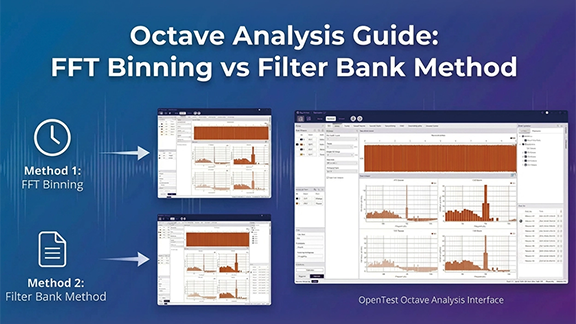
Octave-band analysis can be implemented in two fundamentally different ways: FFT binning (integrating PSD/FFT bins into 1/1- and 1/3-octave bands) and a true octave filter bank (standards-oriented bandpass filters + RMS/Leq averaging). In this post, we compare how the two methods work, where their results match, where they diverge (scaling, window ENBW, band-edge weighting, latency, transient response), and how OpenTest supports both for acoustics, NVH, and compliance measurement. For a detailed explanation of the concepts, read this → Octave-Band Analysis: The Mathematical and Engineering Rationale Octave-band filter banks (true octave / CPB filter bank) Parallel bandpass filters + energy detector + time averaging A filter-bank (true octave) analyzer typically: Design a bandpass filter H_b(z) (or H_b(s)) for each band center frequency. Run filters in parallel to obtain band signals y_b(t). Compute band mean-square/power and apply time averaging to output band levels. To be comparable across instruments, filter magnitude responses must satisfy IEC/ANSI tolerance masks (class) for the specified filter set. [1][3] IIR vs FIR: why IIR (cascaded biquads) is common in practice IIR advantages: lower order for a given roll-off, lower compute, good for real-time/embedded; stable when implemented as SOS/biquads. FIR advantages: linear phase is possible (useful when waveform shape matters); design/verification can be more straightforward. For band-level outputs, phase is usually not the primary concern, so IIR filter banks are common. Multirate processing: the "secret weapon" of CPB filter banks Low-frequency CPB bands are very narrow. Implementing them at the full sampling rate is inefficient. A common strategy is to group bands by octave and downsample for low-frequency groups: Low-pass then decimate (e.g., by 2 per octave) for lower-frequency groups. Implement the corresponding bandpass filters at the reduced sampling rate. Ensure adequate anti-aliasing before decimation. Time averaging / time weighting: band levels are statistics, not instantaneous values Band levels typically require time averaging. Common options include block RMS, exponential averaging, or Leq (energy-equivalent level). In sound level meter contexts, IEC 61672-1 defines Fast/Slow time weightings (Fast ~125 ms, Slow ~1 s). [5][6] Engineering implication: different time constants produce different readings, so time weighting must be stated in reports. How to validate that a filter bank behaves "like the standard" Sine sweep: verify passband behavior and adjacent-band isolation; observe time delay effects. Pink/white noise: verify average band levels and variance/stabilization time; check effective bandwidth behavior. Impulse/step: examine ringing and time response (critical for transient use). Cross-check against a known compliant reference instrument/implementation. From band definitions to compliant digital filters: an end-to-end workflow (conceptual) Choose the band system: base-10/base-2, the fraction 1/b (commonly b=3), generate exact fm and f1/f2. Choose performance target: which standard edition and which class/mask tolerance? Choose filter structure: IIR SOS for real-time; FIR or forward-backward filtering if phase/zero-phase is required. Design each bandpass: map f1/f2 into the digital domain correctly (e.g., pre-warp for bilinear transform). Implement multirate if needed: decimate for low-frequency groups with sufficient anti-alias filtering. Verify: magnitude response vs mask; noise tests for effective bandwidth; sweep/impulse tests for time response. Calibrate and report: units and reference quantities, averaging/time weighting, method details. Time response explained: group delay, ringing, and averaging all shape readings A band-level analyzer is a time-domain system (filter → energy detector → smoother), so readings are governed by multiple time scales: Filter group delay: how late events appear in each band. Filter ringing/decay: how long a short pulse "rings" within a band. Energy averaging/time weighting: the time resolution vs fluctuation of the output level. Thus, for transients (impacts, start/stop events, sweeps), different compliant implementations can yield different peak levels and time tracks-consistent with ANSI's caution. [3] Rule of thumb: for steady-state contributions, use longer averaging for stability; for transient localization, shorten averaging but accept higher variability and lock down algorithm details. Common real-time pitfalls Forgetting anti-aliasing in the decimation chain: low-frequency bands become contaminated by aliasing. Numerical instability of high-Q low-frequency IIR sections: use SOS/biquads and sufficient precision. Averaging in dB: always average in energy/mean-square, then convert to dB. Assuming band energies must sum exactly to total energy: standard filters are not necessarily power-complementary; verify using standard-consistent criteria instead. Octave-Band Filter Bank Analysis in OpenTest OpenTest supports octave-band analysis using a filter-bank approach:1) Connect the device, such as SonoDAQ Pro2) Select the channels and adjust the parameter settings. For an external microphone, enable IEPE and switch to acoustic signal measurement.3) In the Octave-Band Analysis section under Measurement Mode, choose the IEC 61260-1 algorithm. It supports real-time analysis, linear averaging, exponential averaging, and peak hold.4) After configuring the parameters, click the Test button to start the measurement.5) A single recording can be analyzed simultaneously in 1/1-octave, 1/3-octave, 1/6-octave, 1/12-octave, 1/24-octave, and 1/24-octave bands. Figure 1: Octave-Band Filter Bank Analysis in OpenTest FFT binning and FFT synthesis FFT binning: convert a narrowband spectrum into CPB band integrals Estimate spectrum (single FFT, Welch PSD, or STFT). Integrate/sum within each octave/fractional-octave band to obtain band power. This is common in software/offline work because a single FFT provides high-resolution spectrum that can be re-binned into any band system (1/1, 1/3, 1/12, ...). Key challenge #1: FFT scaling and window corrections After an FFT, scaling depends on your definitions: 1/N normalization, amplitude vs power vs PSD, one-sided vs two-sided spectrum, and windowing. For noise measurements, ENBW is crucial; ignoring it can introduce systematic offsets. [7] A practical PSD normalization (periodogram form) # convert to one-sided PSD: multiply by 2 except DC (and Nyquist if present) This yields PSD in units of (input unit)²/Hz and supports energy consistency checks by integrating PSD over frequency. Two quick self-checks for scaling White noise check: generate noise with known variance σ²; integrate one-sided PSD over 0..fs/2 and recover ≈σ² (accounting for the ×2 rule). Pure tone check: generate a sine with amplitude A (RMS=A/√2); integrating spectral energy should recover ≈A²/2 (subject to leakage and window choice). If both checks pass, your FFT scaling is likely correct; then partial-bin weighting and octave binning become meaningful. Key challenge #2: band edges rarely align to bins → partial-bin weighting Hard include/exclude decisions at band edges cause step-like errors, especially at low frequency where bands are narrow. Use overlap-based weighting (Section 4.2.4) for the boundary bins. Does zero-padding solve edge misalignment? (common misconception) Zero-padding interpolates the displayed spectrum but does not improve true frequency resolution (which is set by the original window length). It can reduce visual stair-stepping but cannot turn 1-2-bin low-frequency bands into reliable band-level estimates. Fundamental fixes are longer windows or multirate processing/filter banks. Key challenge #3: time-frequency trade-off (window length sets low-frequency accuracy and delay) FFT resolution is Δf = fs/N. Low-frequency 1/3-octave bands can be only a few Hz wide, so achieving enough bins per band requires very large N, increasing latency and smoothing transients. Root cause: 1/3 octave is constant-Q, but STFT uses constant-Δf bins In CPB, band width scales with frequency (Δf_band ∝ f, constant-Q). In STFT, bin spacing is constant (Δf_bin constant). Therefore low-frequency CPB needs extremely fine Δf_bin (long windows), while high frequency is over-resolved. Solution routes: long-window STFT vs multirate STFT vs CQT/wavelets Long-window STFT: simplest, but high latency and transient smearing. Multirate STFT: downsample low-frequency content and FFT at lower fs, similar in spirit to multirate filter banks. Constant-Q transform (CQT) / wavelets: naturally logarithmic resolution, but matching IEC/ANSI masks requires extra calibration/validation. [4] For compliance measurements, standards-oriented filter banks are preferred; for research/feature extraction, CQT/wavelets can be attractive. FFT synthesis: constructing per-band filtering in the frequency domain FFT synthesis pushes the FFT approach closer to a filter bank: Define a frequency-domain weight W_b[k] per band (brick-wall or smooth/mask-like). Compute Y_b[k] = X[k]·W_b[k] and IFFT to get y_b[n]. Compute band RMS/averages from y_b[n]. It can easily implement zero-phase (non-causal) filtering. For strict IEC/ANSI matching, W_b and normalization must be carefully designed and validated. Making FFT synthesis stream-like: OLA, dual windows, and amplitude normalization To output continuous time signals per band, use overlap-add (OLA): frame, window, FFT, apply W_b, IFFT, synthesis window, and OLA. Choose analysis/synthesis windows to satisfy COLA (constant overlap-add) conditions (e.g., Hann with 50% overlap) to avoid periodic level modulation. If the goal is to match standard filters, how should W_b be chosen? W_b[k] depends on what you want to match: Match brick-wall integration: W_b is hard 0/1 within [f1,f2]. Match IEC/ANSI filter behavior: |W_b(f)| approximates the standard mask and effective bandwidth (matches ∫|W_b|²). Match energy complementarity for reconstruction: design Σ_b |W_b(f)|² ≈ 1 (Section 7.6). You typically cannot satisfy all three perfectly at once; define your priority (compliance vs decomposition/reconstruction) up front. Energy-conserving frequency-domain filter banks: why Σ|W_b|² matters If you want band energies to sum to total energy (within numerical error), a common design aims for approximate power complementarity: IEC/ANSI masks do not necessarily enforce strict complementarity, so don't assume exact additivity in compliance contexts. Welch/averaging strategies: how to make FFT band levels stable Use Welch averaging (segment, window, overlap, average power spectra). Average in the power domain (|X|² or PSD), then convert to dB. For non-stationary signals, consider STFT to obtain time-band matrices. Report window type, overlap, averaging count, and ENBW/CG treatment. FFT-Binning Analysis in OpenTest OpenTest supports octave-band analysis based on FFT binning:1) Connect the device, such asSonoDAQ Pro2) Select the channels and adjust the parameter settings. For an external microphone, enable IEPE and switch to acoustic signal measurement.3) In the Octave-Band Analysis section under Measurement Mode, choose the FFT-based algorithm.4) A single recording can be analyzed simultaneously in 1/1-octave, 1/3-octave, 1/6-octave, 1/12-octave, and 1/24-octave bands. Figure 2: FFT-Binning Octave-Band Analysis in OpenTest Filter-bank vs FFT/FFT synthesis: differences, equivalence conditions, and trade-offs A comparison table DimensionFilter-bank (True Octave / CPB)FFT binning / FFT synthesisStandards complianceEasier to match IEC/ANSI magnitude masks; mainstream for hardware instruments. [1][3]Hard binning behaves like band integration; matching masks requires extra weighting or standard-compliant digital filters.Real-time / latencyCausal real-time possible; latency set by filter order and averaging.Block processing adds at least one window length of delay; low-frequency resolution often forces longer windows.Transient responseContinuous output but affected by group delay/ringing; different compliant implementations may differ. [3]Set by STFT windowing; transients are smeared by windows and sensitive to window type/length.Leakage & correctionsControlled via filter design; leakage can be managed.Strongly depends on window and ENBW/scaling; edge-bin misalignment needs partial weighting. [7]InterpretabilityRMS after bandpass filtering-aligned with sound level meters and analyzers.Spectrum estimation + binning-more statistical; interpretation depends on window/averaging settings.ComputationMany filters in parallel; multirate can reduce cost.One FFT can serve all bands; efficient for offline/batch.Phase & reconstructionIIR is typically nonlinear phase (fine for levels).Frequency weights can be zero-phase; reconstruction needs attention to complementarity and transitions. When do both methods give (almost) the same answers? Band-averaged results typically agree closely when: You compare averaged band levels (not transient peak tracks). The signal is approximately stationary and the observation time is long enough. FFT resolution is fine enough that each band contains enough bins (especially at the lowest band). FFT scaling is correct (one-sided handling, Δf, window U, ENBW/CG where needed). Partial-bin weighting is used at band edges. Why differences grow for transients and short events Differences are driven by mismatched time scales: filter banks have band-dependent group delay and ringing but continuous output; STFT uses a fixed window that sets both frequency resolution and time smoothing. If event duration is comparable to the window length or filter impulse response, results depend strongly on implementation details. Error budget: where mismatches usually come from (and how to locate them quickly) Wrong averaging/combination in dB: must average and sum in the energy domain. Inconsistent FFT scaling: 1/N conventions, one-sided vs two-sided, Δf, window normalization U. Missing window corrections: ENBW for noise; coherent gain/leakage for tones. Using nominal frequencies to compute edges instead of exact definitions. No partial-bin weighting at band boundaries (especially harmful at low frequency). Multirate/anti-alias issues in filter banks. Different averaging time constants/windows between methods. True method differences: brick-wall binning vs standard filter skirts/roll-off imply systematic offsets. A strong debugging approach: first match total mean-square using white noise (scaling/ENBW/partial-bin), then validate band centers and adjacent-band isolation using swept sines or tones. Engineering checklist: make 1/3-octave analysis correct, stable, and reproducible Choose a method: compliance → filter bank; offline statistics → FFT binning For regulations/type testing/instrument comparability: prefer IEC/ANSI-compliant filter banks and report standard edition and class. [1][3] For offline processing, large datasets, or flexible band definitions: FFT binning can be efficient, but scaling and boundary weighting must be rigorous. If you need per-band time-domain signals (modulation, envelope, etc.): consider FFT synthesis or explicit filter banks. Selecting FFT parameters from the lowest band (example) Example: fs=48 kHz, lowest band of interest is 20 Hz (1/3 octave). Its bandwidth is only a few Hz. If you want at least M=10 bins per band, you may need Δf_bin ≤ bandwidth/10, implying a very large N (e.g., ~100k points; 2^17=131072). This illustrates why real-time compliance often favors filter banks. Typical mistakes that prevent results from matching Summing magnitude |X| instead of power |X|² or PSD. Averaging in dB instead of in linear power/mean-square. Ignoring ENBW/window scaling for noise. [7] Computing band edges from nominal frequencies. Not stating time weighting/averaging conventions (Fast/Slow/Leq). [5][6] Recommended validation flow (regardless of implementation) Tone-at-center test (or sweep): verify that energy peaks in the correct band and adjacent-band rejection behaves as expected. White/pink noise: verify expected spectral shape in band levels and assess stability/averaging time. Cross-implementation comparison: compare your implementation with a known reference on identical signals; isolate scaling vs definition vs filter-skirt differences. Record and freeze parameters (band definition, windowing, averaging) in the test report. Reproducibility checklist: include these in reports so others can recompute your levels Band definition: base-10 or base-2? b in 1/b? exact vs nominal used for computation? reference frequency fr? Implementation: standard filter bank (IIR/FIR, multirate) vs FFT binning/synthesis; software/library versions. Sampling/preprocessing: fs, detrending/DC removal, anti-alias filtering, resampling. Time averaging: Leq / block RMS / exponential; time constants, block size, overlap, averaging frames; Fast/Slow context if relevant. FFT details (if used): window type, N, hop, zero-padding, PSD normalization, one-sided handling, ENBW/CG, partial-bin weighting. Calibration/units: input units and reference quantities (e.g., 20 µPa), sensor calibration factors and dates. Output definition: RMS vs peak vs band power; 10log vs 20log conventions; any band aggregation steps. If you remember one line: document "band definition + time averaging + FFT scaling/window treatment (if any)". Most disputes disappear. Quick formulas and numeric example (ready for code/report) Base-10 one-third-octave constants G = 10^(3/10) ≈ 1.995262 r = 10^(1/10) ≈ 1.258925 # adjacent center-frequency ratio k = 10^(1/20) ≈ 1.122018 # edge multiplier about center f1 = fm / k f2 = fm * k Example: the 1 kHz one-third-octave band fm = 1000 Hz f1 = 1000 / 1.122018 ≈ 891.25 Hz f2 = 1000 * 1.122018 ≈ 1122.02 Hz Δf ≈ 230.77 Hz Q ≈ 4.33 OpenTest integrates both methods. Download and get started now -> or fill out the form below ↓ to schedule a live demo. Explore more features and application stories at www.opentest.com. References [1] IEC 61260-1:2014 PDF sample (iTeh): https://cdn.standards.iteh.ai/samples/13383/3c4ae3e762b540cc8111744cb8f0ae8e/IEC-61260-1-2014.pdf [3] ANSI S1.11-2004 preview PDF (ASA/ANSI): https://webstore.ansi.org/preview-pages/ASA/preview_ANSI%2BS1.11-2004.pdf [4] HEAD acoustics Application Note: FFT - 1/n-Octave Analysis - Wavelet (filter bank description): https://cdn.head-acoustics.com/fileadmin/data/global/Application-Notes/SVP/FFT-nthOctave-Wavelet_e.pdf [5] IEC 61672-1:2013 (IEC page): https://webstore.iec.ch/en/publication/5708 [6] NTi Audio Know-how: Fast/Slow time weighting (IEC 61672-1 context): https://www.nti-audio.com/en/support/know-how/fast-slow-impulse-time-weighting-what-do-they-mean [7] MathWorks: ENBW definition example: https://www.mathworks.com/help/signal/ref/enbw.html


